
Avibe
Make your computer a home for your AI partner.
Vibey, Avibe's built-in AI partner, works out of the box — and Claude Code, Codex, and OpenCode can move in too.
Avibe is the local-first Agent OS: a Workbench, durable tasks, Model Hub, Show Pages, and Vaults, all running on your own machine and reachable from your browser, phone, or chat app.


Docs · English · 中文
Agents 


Reach it from 



Get started
bash -o pipefail -c 'curl -fsSL https://avibe.bot/install.sh | bash -s -- --launch'
Sign in with a subscription you already have, or add an API key, and Vibey is ready. No CLI to install. The browser opens a three-step wizard that wires up your models, finds any agents you already use (one click installs the ones you pick), and drops you into the Workbench.
Open source — read the install script first if you like. The short URL is a 307 redirect to that file.
On Windows?
We recommend WSL on Windows for the best compatibility — see Run Avibe with WSL from scratch. It covers where to install WSL, which terminal to use, where to run the install command, and how to open the Web UI.
Meet Vibey — the AI partner that lives on your computer

Vibey is Avibe's own agent: built in, always on, nothing extra to install. Give it a model from Model Hub, and it is ready in the Workbench and in every chat app you connect.
Reads the room. Picks up where you left off. Asks the right question when it's unsure. Goes quiet when you're heads-down. Ships at 2am because that's when the vibe hits — then leaves a note about what it touched. Holds opinions. Says thanks when you fix its bugs.
Avibe is the home. Vibey is the AI partner who lives there.
🧠 It remembers why
Long work forces every agent to condense its earlier conversation, again and again. Each time, Vibey rebuilds its memory around what matters: the long-term goal, your requirements in your own words, and the next step — and, far more often than the other agents we measured, why you want them.
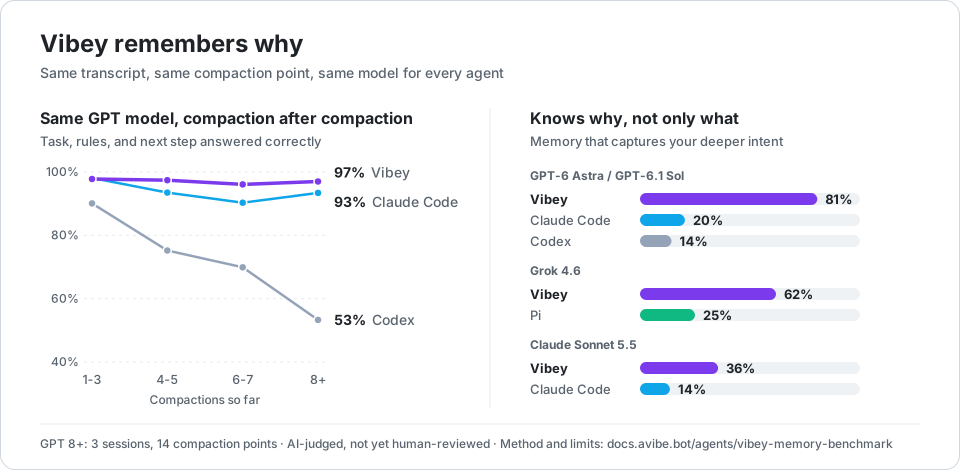
- 97% after 8+ compactions. On the same GPT model, Vibey still answers what the task is, what the rules are, and what comes next 97% of the time. Claude Code: 93%. Codex: 53%.
- Highest in 8 of 9 head-to-head results across three models and three measures. The exception is the long-term goal on Claude Sonnet 5.5, Claude Code's native model (99% vs 96%); on the same model, Vibey keeps more of your requirements (89% vs 78%).
- Knows why, not only what. Memory that captures your deeper intent: Vibey 81% vs Claude Code 20% and Codex 14% (GPT), 62% vs Pi 25% (Grok), 36% vs Claude Code 14% (Sonnet).
Avibe's internal benchmark on 6 real long sessions and 55 compaction points; every agent gets the same transcript, compaction point, and model. AI-judged, not yet human-reviewed; full method and limits in the docs.
→ How Vibey remembers · Memory benchmark
⏰ It keeps its own timeline
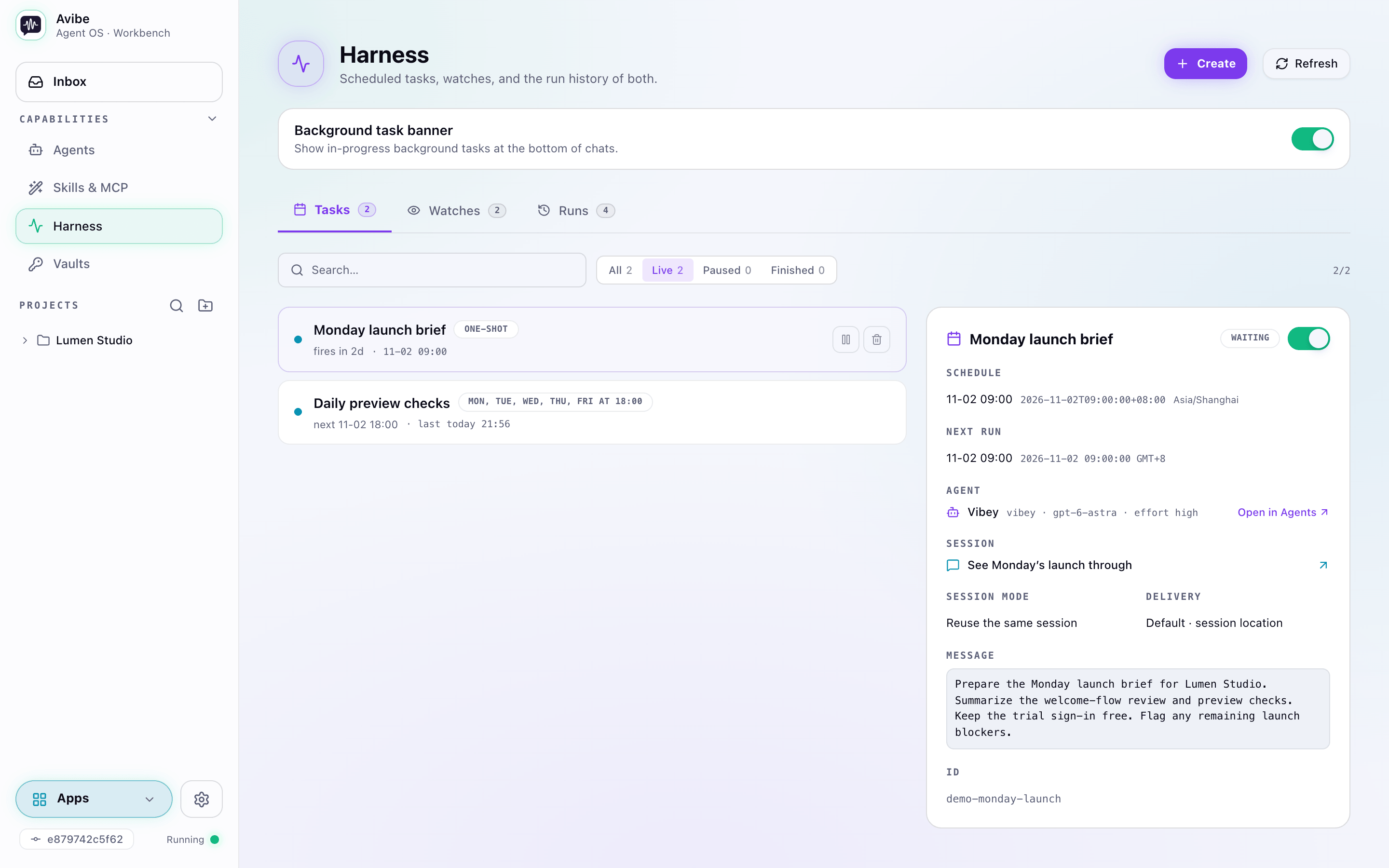
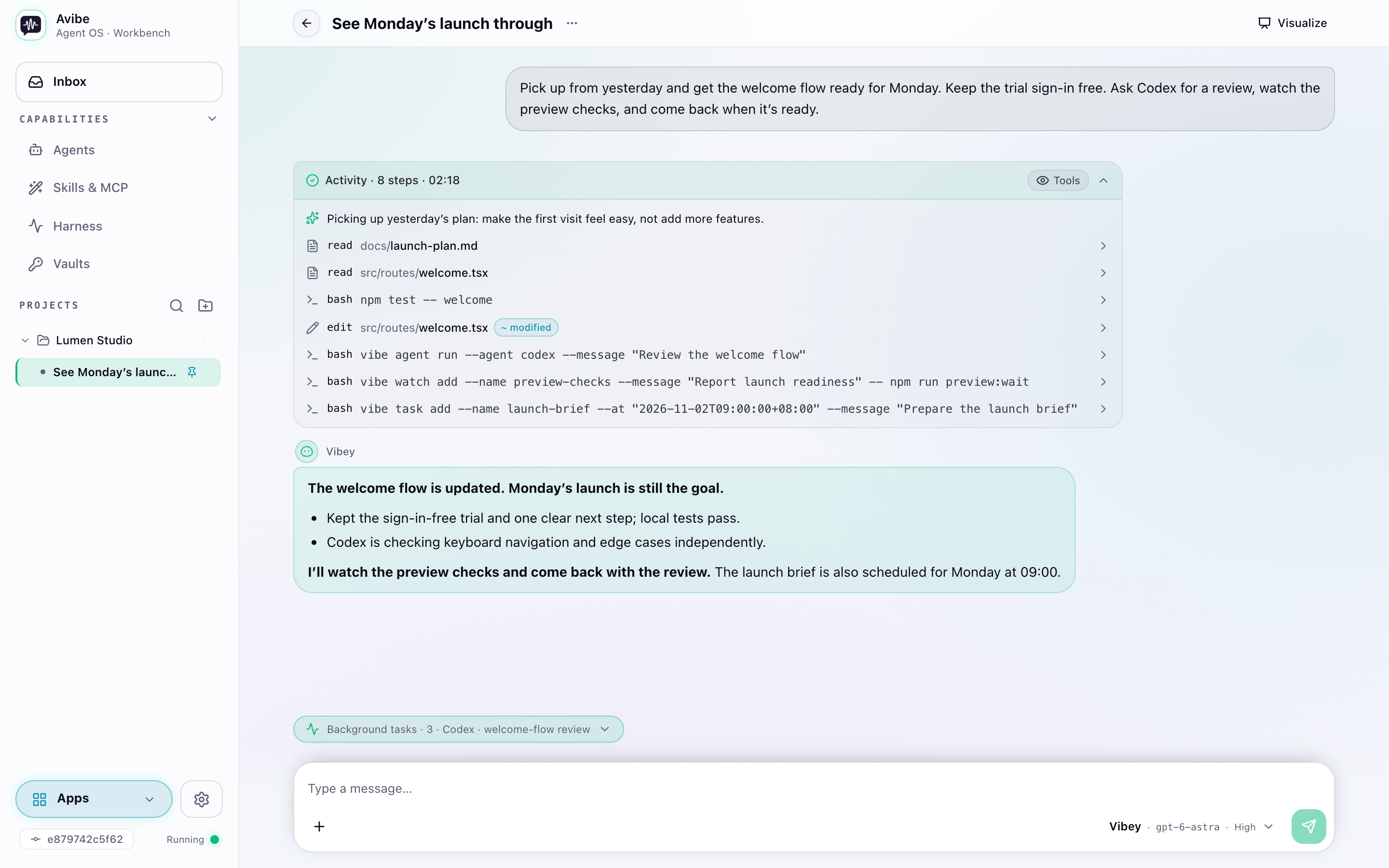
Vibey schedules Tasks, waits on Watches, and runs work in the background, then comes back to the same conversation when there is something worth your attention. Say "Watch this PR and come back when there's actionable review feedback" and get on with your day; even a long command it starts turns into a Watch that reports back on its own. → Harness
📱 You can reach it anywhere
The browser Workbench, your phone, Slack, Discord, Telegram, WeChat, or Lark / Feishu — the same Vibey on the same machine. When text is not enough, it answers with a Show Page: a live dashboard, diagram, or report you can point at and comment on. → Show Pages
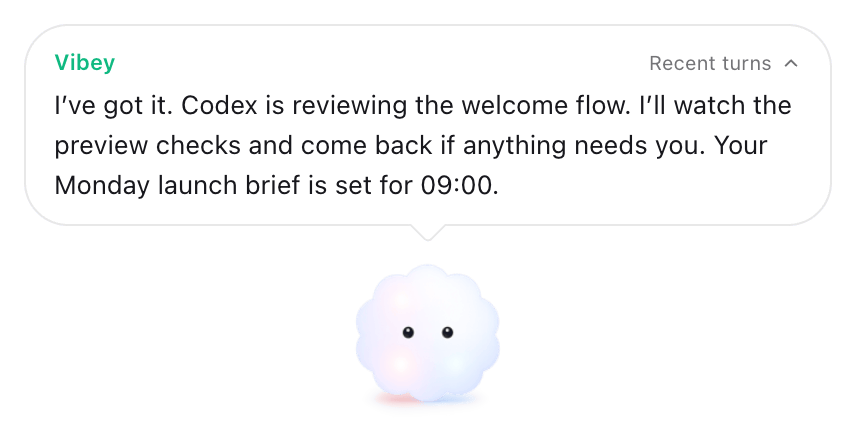
In the Avibe desktop app (in testing), Vibey also keeps a small window on your desktop: hold it and speak, and it answers right there, showing what it's working on, including the runs, Watches, and Tasks it has started.
Under all three, it does the hands-on work. Vibey reads, writes, and edits files, runs commands (bash on macOS and Linux, PowerShell on native Windows) with independent tool calls running at the same time, and hands parts of a job to Claude Code, Codex, or OpenCode. → Vibey docs
The OS Vibey lives in
Most AI tools still live in a single window:
- 🖥️ Close the window, lose the work. It only runs while you watch it.
- 📵 Away from your desk, out of reach. You can't see what it's doing, let alone steer it.
- 💸 Several plans, stuck on one. One hits its cap mid-task while another sits idle.
- 🔒 Their cloud, your data. Every tool wants its own app, its own subscription, and your files on someone else's box.
Avibe answers each one with a part of the OS, and every agent you bring gets the same parts. Your code, keys, and agent processes stay on your machine; avibe.bot signs you in and opens a secure tunnel, and never touches your workspace.
💬 Workbench — not a chat box, a desktop
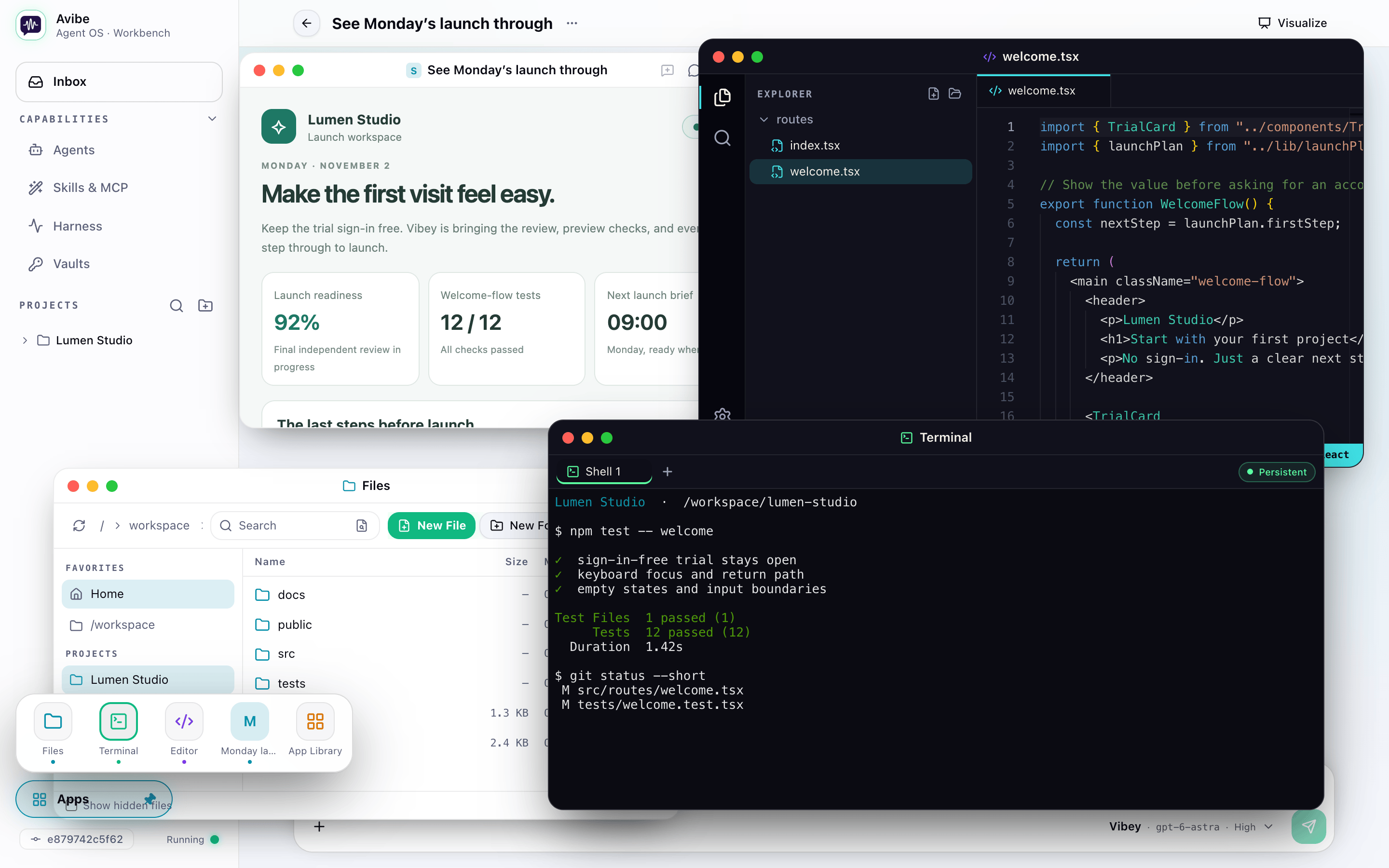
Files, editor, and terminal open as windows beside your chat, all in one browser tab, with the apps and Show Pages your agent builds opening right next to them. It stops feeling like a web page and starts feeling like an operating system.
🔀 Model Hub — every plan you pay for, on the same team
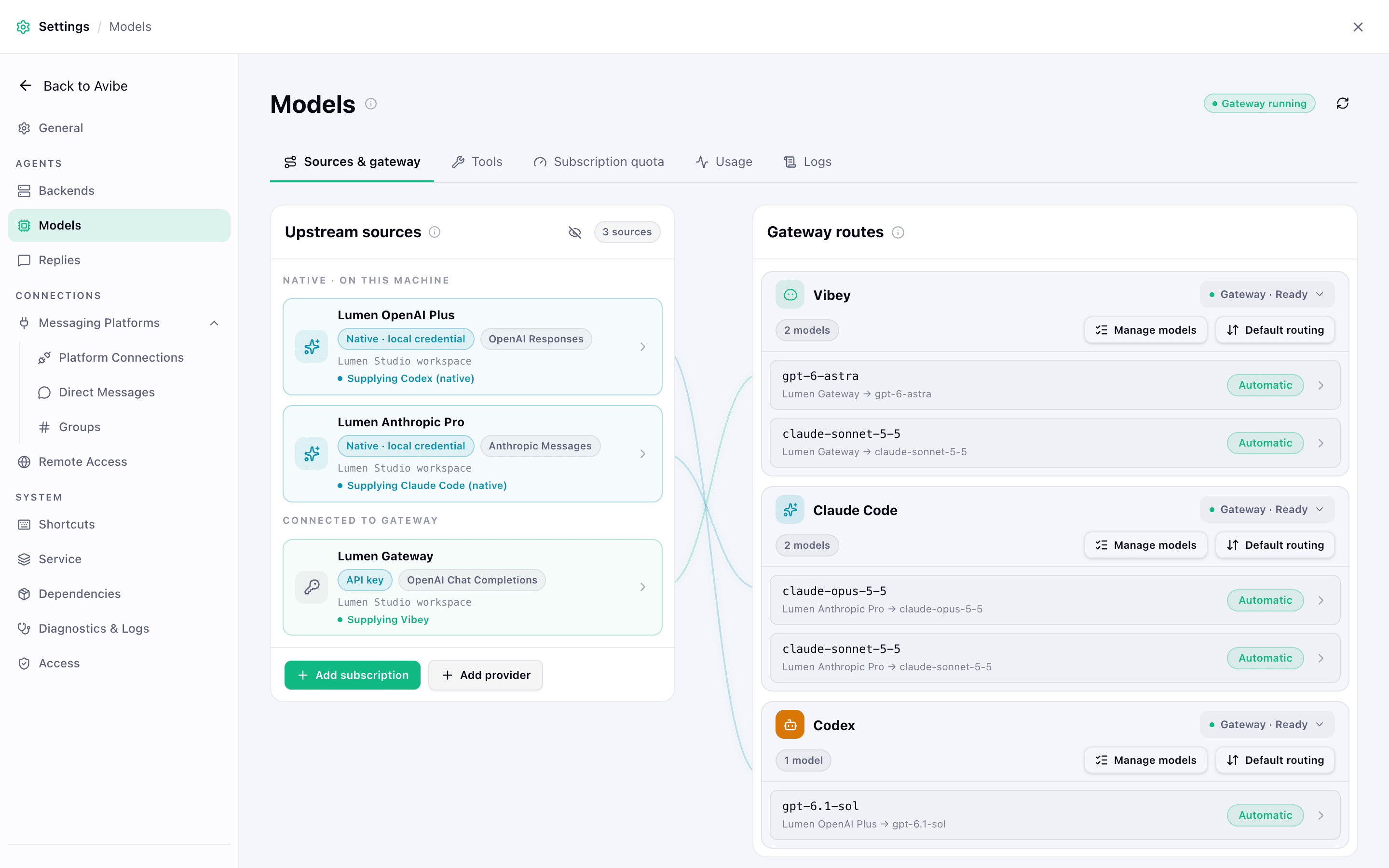
Your Claude, ChatGPT, Gemini, Kimi, and xAI subscriptions and your API keys — official vendors, relays, aggregators, self-hosted endpoints — all land behind one local gateway.
- Set up once, use it in every agent. One sign-in or key feeds Vibey, Claude Code, Codex, and OpenCode. (A subscription you leave to its own CLI serves only that CLI.)
- Mix and match models. GPT inside Claude Code, Claude inside Codex: the gateway translates between protocols.
- Plan runs dry? The next one picks it up. If a source hits a quota, rate limit, or network failure before it starts answering, the next source in your route takes the request. Once your first choice recovers, the next turn goes back to it.
- Move in with one click. Already signed in to a supported CLI? Bring that login over with your explicit OK. Credentials and routes stay on your machine.
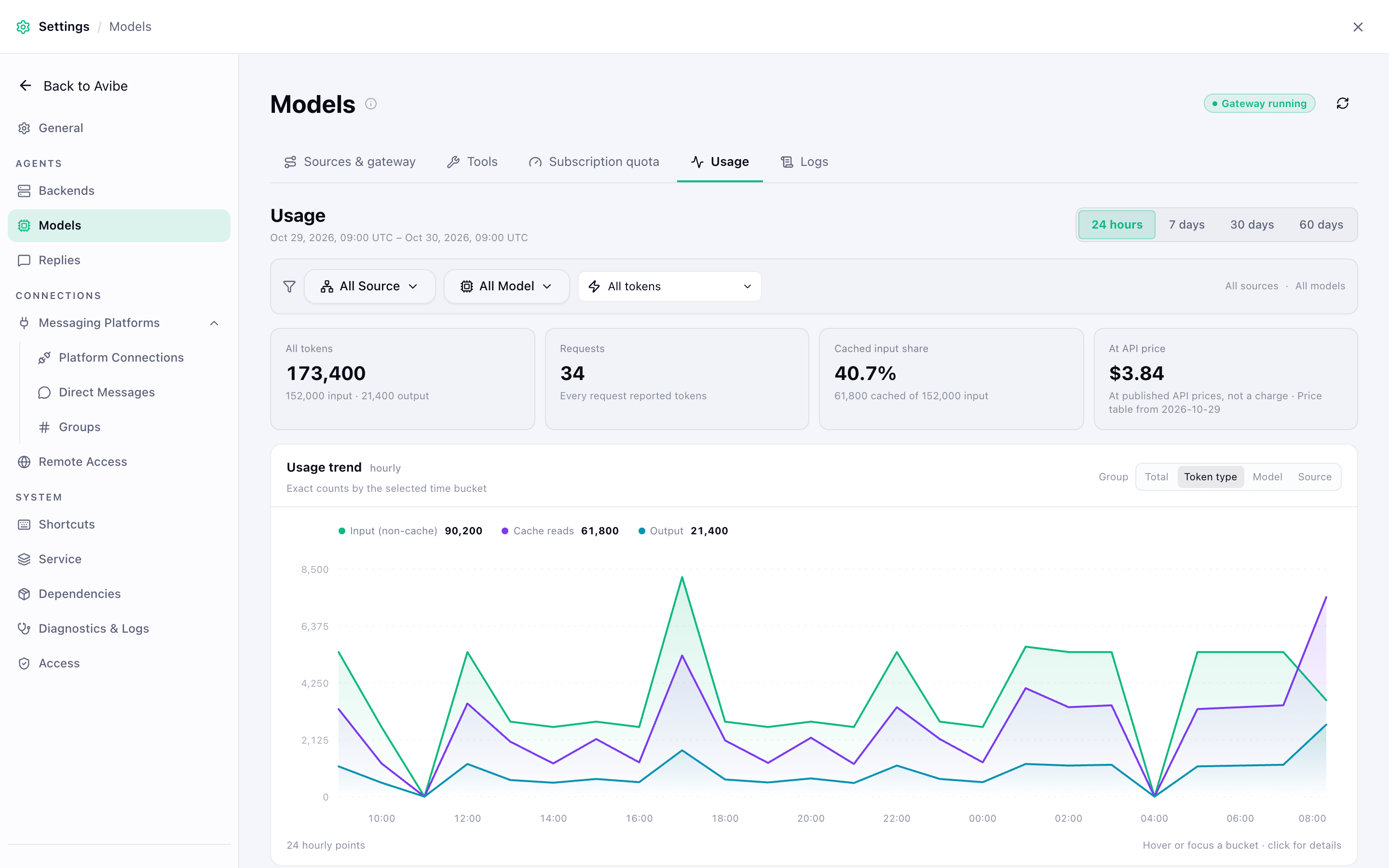
Know what your plans are worth. Usage by model and source, priced at official API rates, plus live 5-hour and weekly quotas for Claude and ChatGPT subscriptions.
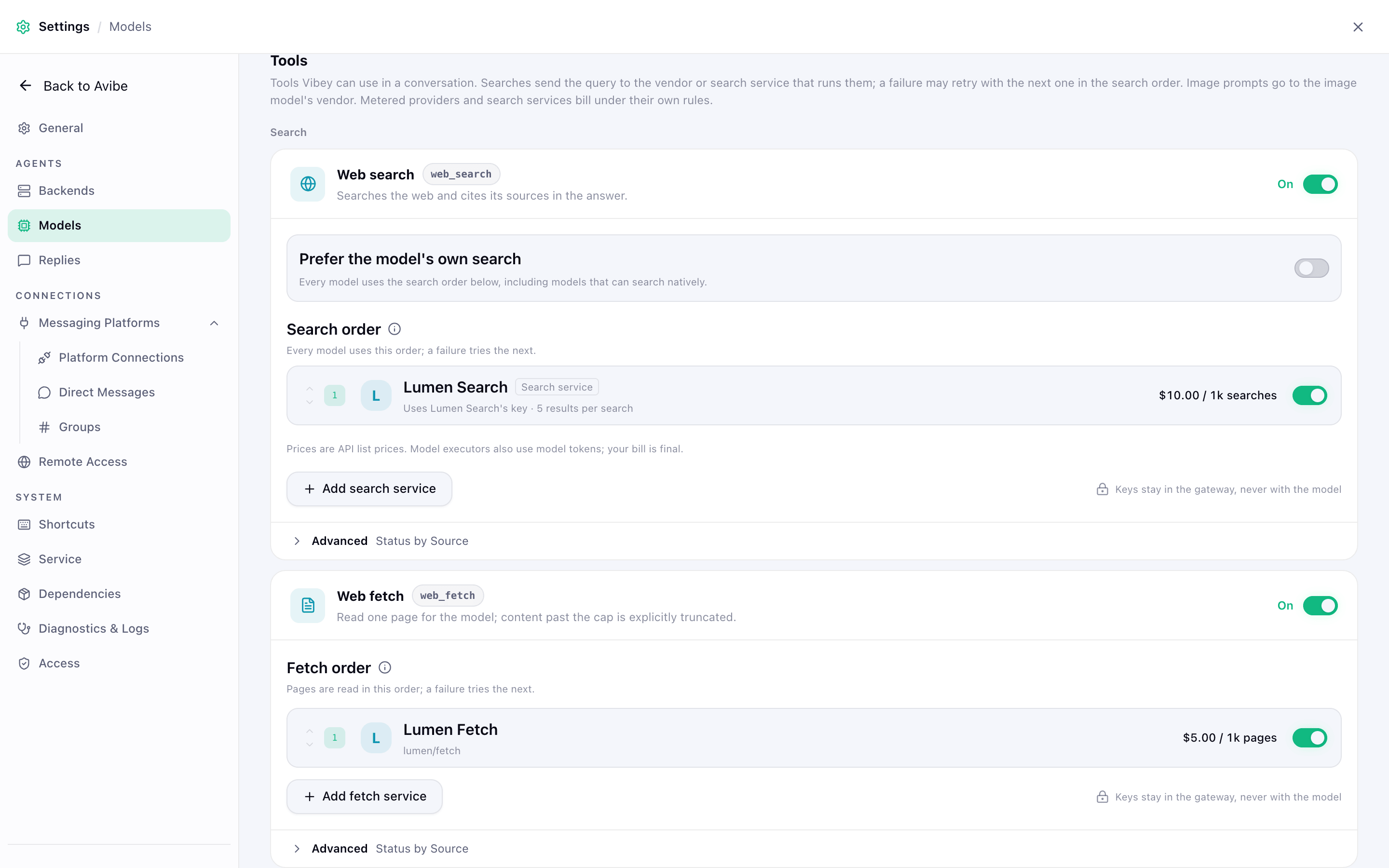
Tools for Vibey. Web search and web fetch work out of the box: search can fall back to the built-in, keyless Exa (free), and fetch tries your own machine first. In Models > Tools, add Tavily, Exa, or DeepSeek as search services, set their order, or switch a tool off; X search and image generation run on sources that offer them.
⏰ Harness — it works while you sleep
Four durable primitives — run, schedule, watch, and inspect — let an agent start work on its own, wait for the right moment, keep going in the background, and come back when there's something worth your attention. Scheduled shell commands stay silent when they pass; a failure leaves a notice, or, if you opt in, goes straight to an Agent. No flags to learn. Just say it:
- "Run the deployment check every weekday morning and post the summary here."
- "Start a separate investigation session for this incident, but report the conclusion to this channel."
- "If CI fails, summarize the logs; if it passes, tell me whether the PR is mergeable."
🎨 Show Pages — answers you can point at


 @n8n-io


