
Agent Orchestration
Plugin
claude-command-center
Your coding agents outgrew your terminal. CCC puts every session on one local board and tells you which one needs you. Not affiliated with Anthropic.

Plugin Signal85/100Strong
maintained100
capable74
documented100
adopted49
Install on Claude Code
> /plugin marketplace add amirfish1/claude-command-center> /plugin install ccc-dashboard@claude-command-center
Stats
198
Stars
26
Forks
Active
Maintenance
Python
Language
3h ago
Last commit
6mo ago
Created
4h ago
Added
What's inside
Skill(21 skills)
/throughputUse when the user asks to open/show the CCC throughput (token) dashboard, or asks how many tokens they've used — overall/so far, in the last 7 days, or for a specific session (e.g. "how many tokens is session ffbbeef8", "open throughput dashboard", "what's my token burn")./a-b-copyUse when you want a marketing-copy A/B — spawns two writer sibling sessions via CCC that draft the SAME message architecture in DIFFERENT voices, then a judge session (which saw neither draft happen) scores both and picks a winner./bug-raceUse when a bug has already survived at least one debugging attempt and you have 2-3 genuinely distinct root-cause hypotheses — spawns one racer sibling session per hypothesis via CCC, referees the first CONFIRMED root cause with reproducible evidence, and stands the others down
Hook(12 hooks)
README
CCC
Your coding agents outgrew your terminal.
CCC puts every session on one local board and tells you which one needs you. Not affiliated with Anthropic.
Start the next while Claude builds the first.
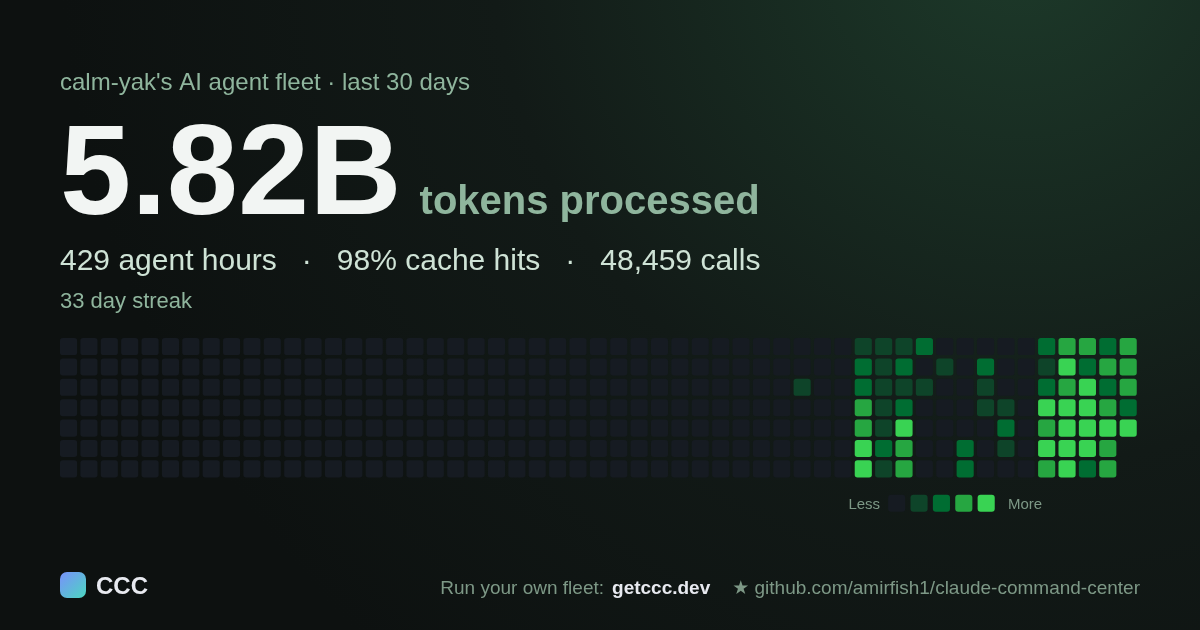
A real share card from one of the maintainer's machines. Yours comes from the throughput page: totals only, no prompts, code, or project names.
curl -fsSL https://raw.githubusercontent.com/amirfish1/claude-command-center/main/scripts/install.sh | CCC_FROM=readme bash
Needs Git and Python 3.9+ (macOS or Linux; Windows). Opens http://localhost:8090 and asks before installing a background service. Sends one anonymous daily ping; CCC_TELEMETRY_DISABLED=1 turns it off (what it sends).
- One board for eight agents. Claude Code, Codex, Cursor, Antigravity, Kilo Code, Kimi Code, OpenCode, and Devin, however you launched them.
- Start free in 5 minutes. The first-run wizard runs your first task on a $0 model and shows what it would have cost.
- Local and source-available. No account, no cloud, free to use at work (FSL-1.1-MIT). Not affiliated with Anthropic.











“Hey Amir, great product. I tried about 20 before finding yours. I have been really enjoying it.”
CCC user
Other ways to install. With Homebrew:
brew tap amirfish1/ccc
brew install ccc
ccc
Or download the macOS DMG
and drag CCC.app to Applications.
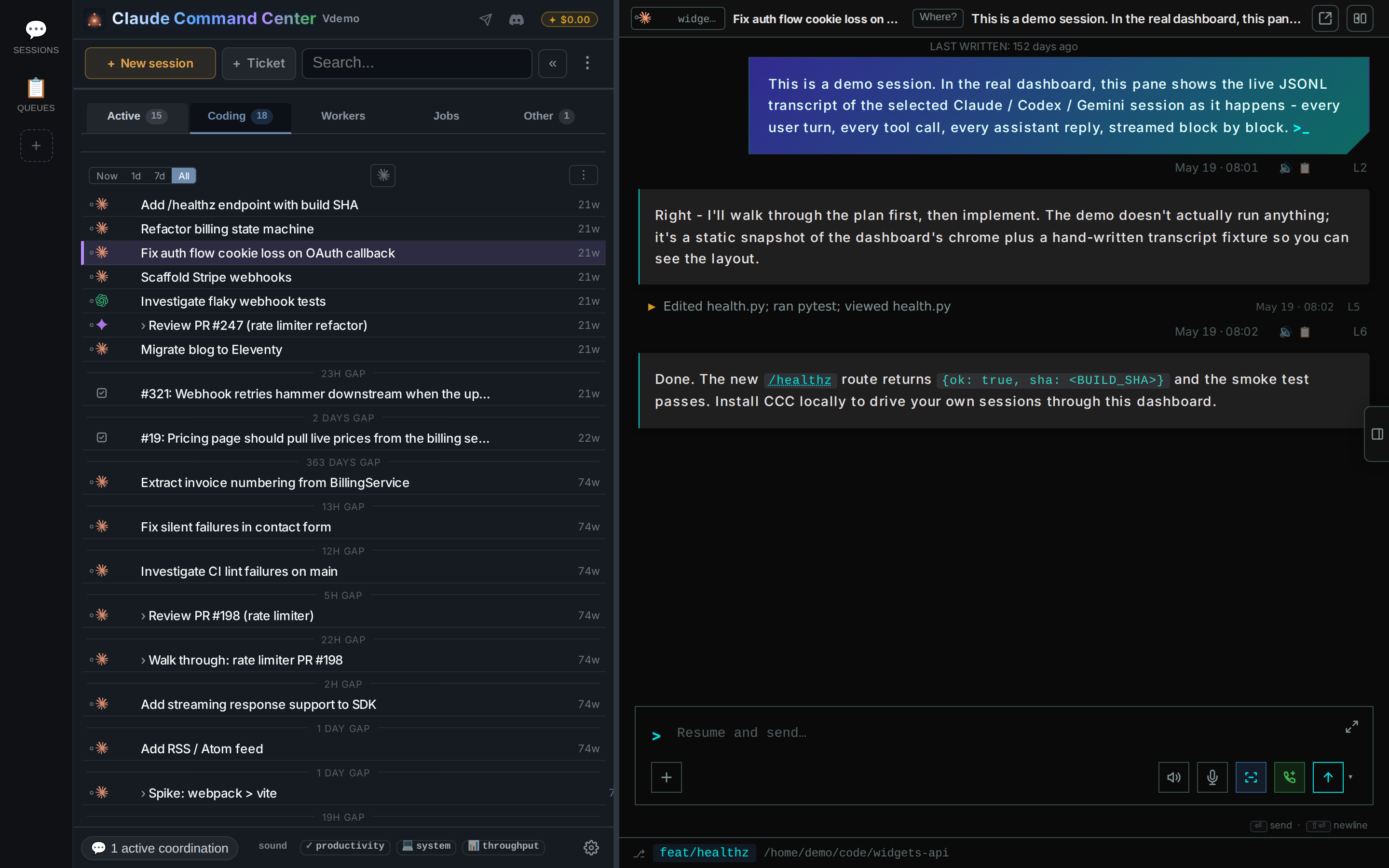
Try the read-only demo first: the full dashboard with seeded fake data, no install required. Alternate demo.
Start free in 5 minutes
New to coding agents? The first-run wizard checks your machine, helps install Node, the Claude Code CLI, and a local free-model router, then runs your first real task on a $0 model. You approve each install step. It ends with the honest math: "This run cost $0. At API prices it would have cost $X."
Walk through setup · Free providers and privacy. Free providers have their own limits. The keyless provider logs prompts for training; CCC asks for consent before enabling it. Do not send it private code.
See CCC at work
One board, eight engines
See sessions you started in a terminal or from CCC. Each agent's own files keep the list up to date.
Flow canvas & Project tree
Group sessions by the work they belong to. Keep your live sessions next to a map of your projects.
Split conversations
Drag a session onto the edge of an open conversation to read two agents side by side. Each has its own input bar.
Find anything, from any session
Search your session history without extra setup. An optional semantic mode helps when you cannot remember the exact words.
Sessions that coordinate without you
Post once to a group chat and every participant gets the message. No copying answers between terminals.
Durable queues, one inbox
Put work in a WatchTower queue. Tickets survive closed sessions, and workers can pick them up in parallel.
Workers that specialize over time
Workers read their queue's shared learnings before a task and write back afterwards, so the next worker has that experience.
Work from anywhere
Monitor sessions and reply from your phone on a trusted network. CCC stays local by default. Settings > Phone access guides you through Tailscale. Phone setup.
All captures use seeded demo data. Full feature guide.
Quickstart
You need Git and Python 3.9+ for the dashboard. To launch agents, use an
installed agent CLI or let the first-run wizard help set one up. gh is
optional for GitHub features.
Prefer Python tools? Build and run a wheel with uvx or pipx. This is a source-build preview, not a PyPI release.
WatchTower comes with it
WatchTower powers CCC's queues. See setup and requirements.
Running on Windows
irm https://raw.githubusercontent.com/amirfish1/claude-command-center/main/scripts/install.ps1 | iex
From a clone, run .\run.ps1. Native Windows runs in the foreground; WSL2
supports the Linux systemd service route. Windows guide.
From source
git clone https://github.com/amirfish1/claude-command-center
cd claude-command-center
./run.sh
Open http://localhost:8090, then pick a repo before starting work. Keep the terminal open for a foreground launch.
Running on Linux
Use ./run.sh in the foreground or ./run.sh --install-service for a systemd
user service. Linux and WSL2 guide ·
macOS services · Docker.
Your agent config
CCC asks before registering hooks or installing skills in your agent config. You can skip them, review the diff, or remove them later in Settings. What changes, and how to undo it.
Engine support
All eight engines can start sessions from CCC. Follow-up and model controls vary; Kilo Code has no resume, and Cursor IDE sync is metadata-only. GitHub Copilot CLI, VS Code Copilot Chat, and Grok CLI are read-only, as are Devin cloud sessions. Full engine support matrix.
Why this exists
CCC attaches to the work you already have instead of requiring you to launch every session through it. Close the dashboard and your agents keep running. How attachment works.
How it compares
CCC is a session dashboard and coordination tool. Routers provide the model backends it can use. Comparisons and scope.
Recent
v5.39: tap-back reactions, faster read-aloud, scheduled jobs in voice, and Codex sub-agent reply fixes.
See CHANGELOG.md and releases. Choose Watch > Releases on GitHub for update notifications.
Codex conversations
Codex workspace guide: shared transcripts, live turns, connection limits, and desktop-owned tasks.
Bring your own key (BYOK)
Provider keys and Vault: profiles, supported routes, secret storage, and safe CLI use.
Store and use non-provider secrets.
Request credentials through the dashboard when an agent needs a password, token, passphrase or one-time code.
Features
Full feature guide · Free models · Phone access · Realtime voice.
Decision Inbox
Choose the next step for stalled work.
Throughput usage database
Local usage database and cost comparisons.
Orchestration skill
CLI commands · Spawn, send, and ask APIs ·
12-skill pack. Usage integrations read GET /api/usage/current.
Works with your skills
Skill integrations · Installed-pack inventory.
Cookbook
Architecture
Dashboard, persistent worker, and state.
Configuration
Environment variables, defaults, and persistent settings.
Optional shared-clone Git guard for Claude Code.
Roadmap
For current capabilities and limits, see Features and Engine support. Request improvements through GitHub issues.
Community
File tree
FAQ
claude-command-center is a Claude Code plugin with 21 hand-picked skills, indexed on Flowy in the Agent Orchestration category. Install it with the command on its page. It includes throughput, a-b-copy, bug-race. Its skills do not fire on their own yet. Request auto-invocation to have Flowy route them as you prompt. Free and open source.
- What is claude-command-center?
- Your coding agents outgrew your terminal. CCC puts every session on one local board and tells you which one needs you. Not affiliated with Anthropic. Start the next while Claude builds the first. A real share card from one of the maintainer's machines.
- How do I install claude-command-center?
- Run these in Claude Code: /plugin marketplace add amirfish1/claude-command-center then /plugin install ccc-dashboard@claude-command-center. Then prompt normally.
- Does claude-command-center auto-invoke its skills?
- Not yet. It is indexed on Flowy as a plain plugin. Request auto-invocation on its page and Flowy will route its skills for you as you prompt.
- Is claude-command-center free?
- Yes. Flowy is free and open source, with nothing gated. You can read every skill in full before you install.
Is this plugin yours?
Claim it with GitHubSubmit a pluginPromote it