
video-podcast-maker
Turns a topic into a narrated explainer video, podcast-style, with research, script, voiceover and assembly. Outputs for Bilibili, YouTube, Xiaohongshu, Douyin and WeChat Channels in Chinese or English.
3 skills1.7k
 @agents365-ai
Creates and edits draw.io and diagrams.net diagrams as editable .drawio files, covering architecture, UML, ERD, sequence, BPMN, network and swimlane views, from a written description or converted from code.
Claude Code
$ npx -y skills add Agents365-ai/drawio-skill --agent claude-code
Codex
$ npx skills add Agents365-ai/drawio-skill -a codex
Cursor
$ npx skills add Agents365-ai/drawio-skill -a cursor
Gemini CLI
$ npx skills add Agents365-ai/drawio-skill -a gemini-cli
GitHub Copilot
$ npx skills add Agents365-ai/drawio-skill -a github-copilot
OpenCode
$ npx skills add Agents365-ai/drawio-skill -a opencode
Windsurf
$ npx skills add Agents365-ai/drawio-skill -a windsurf






English · 中文 · 📖 Online Docs
A skill that turns natural language and real system sources into maintainable .drawio architecture models. Beyond generation and export, it incrementally synchronizes without discarding manual layout, projects multiple views from one model, enforces architecture contracts, queries dependencies, simulates failure propagation, and publishes dependency-free interactive walkthroughs. Works with Claude Code, Cursor, Copilot, OpenClaw, Codex, Autohand Code, Hermes, and any agent compatible with the Agent Skills format.
From a prompt
.drawio — the skill plans the layout, writes the XML, exports, then self-checks its own PNG and auto-fixes overlaps, clipped labels, and stacked edges (up to 2 rounds), with up to 5 rounds of your feedback.drawio: structure in, layout freeraster2drawio.py rebuilds it as a real, editable .drawio honouring the original layoutFrom real sources
Visualize a codebase — import graphs for Python / JS-TS / Go / Rust and Python class hierarchies, with Graphviz placement, transitive reduction, and nested module containers
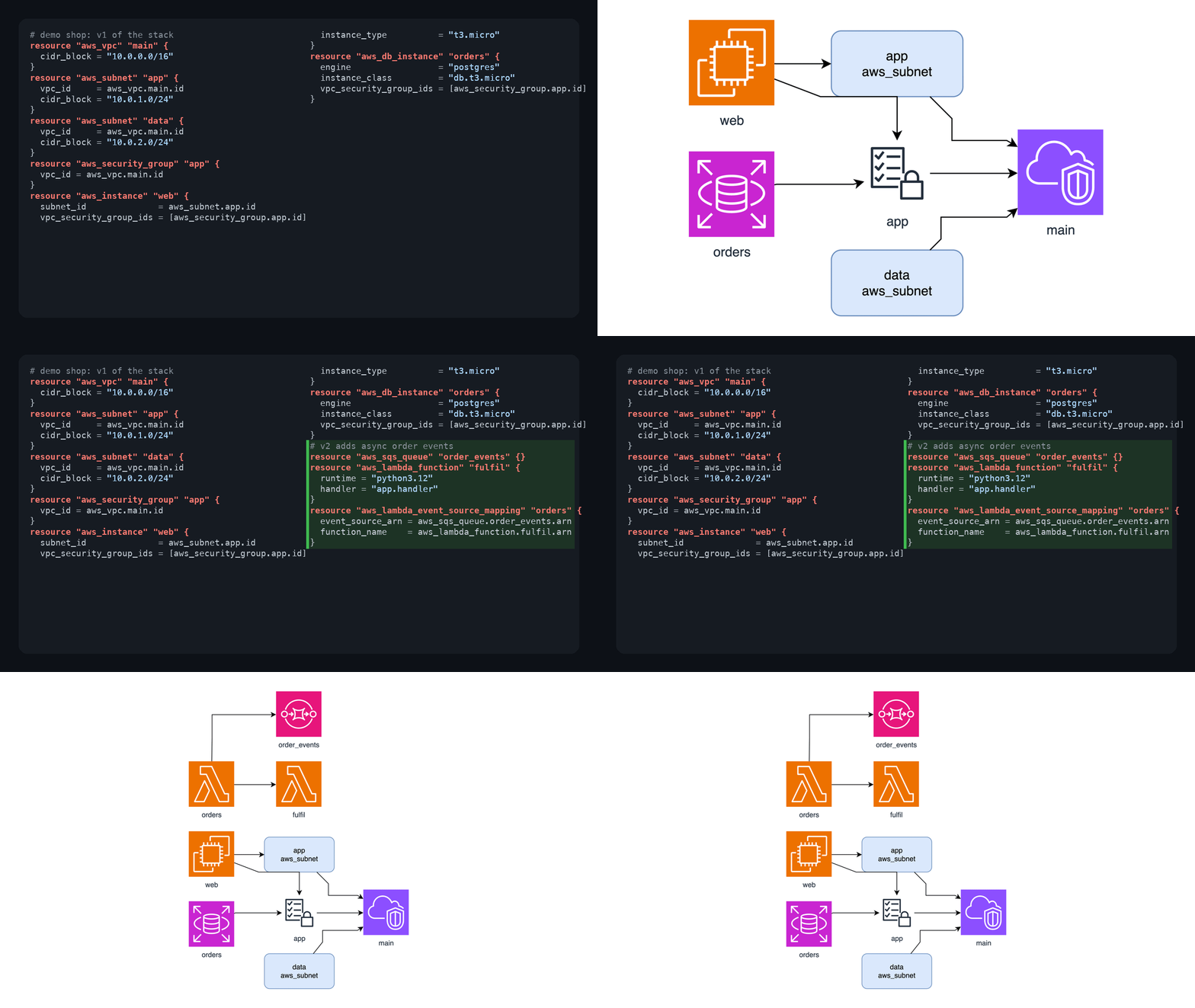
IaC and live infrastructure — Terraform, Kubernetes, and docker-compose configs become diagrams with official AWS / Azure / GCP / K8s icons; snapshot what's actually deployed from terraform show -json, docker inspect, or kubectl get -o json
Schemas and pipelines — SQL DDL → ER diagram, OpenAPI/Swagger → API diagram coloured by HTTP method, AsyncAPI → event-driven architecture diagram, Protocol Buffers → message/service diagram, GraphQL SDL → entity type diagram, GitHub Actions / GitLab CI → pipeline DAG
Deterministic engines — sequence diagrams with computed lifelines and activation bars; multi-page C4 models with click-to-drill-down
Keep it true over time
diagramctl sync updates changed nodes/relations while preserving tuned coordinates, styles, and annotations; removals stay reviewable by defaultShare and restyle
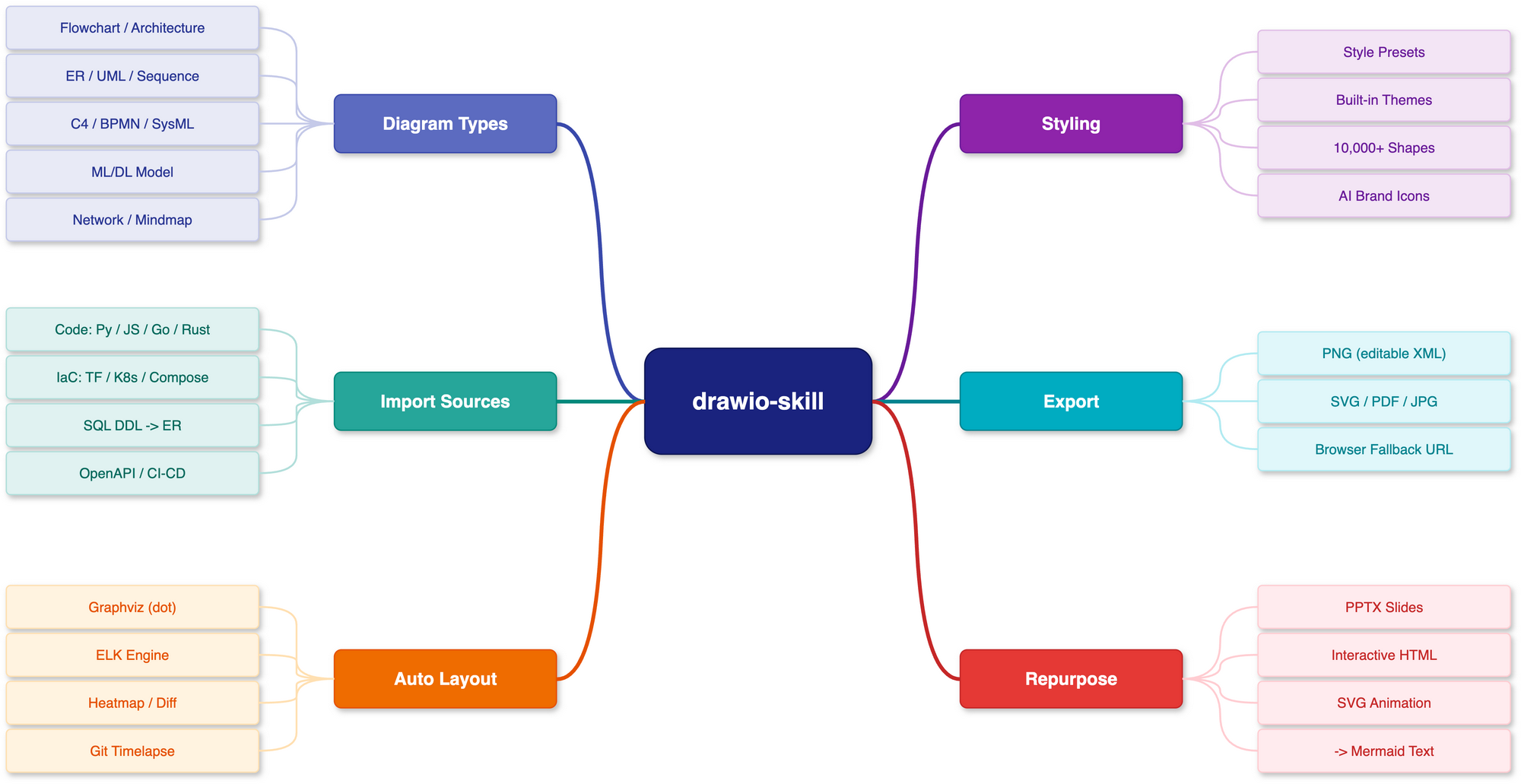
dark/corporate/…), bilingual label variants with layout untouched, data-driven heat maps, white-to-metro tubemap modediagramctl doctor/build/sync/views/query/test/review/whatif/story/publish/transform, core workflows stdlib-only and offline; the MCP server exposes them to Claude Desktop, Cursor, VS Code, Codex, and any MCP host. Portable to any Agent Skills-compatible agent, no daemonA bird's-eye view of everything the skill does — diagram types, import sources, layout engines, styling, export formats, and repurposing — in one map. Fittingly, this map was itself drawn with drawio-skill.
| Platform | Command |
|---|---|
| macOS | brew install --cask drawio |
| Windows | Download installer |
| Linux | .deb/.rpm from releases; sudo apt install xvfb for headless |
Verify with drawio --version. Version ≥ 30 recommended — it unlocks Mermaid → .drawio conversion and the ELK --layout pass (both unavailable on ≤ 29). On WSL2 the CLI is the Windows desktop exe reached via /mnt/c — the skill detects this automatically (see troubleshooting). Full recipes in docs/INSTALL_CLI.md.
# Any agent (Claude Code, Cursor, Copilot, ...)
npx skills add Agents365-ai/drawio-skill -g
Manual install: clone once to a persistent path, then link the skill subdirectory (Claude Code shown). Use cp -R instead of ln -s on hosts that do not follow symlinks. The destination must not exist yet, so move an existing drawio-skill entry aside first.
mkdir -p ~/src
git clone https://github.com/Agents365-ai/drawio-skill.git ~/src/drawio-skill
mkdir -p ~/.claude/skills
ln -s ~/src/drawio-skill/skills/drawio-skill ~/.claude/skills/drawio-skill

# Copy alternative, for hosts that do not follow symlinks
# mkdir -p ~/.claude/skills
# cp -R ~/src/drawio-skill/skills/drawio-skill ~/.claude/skills/drawio-skill
The skill is the skills/drawio-skill/ subdirectory, so SKILL.md must sit directly under the host entry: <skills root>/drawio-skill/SKILL.md. Do not clone the repository root into a skills directory. Other host roots (Opencode, OpenClaw, Codex, Autohand Code global and project): docs/INSTALL_SKILL.md.
Autohand Code also supports autohand --skill-install for cataloged skills, with --project for workspace-level installs. Until this skill is listed there, use the manual recipe above with the Autohand Code skills root: ~/.autohand/skills/ (global) or <project>/.autohand/skills/ (project).
Also indexed on SkillsMP.
Updating: npx skills update drawio-skill -g (skills CLI) for installer installs; link installs update with git -C ~/src/drawio-skill pull, and copy installs need a manual refresh. See docs/INSTALL_SKILL.md#updates. Release history in CHANGELOG.md.
After installation, just describe what you want. For example, an ML model:
Draw a Transformer encoder-decoder for machine translation: 6-layer encoder
with self-attention, 6-layer decoder with cross-attention, input embeddings
(batch × 512 × 768), positional encoding, and a final output projection.
Annotate tensor shapes between layers and color-code by layer type.
The skill plans the layout, generates the .drawio XML, exports to your chosen format, self-checks the result, and lets you iterate.
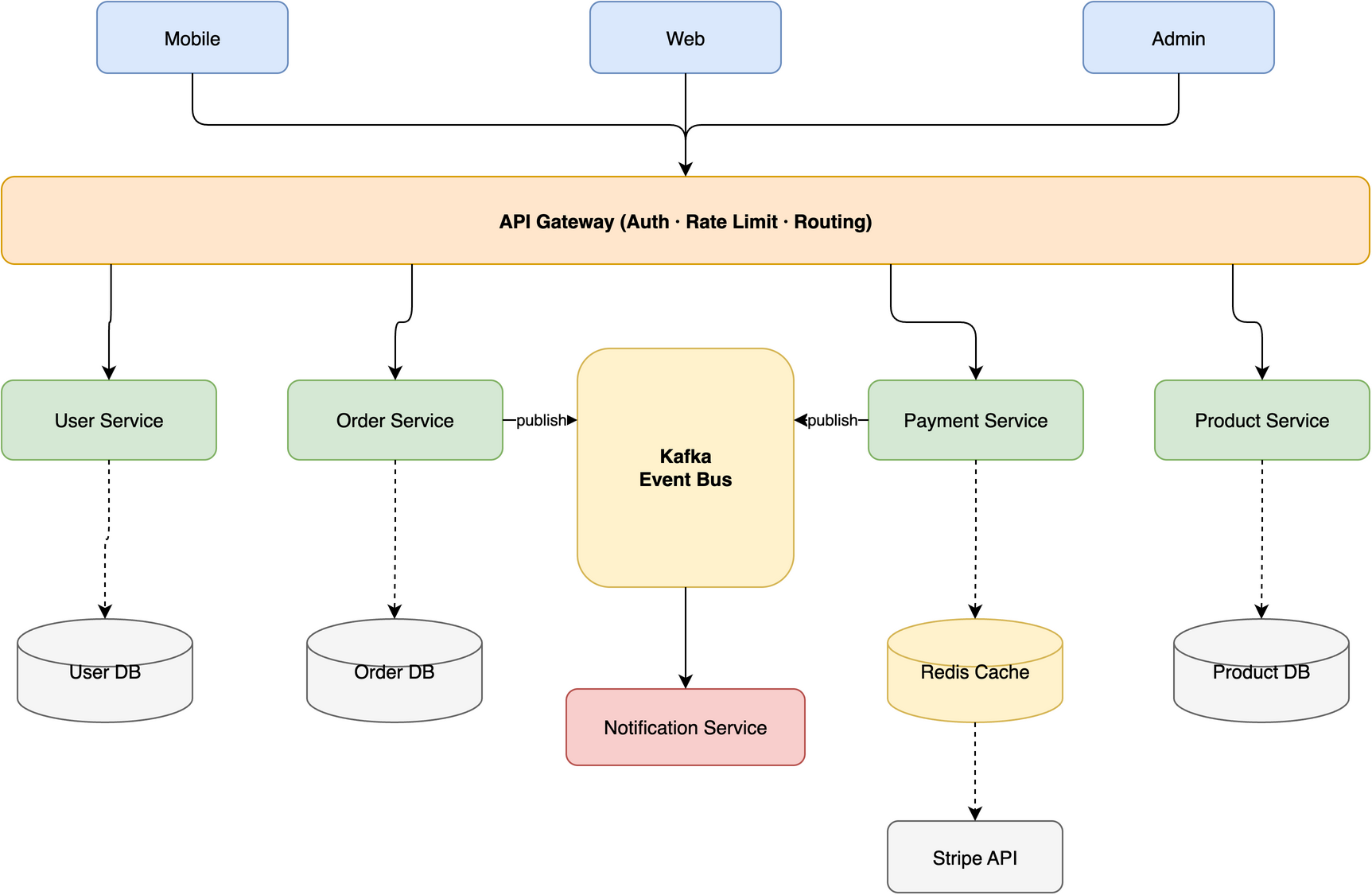
Tip The diagram above was generated from this single prompt:
Create a microservices e-commerce architecture with Mobile/Web/Admin clients,
API Gateway (auth + rate limiting + routing), Auth/User/Order/Product/Payment
services, Kafka message queue, Notification service, and User DB / Order DB /
Product DB / Redis Cache / Stripe API
The maintained Architecture Studio showcase
covers code → IR → .drawio, conflict-aware synchronization that preserves a
manually tuned layout, and architecture → policy/views/what-if/accessible Story.
Every artifact is regenerated by one script and verified in the test suite.
The skill is designed to route edges cleanly across different topologies, avoiding lines that cross through shapes:
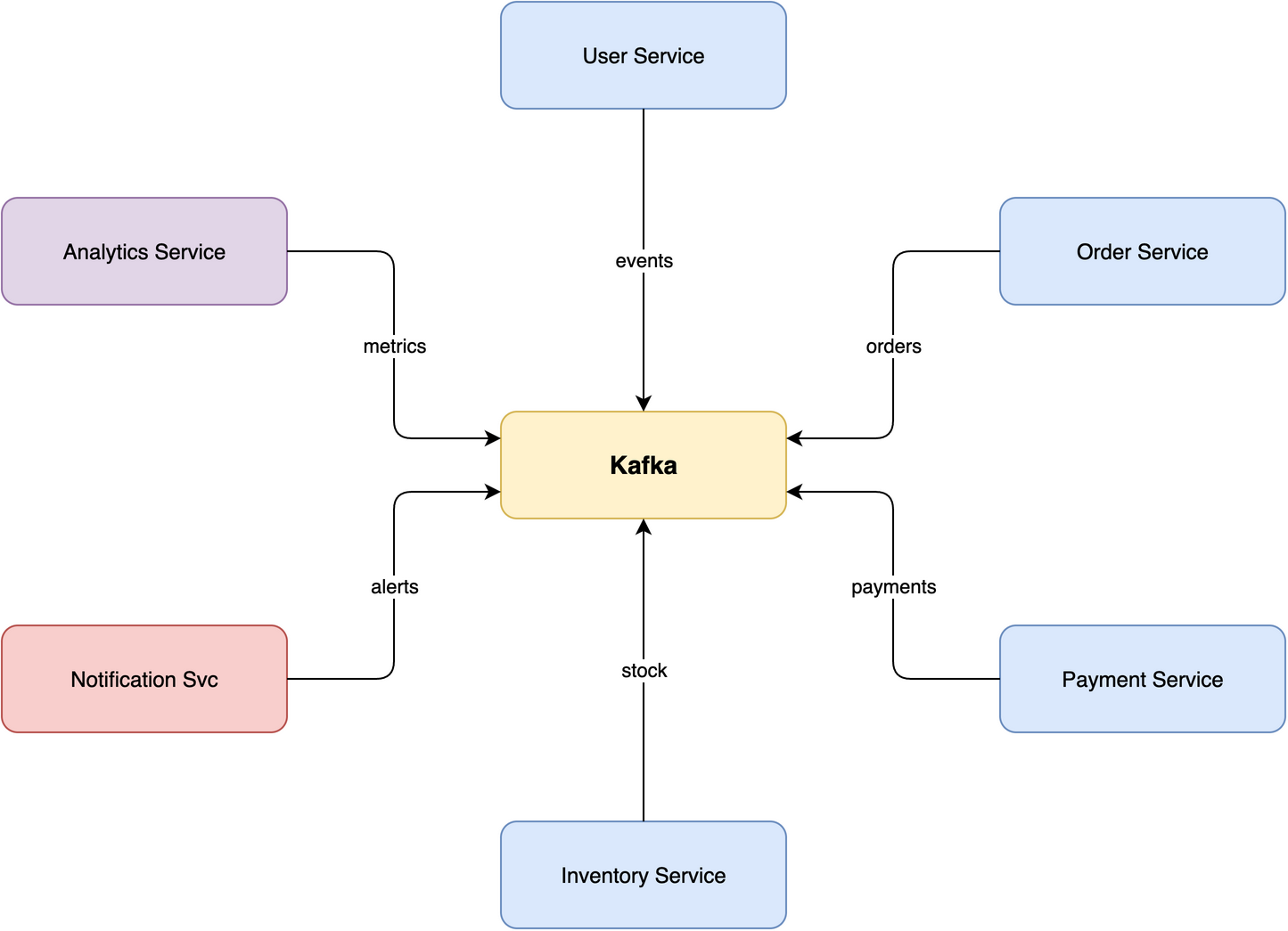
Star · 7 nodes Central message broker with 6 microservices radiating outward, no edge crossings on this example.
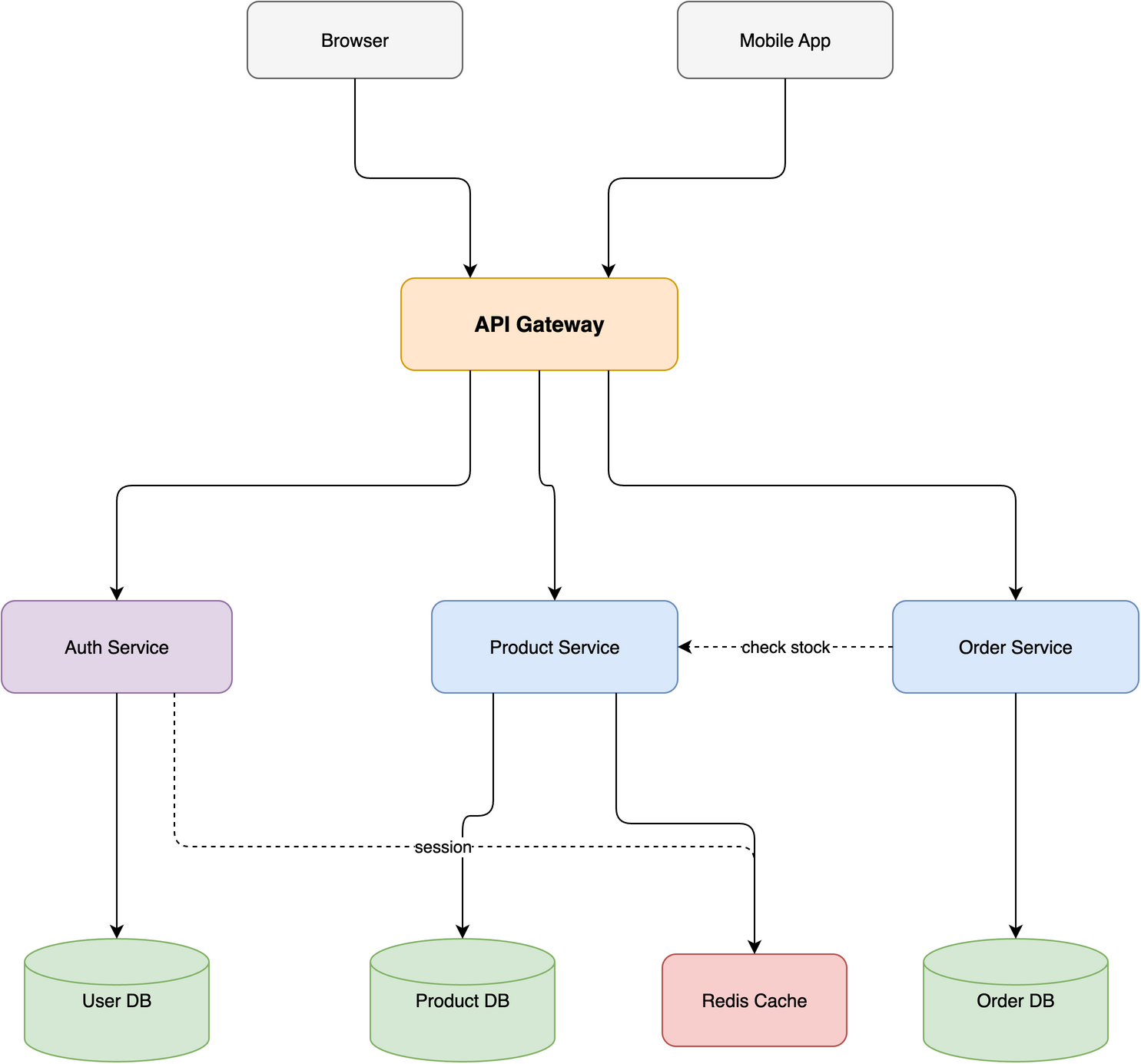
Layered · 10 nodes / 4 tiers E-commerce stack with horizontal and diagonal cross-connections routed via corridors.
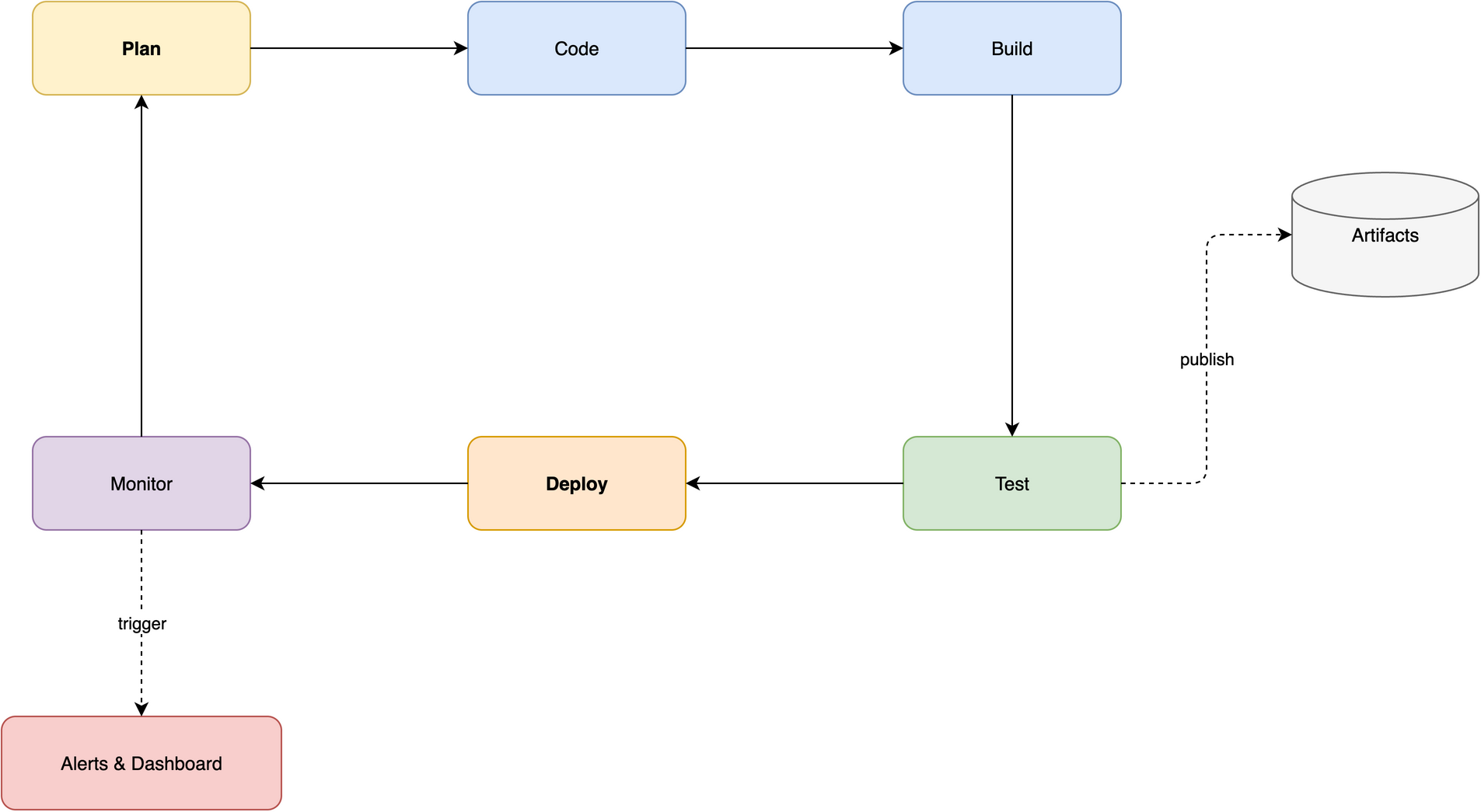
Ring · 8 nodes CI/CD pipeline with a closed loop and 2 spur branches flowing along the perimeter.
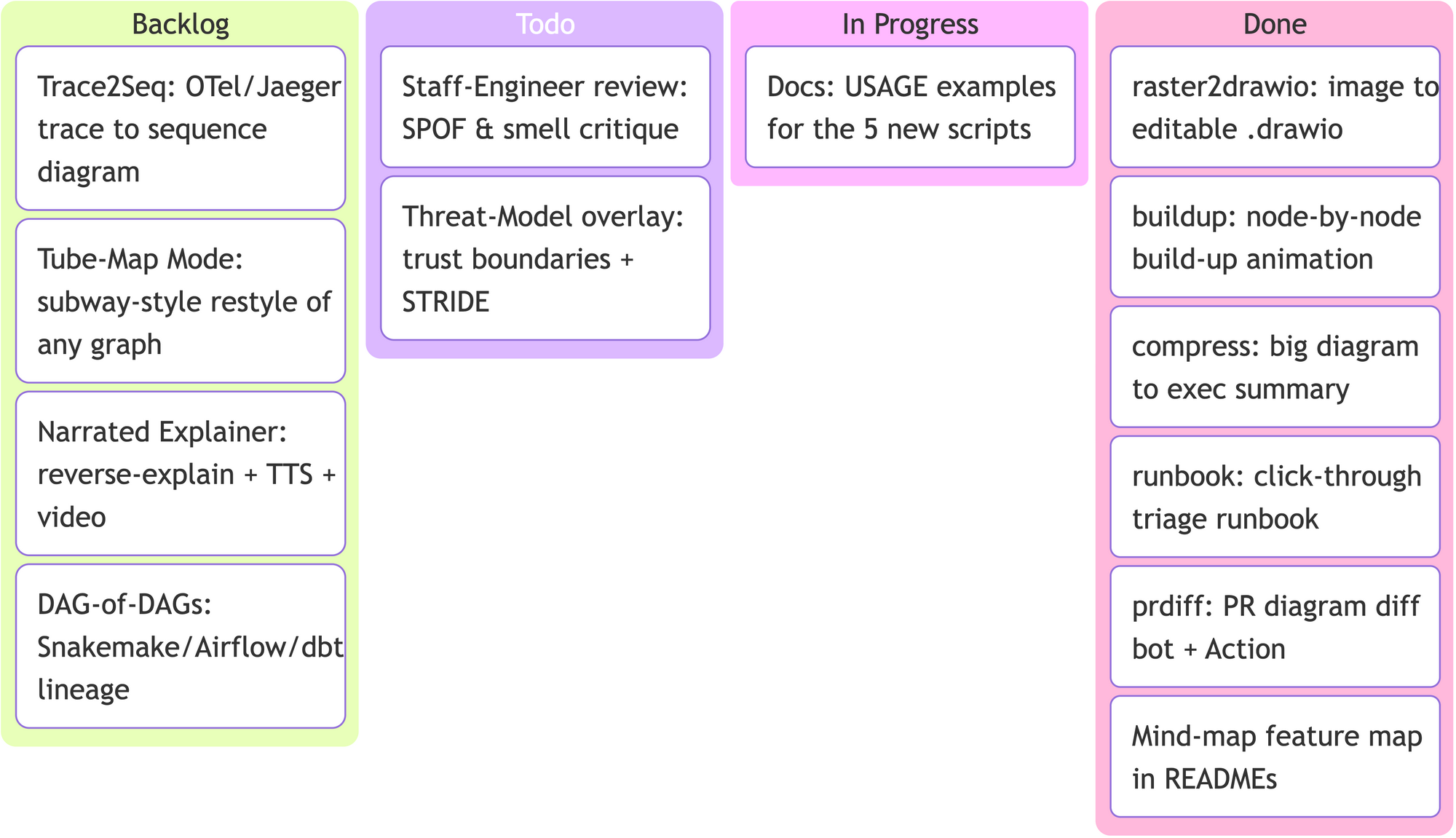
It also speaks Mermaid — standard types (flowchart, mindmap, kanban, gitGraph, timeline…) convert straight to native, editable .drawio. Here's a Kanban board (this project's own roadmap) generated from a few lines of Mermaid:
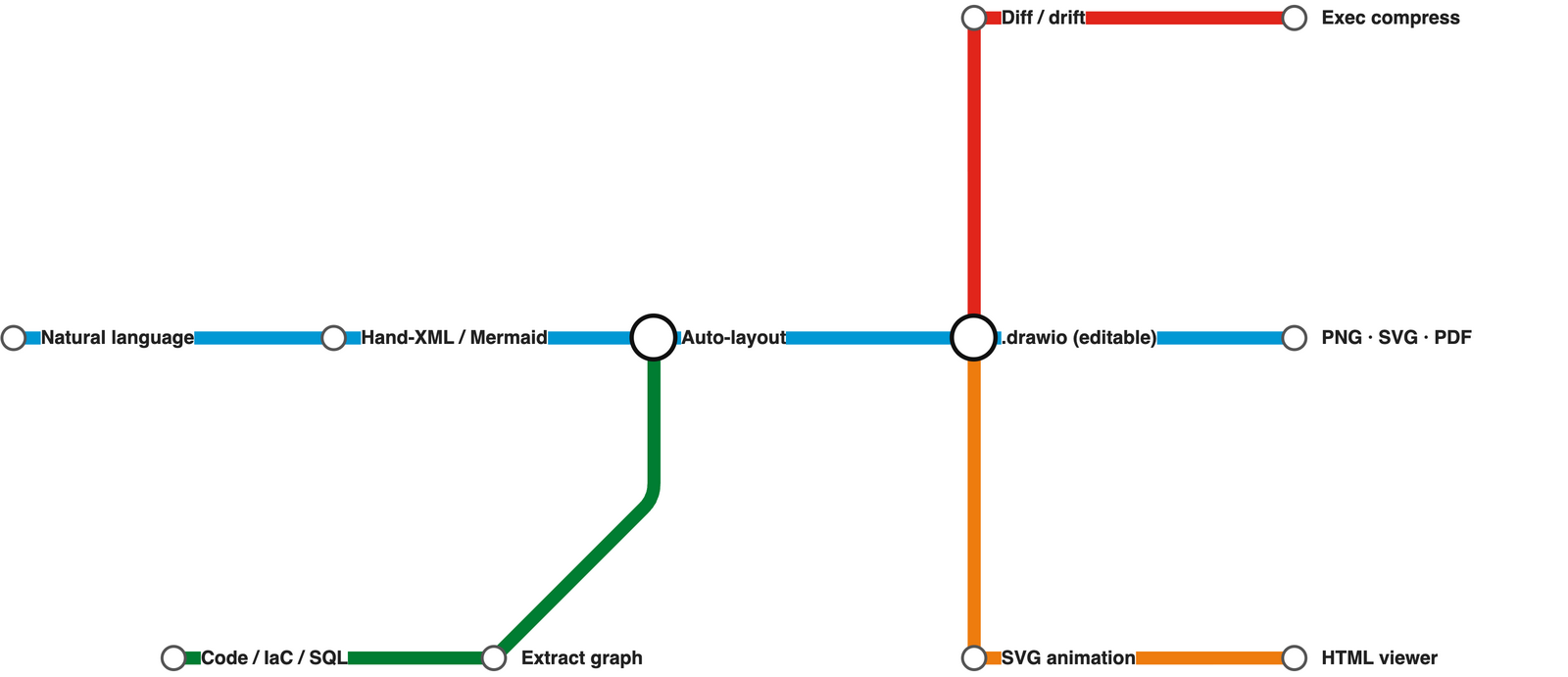
Tube-Map Mode restyles a pipeline or journey as a London-Underground-style metro map — coloured lines, octilinear (H/V/45°) routing, and white interchange circles. Here's the skill's own flow (this map is assets/tubemap.json, ~20 lines):
Full walkthrough in docs/USAGE.md.
Beyond hand-authored diagrams, the skill turns existing code, infrastructure, and schemas into diagrams — no manual coordinates. Just ask:
Stars on GitHub
View @agents365-ai’s profileTurns a topic into a narrated explainer video, podcast-style, with research, script, voiceover and assembly. Outputs for Bilibili, YouTube, Xiaohongshu, Douyin and WeChat Channels in Chinese or English.
@agents365-aiSee 12 drawio-skill alternatives
Gives Claude Code access to the prompts.chat library, letting you search, retrieve and improve AI prompt templates, and find and install Agent Skills from its registry.
 @gh-f
A Claude Code skill for generating editable PPTX presentations and slides from a workflow, with reusable brand, style, layout, and deck workspaces, native charts, speaker notes, and template filling.
 @hugohe3
Gives AI agents control over Word, Excel and PowerPoint files, with skills for building .docx reports, academic papers, Excel dashboards and Morph-style animated slides.
 @iofficeai
A skill that builds animation-rich HTML presentations from scratch or converts PowerPoint files to web slides. Useful for anyone turning a deck into a web presentation.
 @zarazhangrui
Install it with the command on its page. It includes drawio-skill. Its skills do not fire on their own yet. Free and open source.
Is this plugin yours?
Claim it with GitHubSubmit a pluginPromote it