


Auto-invoked
Data
MCP
memora
Ships with memora: Give your AI agents persistent, collective memory — with deduplicating absorb, supersession lineage, semantic search, and a graph UI. Speaks MCP.
Claude Code
> /plugin marketplace add agentic-box/memora> /plugin install memora@memora
Codex
$ pip install memora-mcp
Cursor
$ pip install memora-mcp
Gemini CLI
$ pip install memora-mcp
GitHub Copilot
$ pip install memora-mcp
OpenCode
$ pip install memora-mcp
Windsurf
$ pip install memora-mcp
From the README
What can you do with memora?
💾 Persistent Storage
SQLite with optional cloud sync (S3, R2, D1)
🗄️ Multi-database routing
One process serves many stores; a workspace reaches its own at /mcp/ (see Multi-database routing)
📂 Hierarchical Organization
Section/subsection structure with auto-hierarchy assignment
📦 Export/Import
Backup and restore with merge strategies
🧬 Absorb
Feed facts in; an LLM classifies each against the store (duplicate / update / contradiction / related / new), skips duplicates, links relations, and consolidates related facts — with dry_run preview
🌱 Supersession Lineage
Updates supersede old knowledge instead of deleting it; retrieval follows the chain to the current version by default (follow modes: active, latest, full_history)
🗞️ Topic Digest
memory_digest(topic) bundles relevant memories, open TODOs/issues, related edges, and source IDs into one retrieval
🔍 Semantic Search
Vector embeddings (TF-IDF, sentence-transformers, OpenAI)
Security report
Info
Not enough data
Known flaws
Not published
Signed build
Not published
Maintained
Nov 10, 2026
Last push
Licence
MIT
Runs as
Local process
On your machine
Deprecated
Not published
Signals from public registries, not an audit. Checked Nov 11, 2026.
memora README
Give your AI agents persistent collective memory An MCP memory layer for agents: structured storage, semantic retrieval, graph relations, and source-backed cross-session context.


Absorb agent work into durable graph memory, then use memory_digest(topic) to retrieve relevant memories, TODOs/issues, related edges, and source IDs.
Features · Preview · Install · Usage · Config · Multi-DB · Containers · Live Graph · Cloud Graph · Chat · Semantic Search · Documents · LLM Dedup · Linking · Neovim
Features
Core Storage
- 💾 Persistent Storage - SQLite with optional cloud sync (S3, R2, D1)
- 🗄️ Multi-database routing - One process serves many stores; a workspace reaches its own at
/mcp/<name>(see Multi-database routing) - 📂 Hierarchical Organization - Section/subsection structure with auto-hierarchy assignment
- 📦 Export/Import - Backup and restore with merge strategies
Absorb & Lineage
- 🧬 Absorb - Feed facts in; an LLM classifies each against the store (duplicate / update / contradiction / related / new), skips duplicates, links relations, and consolidates related facts — with
dry_runpreview - 🌱 Supersession Lineage - Updates supersede old knowledge instead of deleting it; retrieval follows the chain to the current version by default (
followmodes:active,latest,full_history)- Deleting any version retires the whole lineage (a deleted fact cannot reappear as an older version):
follow=latest/activehide every version,memory_geton one answersnot_foundwithretired: truenaming the delete ("retired by deleting #N"),follow=allstill reads it, and adding asupersedesedge to a retired id does not restore it. memory_absorbnever supersedes an item record (metadata.kind = "item-record"or tagitem-record): the fact is written and linkedrelated_toinstead. Todos and issues are protected by the type boundary (a plain fact never supersedes a typed one).
- Deleting any version retires the whole lineage (a deleted fact cannot reappear as an older version):
- 🗞️ Topic Digest -
memory_digest(topic)bundles relevant memories, open TODOs/issues, related edges, and source IDs into one retrieval
Search & Intelligence
- 🔍 Semantic Search - Vector embeddings (TF-IDF, sentence-transformers, OpenAI)
- 🎯 Advanced Queries - Full-text, date ranges, tag filters (AND/OR/NOT), hybrid search
- 🔀 Cross-references - Auto-linked related memories based on similarity
- 🤖 LLM Deduplication - Find and merge duplicates with AI-powered comparison
- 🔗 Memory Linking - Typed edges, importance boosting, and cluster detection
Document Storage
- 📄 Structured Documents - Store markdown documents as searchable fragment trees (claims, plan items, references, risks)
- 🔒 Fragment Integrity - Guards against accidental delete/merge/absorb of document fragments
- 🔍 Granular Search - Individual claims and findings are semantically searchable while the full document remains retrievable as a unit
Tools & Visualization
- ⚡ Memory Automation - Structured tools for TODOs, issues, and sections
- 🕸️ Knowledge Graph - Interactive visualization with Mermaid rendering and cluster overlays
- 🌐 Live Graph Server - Built-in HTTP server with cloud-hosted option (D1/Pages)
- 💬 Chat with Memories - RAG-powered chat panel with LLM tool calling to search, create, update, and delete memories via streaming chat
- 📡 Event Notifications - Poll-based system for inter-agent communication
- 📊 Statistics & Analytics - Tag usage, trends, and connection insights
- 🧠 Memory Insights - Activity summary, stale detection, consolidation suggestions, and LLM-powered pattern analysis
- 📜 Action History - Track all memory operations (create, update, delete, merge, boost, link) with grouped timeline view
JSON API (/api/v1)
The server can expose a plain JSON API at /api/v1/<store>/{health,search,absorb}
(the wire contract is contracts/memora-api/v1/). It is off unless
MEMORA_API_TOKENS_FILE is set to an absolute path; an unset variable is an
intentional state and is logged at INFO, not ERROR (issue 1131).
The file holds sha256 digests, never tokens. The server opens it
O_RDONLY | O_NOFOLLOW | O_CLOEXEC and requires a regular file, no group/other
permission bits and at most 4 KiB, owned by the server's user, under parents
that are not symlinks and not group/world-writable. On a read-only mount
(for example the deploy's read-only secrets mount, where rootful docker reads
the operator's file as root and statvfs reports ST_RDONLY), the owner match
for the file and for its read-only parents is not required; every other check
still applies. A failed reload keeps the last good token set.
scripts/mint_api_token.sh mints a token into a new 0600 file and adds its
digest to api-tokens.json; scripts/deploy-memora-all.sh sets
MEMORA_API_TOKENS_FILE when that file is in its secrets directory. Request
semantics (401/403/404) and rotation are in the contract.
Preview
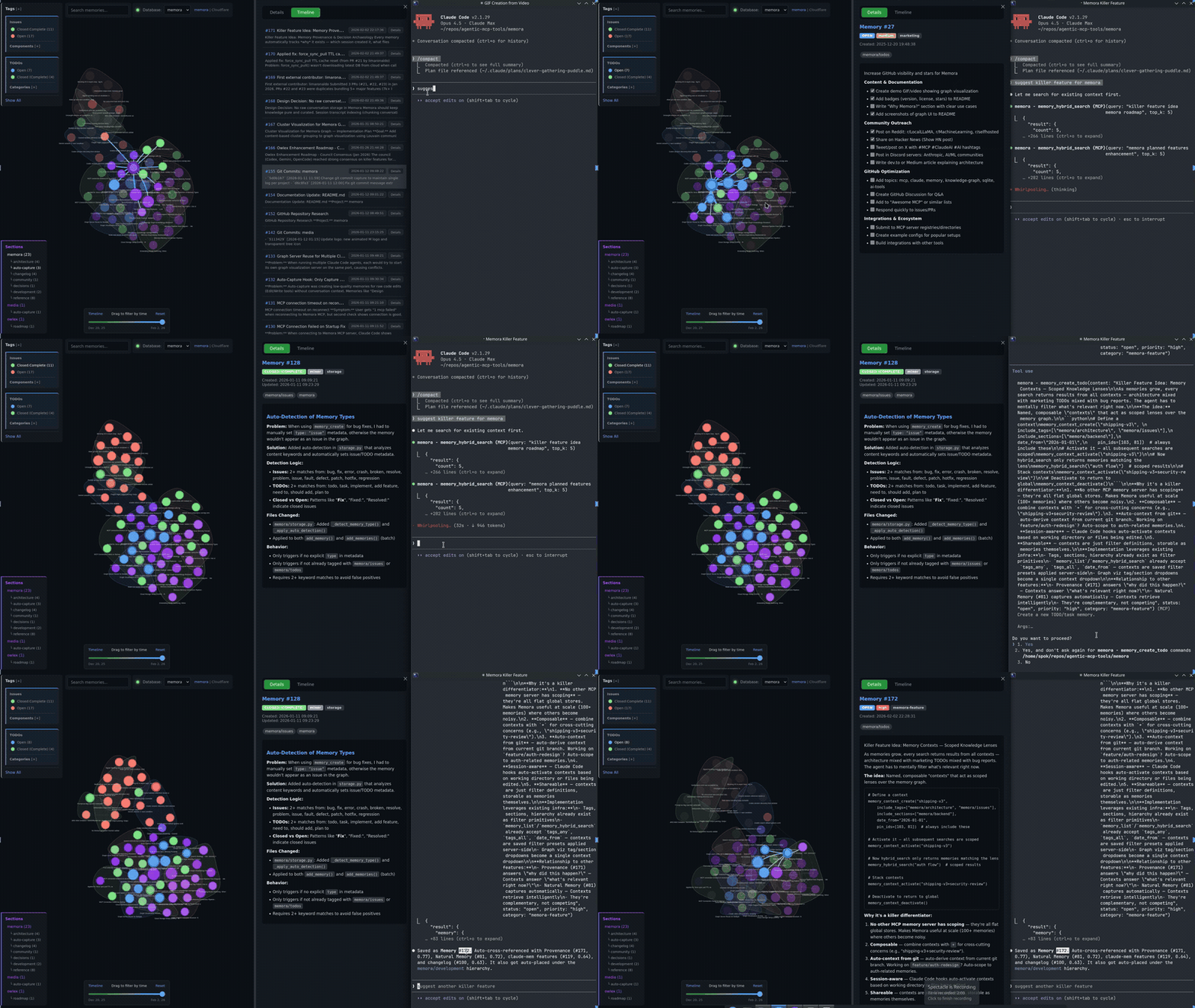
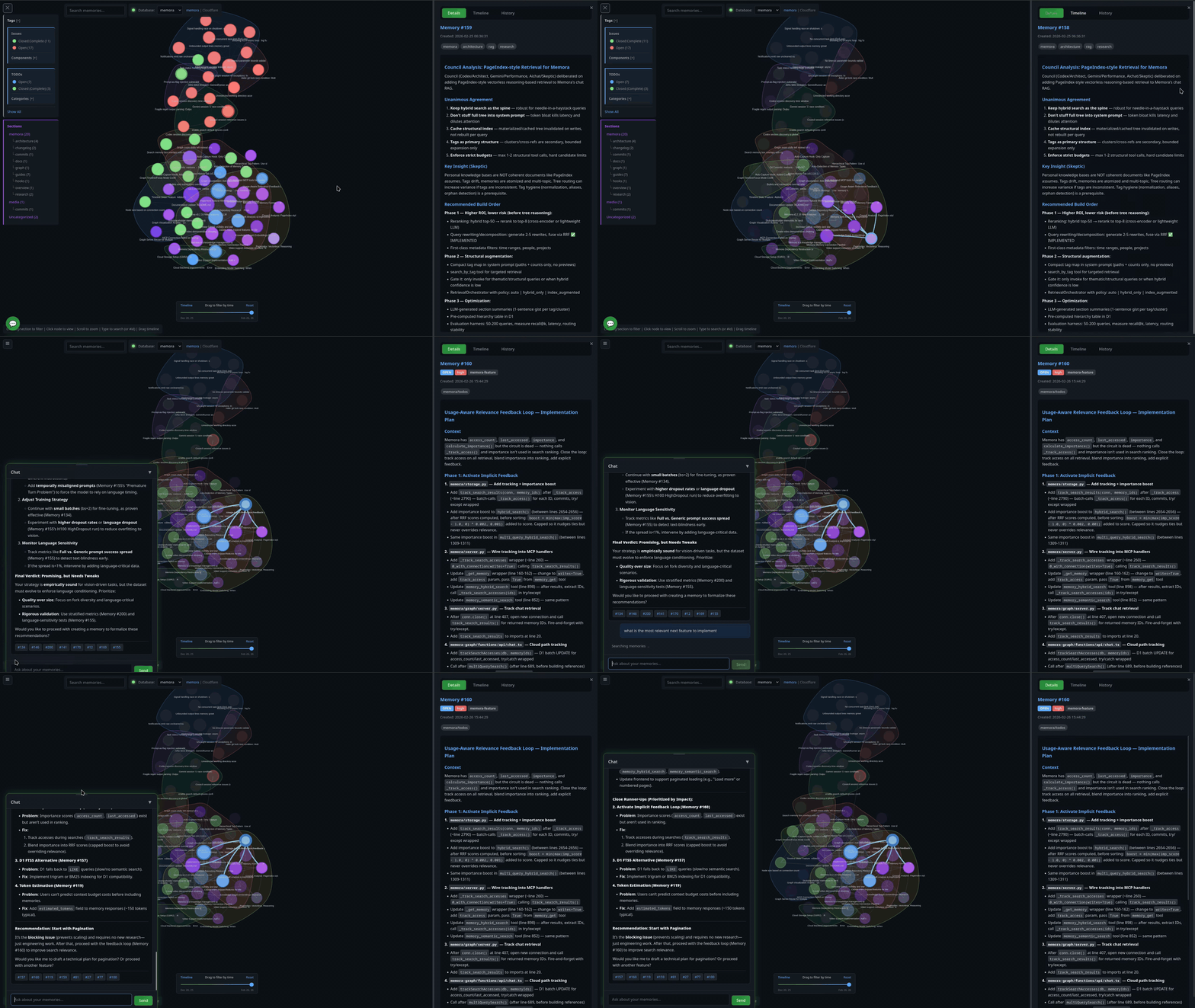
Install
Two paths. pip is a local stdio child the client spawns. A container is a detached HTTP service you start with up; with MEMORA_DATABASES it serves multiple stores from one process. The LaunchAgent supervises the proxy, not the container — after a host restart the listener can come back while its upstream is still stopped. If you are running memora as a service, the container path is the install.
pip (local / stdio)
pip install memora-mcp
The PyPI package is memora-mcp (bare memora on PyPI is an unrelated project). Includes cloud storage (S3/R2) and OpenAI embeddings out of the box.
# Optional: local embeddings (offline, ~2GB for PyTorch)
pip install "memora-mcp[local]"

# Latest development version straight from git
pip install "git+https://github.com/agentic-box/memora.git"
Then spawn it from .mcp.json with "command": "memora-server" (see Configuration).
Container (HTTP service)
Default runtime is Apple's container CLI. Every container operation scripts/memora-instance.sh performs (build, up, status, logs, down) uses $MEMORA_CONTAINER_BIN (default container). The generated proxy process does not; it hardcodes container list.
Before the first build:
-
Install Apple's
containerCLI (signed pkg from its GitHub releases). It needs a Mac with Apple silicon running macOS 26 — Apple does not support older macOS versions forcontainer. -
Start the runtime — Apple's documented first command, which also installs a kernel if none is configured:
container system start -
Clone this repo and
cdinto it:git clone https://github.com/agentic-box/memora.git cd memora -
Copy the instance template. It ships with
INSTANCE=myinstanceso the laterbuild/up/proxylines match without renaming. EditPORTand a backend (STORAGE_URI,VOLUME, orMEMORA_DATABASES):cp instances/example.env instances/myinstance.env -
Create the credential file and install the proxy the LaunchAgent will run.
cred_args()requires a.mcp.jsonwhosemcpServers.memora.envholdsCLOUDFLARE_API_TOKEN(D1 access) and the embedding/LLM keys —updies if that file is missing. The script looks for~/.config/memora/credentials.mcp.jsonunless the instance file setsCRED_SOURCEto another path; there is no other fallback. Separately,proxyrenders a plist whose executable is$MEMORA_PROXY_BIN(default~/.local/libexec/memora/memora_proxy.py) and whose logs live in$MEMORA_LOG_DIR(default~/.local/var/log) — nothing creates either on a fresh clone.mkdir -p ~/.config/memora ~/.local/libexec/memora ~/.local/var/log cp scripts/memora_proxy.py ~/.local/libexec/memora/ # real values; any key is fine, an absent file is not # the default umask is permissive -- chmod 600 keeps other local accounts out cat > ~/.config/memora/credentials.mcp.json <<'JSON' {"mcpServers":{"memora":{"env":{"CLOUDFLARE_API_TOKEN":"REPLACE","OPENAI_API_KEY":"REPLACE"}}}} JSON chmod 600 ~/.config/memora/credentials.mcp.jsonThat JSON is the minimal correct config: both the LLM and embeddings use the default OpenAI host with a real OpenAI key. Do not add
OPENAI_BASE_URLpointing at OpenRouter without the embedding pair from Embeddings — OpenRouter has no embeddings endpoint, every embed call 404s, and memora silently falls back to TF-IDF keyword bags while looking healthy.
Then:
./scripts/memora-instance.sh build myinstance   # tags IMAGE from myinstance.env (memora-pilot if IMAGE is unset)
./scripts/memora-instance.sh up      myinstance # runs that same IMAGE
./scripts/memora-instance.sh proxy   myinstance # render the LaunchAgent; run the printed launchctl
up does not publish a host port. The listener the workspace connects to is the proxy. proxy only renders a macOS LaunchAgent and prints the launchctl commands — it does not load the service. Run those printed commands.
The printed workspace URL is always http://127.0.0.1:<PORT>/mcp (the registry default). For a non-default store, append /<name> yourself — a bare /mcp on a registry silently binds MEMORA_DEFAULT_DB:
{"mcpServers": {"memora": {"type": "http", "url": "http://127.0.0.1:<PORT>/mcp/<store>"}}}
Proxy rationale, credentials, instance files, and MEMORA_CONTAINER_BIN: Container Deployment.
Usage
The server runs automatically when configured in Claude Code. Manual invocation:
# Default (stdio mode for MCP)
memora-server

# With graph visualization server
memora-server --graph-port 8765

# HTTP transport (alternative to stdio)
memora-server --transport streamable-http --host 127.0.0.1 --port 8080
Configuration
Claude Code
Add to .mcp.json in your project root:
Local DB:

Ships withmemora
7481 skill1 MCP
Stars on GitHub
Momentum
- stars in total
- 748
More MCP servers from other plugins.


Auto-invoked
agentmemory
MCPShips with agentmemory: #1 Persistent memory for AI coding agents based on real-world benchmarks
 @rohitg00Install MCP
skill-seekers
MCPShips with skill-seekers: 🧠 The data layer for AI systems. Skill Seekers turns documentation sites, GitHub repos, PDFs, videos,…
 @yusufkaraaslanInstall MCP
Questions about memora.
- Which coding agents can use memora?
- memora works in any agent that reads an MCP config file: Claude Code, Codex, Cursor, Gemini CLI, GitHub Copilot, OpenCode and Windsurf. Each agent reads it from its own file; this page names the file for each one.
- How do I add memora to Claude Code?
- Run these in order, one at a time. 1. In Claude Code: /plugin marketplace add agentic-box/memora 2. In Claude Code: /plugin install memora@memora