
Agent Orchestration
MCP
tools
Ships with hive: Multi-Agent Harness for Production AI
Claude Code
$ claude mcp add tools -- python -m aden_tools.mcp_server --stdio
Codex
$ codex mcp add tools -- python -m aden_tools.mcp_server --stdio
Cursor
{
  "mcpServers": {
    "tools": {
      "command": "python",
      "args": [
        "-m",
        "aden_tools.mcp_server",
        "--stdio"
      ]
    }
  }
}
Add it to mcp.json.
Gemini CLI
{
  "mcpServers": {
    "tools": {
      "command": "python",
      "args": [
        "-m",
        "aden_tools.mcp_server",
        "--stdio"
      ]
    }
  }
}
Add it to settings.json.
GitHub Copilot
$ copilot mcp add tools -- python -m aden_tools.mcp_server --stdio
OpenCode
{
  "mcp": {
    "tools": {
      "type": "local",
      "command": [
        "python",
        "-m",
        "aden_tools.mcp_server",
        "--stdio"
      ]
    }
  }
}
Add it to opencode.json.
Windsurf
{
  "mcpServers": {
    "tools": {
      "command": "python",
      "args": [
        "-m",
        "aden_tools.mcp_server",
        "--stdio"
      ]
    }
  }
}
Add it to mcp_config.json.
Security report
Info
Not enough data
Known flaws
Not published
Signed build
Not published
Maintained
Oct 26, 2026
Last push
Licence
Apache-2.0
Runs as
Local process
On your machine
Deprecated
Not published
Signals from public registries, not an audit. Checked Nov 11, 2026.
hive README
English | 简体中文 | Español | हिन्दी | Português | 日本語 | Русский | 한국어




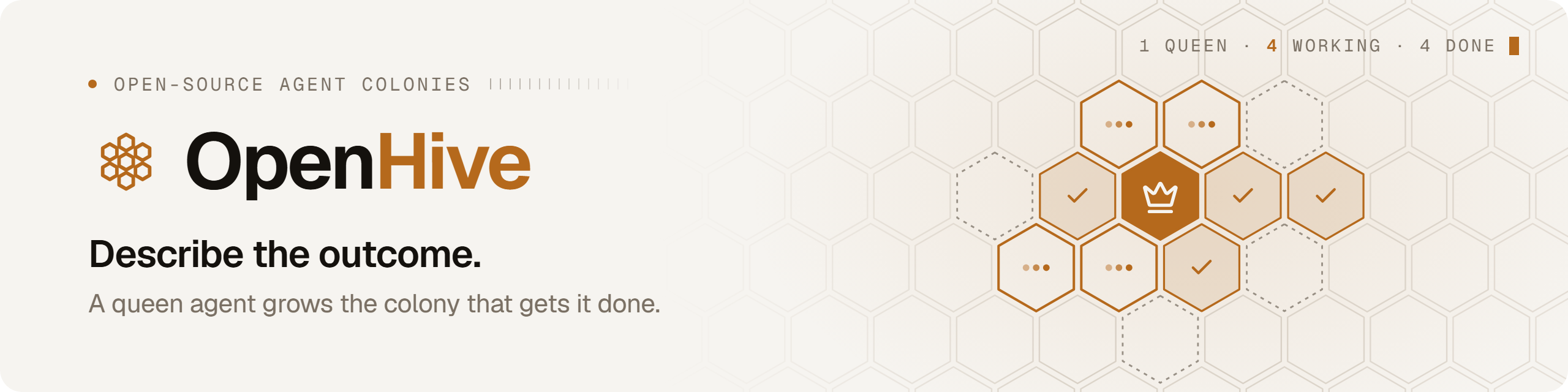
Tell a queen agent what you need. She does the first piece herself to learn what the job takes, then hands the rest to as many parallel workers as it needs. Every result lands in a shared tracker you can query, audit and resume from.

A real run. Only the typing and the waiting are sped up, and the badge says by how much. Watch the full run (MP4).
What you just watched
A growth team preparing a Show HN wants to know how five developer tools' own launches did on Hacker News. Here's what Hive did with that one message:
- You hand it to a queen. Queens are long-lived agents with a role (here, Head of Growth) and their own memory and tools.
- She asks the one question that changes the answer: every launch post, or only each product's original launch? You pick every launch, and she carries on.
- She proposes a colony, and you approve it. Five products means five parallel jobs, so the chat becomes a colony: the queen plus as many worker agents as the work needs.
- She does one herself. She takes PostHog first, works out what counts as a genuine launch post rather than a passing mention, checks the numbers against the Hacker News API, and saves the method as a reusable skill.
- She fans out. A playbook starts one worker per product. Each follows her skill and writes its result to the colony's tracker, a shared SQLite table.
- She checks every row before she answers, and fixes one. Cal.com's worker counted a post from its old name, Calendso, but that post wasn't a Show HN, Launch HN or YC launch. She clears the row, and the chart shows Cal.com as not found rather than zero.
None of this was wired up in advance. There's no workflow graph to draw: the queen shapes the colony as the work unfolds, and a tracker on disk, not a context window, keeps count of what's done and what's left.
Quick start
You'll need Python 3.11+, Node.js 20+ and git. The quickstart installs uv and ripgrep if they're missing, and offers to install Node.
And a model. The quickstart sets up any of these:
- an API key from Anthropic, OpenAI, Google Gemini, Groq, Cerebras or OpenRouter
- a coding subscription you already pay for: Claude Code, OpenAI Codex, Kimi Code, MiniMax, Z.AI or Antigravity
- Hive LLM
- a local model through Ollama, with no key at all
git clone https://github.com/aden-hive/hive.git
cd hive
./quickstart.sh          # macOS / Linux
.\quickstart.ps1         # Windows (PowerShell 5.1+)
The quickstart creates a single Python environment for the workspace, stores your API key encrypted under ~/.hive, asks which model to use, builds the dashboard and opens it at http://127.0.0.1:8787. Next time, run hive open from the repository.
Note This repository is a
uvworkspace:pip install -e .at its root installs a placeholder that won't run, so use the quickstart. Without the repository,pip install "aden-hive[tools]"installs Hive from PyPI; then runhive open. To add an optional package (a chat-app channel, for example), see Optional packages. To build your own project on Hive's agent loop and models, depend onaden-hive: see Building on Hive.
Then type a task on the home screen and choose the queen to give it to, or open the Prompt Library and send a ready-made prompt straight to the queen it was written for.
How it works
flowchart LR
    You(["You"]) -->|"describe the outcome"| Queen["Queen<br/>(persistent agent)"]
    Queen -->|"proposes a colony,<br/>you approve"| Pilot["Pilot<br/>(one unit, done by the queen)"]
    Pilot -->|"saves the method"| Skill["Skill + playbook"]
    Skill -->|"run_worker / run_playbook"| W["Worker clones<br/>in parallel"]
    W -->|"tracker_upsert"| T[("Tracker<br/>shared SQLite")]
    T -->|"SQL: what's done,<br/>what's left"| Queen
    Queen -->|"checked answer"| You

    style Queen fill:#ffb100,stroke:#cc5d00,color:#333
    style T fill:#fff3d6,stroke:#cc5d00,color:#333
    style W fill:#ff9800,stroke:#cc5d00,color:#fff
Hive has one execution primitive: the agent loop. The queen is one, and every worker is a clone of it with its own task, a narrower set of tools and a strict budget. Orchestration is a tool call, not a compiled graph:
run_workerfans tasks out and returns at once, so the queen keeps talking to you while workers run. Four run at a time by default; the rest wait their turn. Each worker's report arrives in the queen's conversation as a new turn.- The tracker is the colony's shared state. The queen defines the table and which columns workers may write, workers upsert one row per unit of work, and the queen checks progress with SQL. It's a file on disk:
~/.hive/colonies/<name>/tracker/tracker.db. run_playbookruns a proven method over every row, with retries and backoff, rate-limited lanes, and a dead-letter list for rows that keep failing. "What's left" is always a fresh query of the tracker, so re-running a playbook picks up where it stopped.
The architecture overview goes deeper: the loop, the tool surface, memory, human oversight, and how state survives a crash.
What's inside
Queens with a job and a memory. Hive ships thirteen persona queens. Six are active out of the box (Growth, RevOps, Content, Lead Generation, Outbound, and Brand & Design); hire the rest from the Org Chart, or create your own. Each one keeps notes in markdown memory as she works, and relevant past conversations are recalled into her context automatically.
A memory you can measure. A queen remembers you across sessions. She writes notes about you as she works, related past conversations are placed in front of her before each message, and she checks her memory before asking you for something you've already told her. We benchmark it on LongMemEval, run end to end through Hive and graded by the official judge, with gpt-6.1-sol answering:
| LongMemEval-S | LongMemEval-M | |
|---|---|---|
| History per question | ~115k tokens | ~1.1M tokens |
| Hive | 88.4% | 82.0% |
| The same model reading the whole history | 96.8% | doesn't fit |
When a whole history fits in the model's context, reading all of it is still more accurate than Hive's memory. When it doesn't, as on LongMemEval-M, memory is the only option. The benchmark page has the methodology, per-type results, a comparison with other memory systems, and the limitations.
Built-in tools that run in-process. Shell commands and background jobs, file editing, fast code search, PDFs, attachments and images, web scraping, charts (ECharts and Mermaid), CSV files, and image generation through Hive LLM. They run inside Hive itself, with no tool servers to start.
Your browser, driven by your agents. The Hive Browser Bridge extension lets agents work in your own Chrome, where you're already logged in. Each worker gets its own tab group.
Skills. Reusable instructions in the open Agent Skills format. Hive ships with a set, queens write new ones once a method proves out, and you manage them all in the Skills Library.
Any MCP server. Add one with hive mcp add, and its tools join the same allowlists as the built-ins. The full integration catalog in tools/ (GitHub, Gmail, HubSpot, Slack, Notion and many more) runs as one; see docs/tools.md.
Runs while you're away. Colonies can wake themselves on cron, interval or webhook triggers. Sentinel, opt-in per colony, watches a queen whenever she stops: it nudges her on, or escalates to you through the Hive inbox, Telegram or Slack, and she picks up as soon as you reply.
Built to survive. Every agent saves its state to disk and resumes exactly where it stopped after a crash or restart. Large tool results spill to files instead of flooding the context, long sessions compact themselves, stuck or looping turns get caught, and every worker runs under a hard tool-call budget.
Any model. Anything LiteLLM supports, including OpenAI, Anthropic, Gemini, OpenRouter, Hive LLM, any OpenAI-compatible endpoint and local models through Ollama. Workers can run on a different model than their queen, and text-only models still see images through a vision fallback.
Is Hive for you?
Hive earns its keep once the model is no longer the hard part, and everything around it is:
- A process with many similar units of work, such as leads, accounts, tickets, repositories or documents, that you want done in parallel and done the same way every time.
- Work that runs for hours or on a schedule and has to survive a restart.
- Results you need to check, query and audit, not just read in a chat.
- A human who stays in charge of the decisions that matter.
For a single prompt or a one-off script, a plain agent is simpler.
Documentation

Ships withhive
11k4 skills1 MCP
Stars on GitHub
Momentum
- stars in total
- 11.1k
More MCP servers from other plugins.

paperclip
MCPShips with paperclip: Open-source orchestration for teams of AI agents. If OpenClaw is an employee, Paperclip is the company.…
 @paperclipaiInstall MCP

t
MCPShips with oh-my-claudecode: For Codex users: Check out oh-my-codex — the same orchestration experience for OpenAI Codex CLI.…
 @yeachan-heoInstall MCP
Questions about tools.
- Which coding agents can use tools?
- tools works in any agent that reads an MCP config file: Claude Code, Codex, Cursor, Gemini CLI, GitHub Copilot, OpenCode and Windsurf. Each agent reads it from its own file; this page names the file for each one.
- How do I add tools to Claude Code?
- Run this in your terminal: claude mcp add tools -- python -m aden_tools.mcp_server --stdio