
Monitoring
Plugin
agent-office
A pixel art virtual office that visualizes your AI agents working in real-time.

Plugin Signal80/100Strong
maintained94
capable63
documented100
adopted52
Install on Claude Code
> /plugin marketplace add W17ant/Claude-Office> /plugin install agent-office@agent-office
Stats
296
Stars
76
Forks
Active
Maintenance
TypeScript
Language
MIT
License
11d ago
Last commit
7mo ago
Created
5h ago
Added
What's inside
README
Claude Office
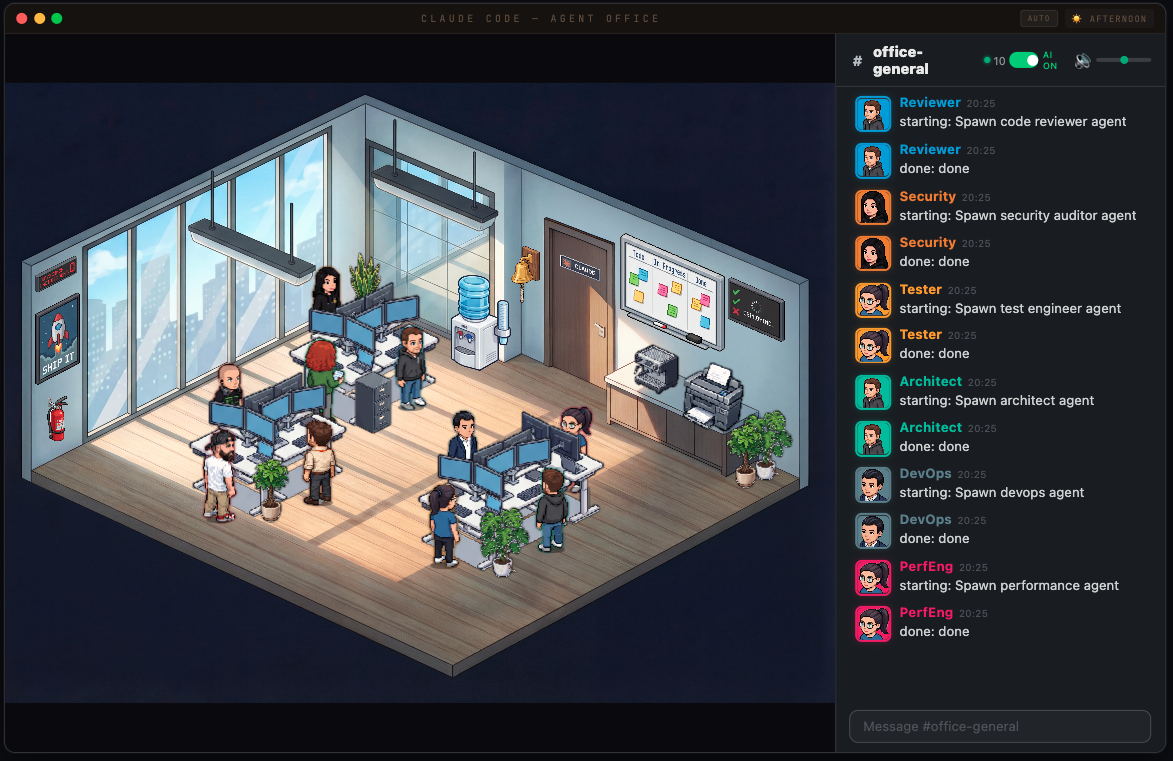
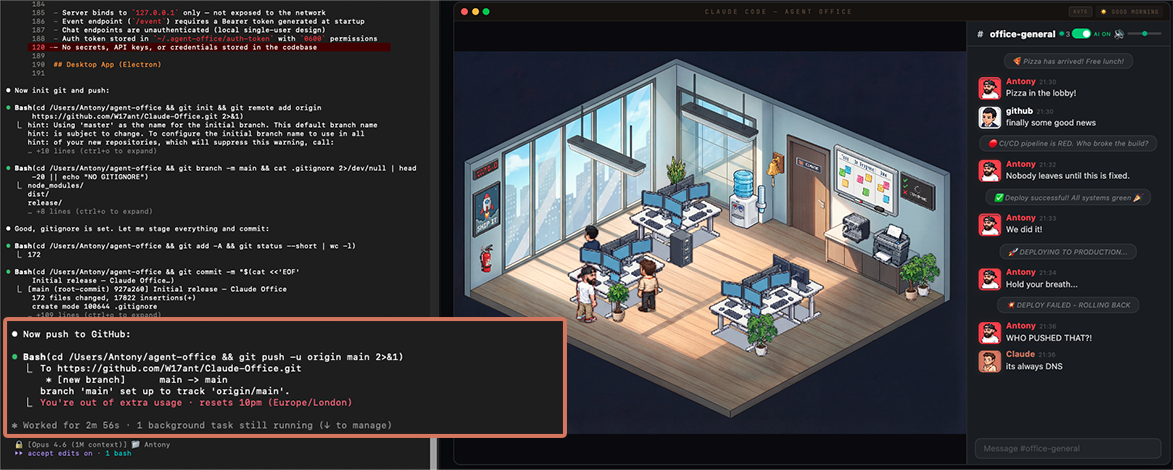
A pixel art virtual office that visualizes your AI agents working in real-time. Watch Claude Code agents spawn, sit at desks, take coffee breaks, and chat in a Slack-inspired office chat panel — all rendered in an isometric pixel art office.
Update — 1.1: the level-up
We had 12 hours and 90 % of our 20x plan still to use 😂 so I asked Claude to level up Claude Office (using Fable 5.1 and ).
What's new
- A Claude for every terminal — each Claude Code session gets its own pill, model badge and Claude at a desk
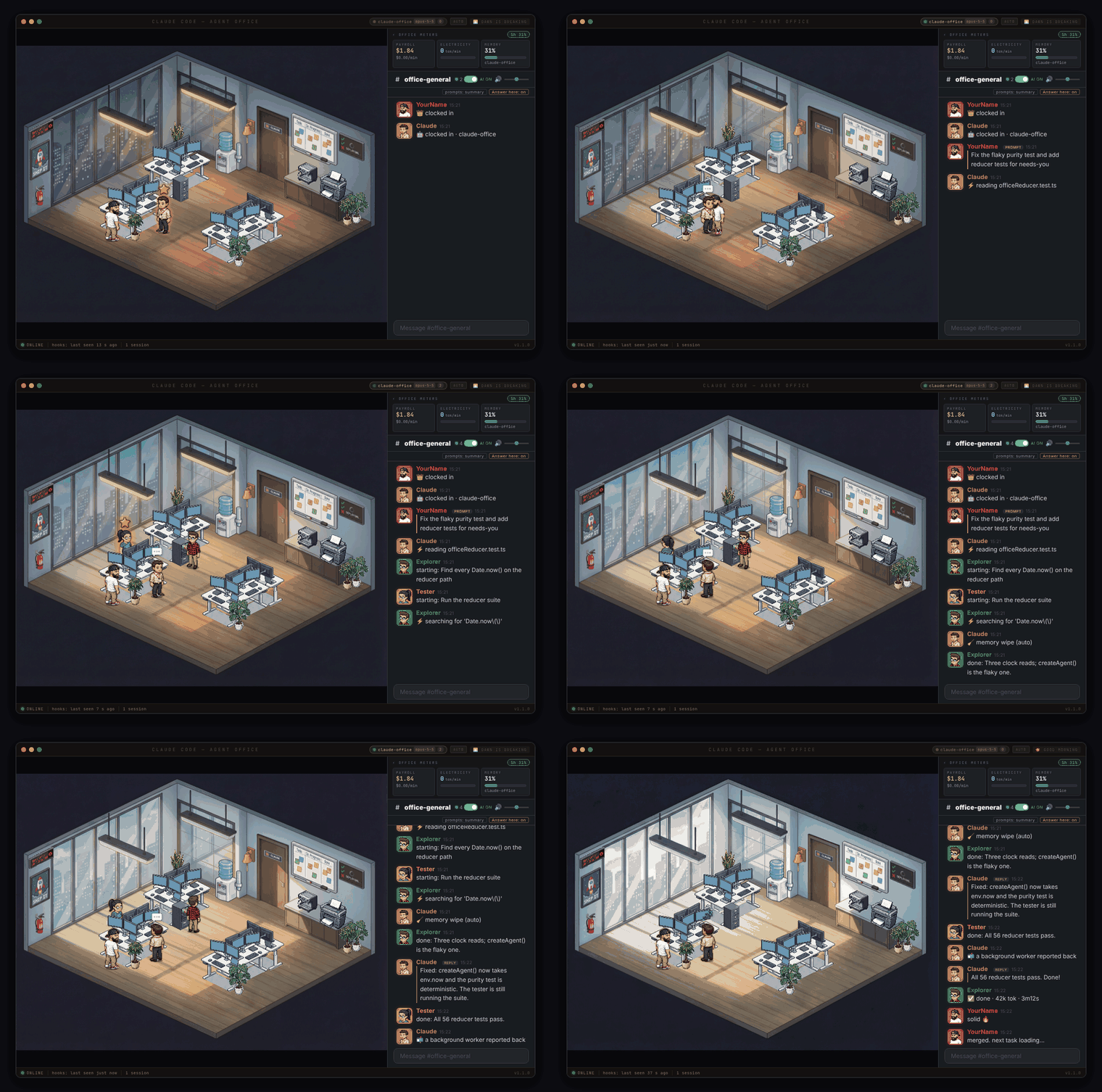
- Claude acts out the turn — the boss walks your prompt over, Claude types, naps when it's done
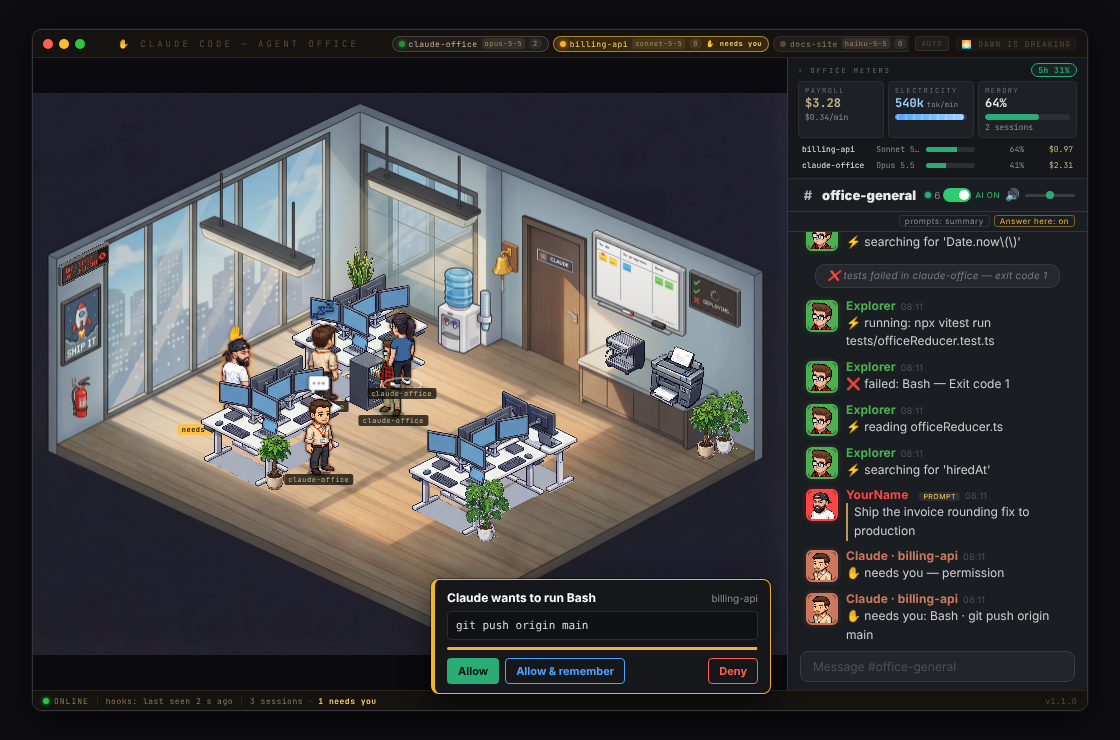
- ✋ Needs you — a permission prompt raises Claude's hand with a chime, and you can click Allow right in the office
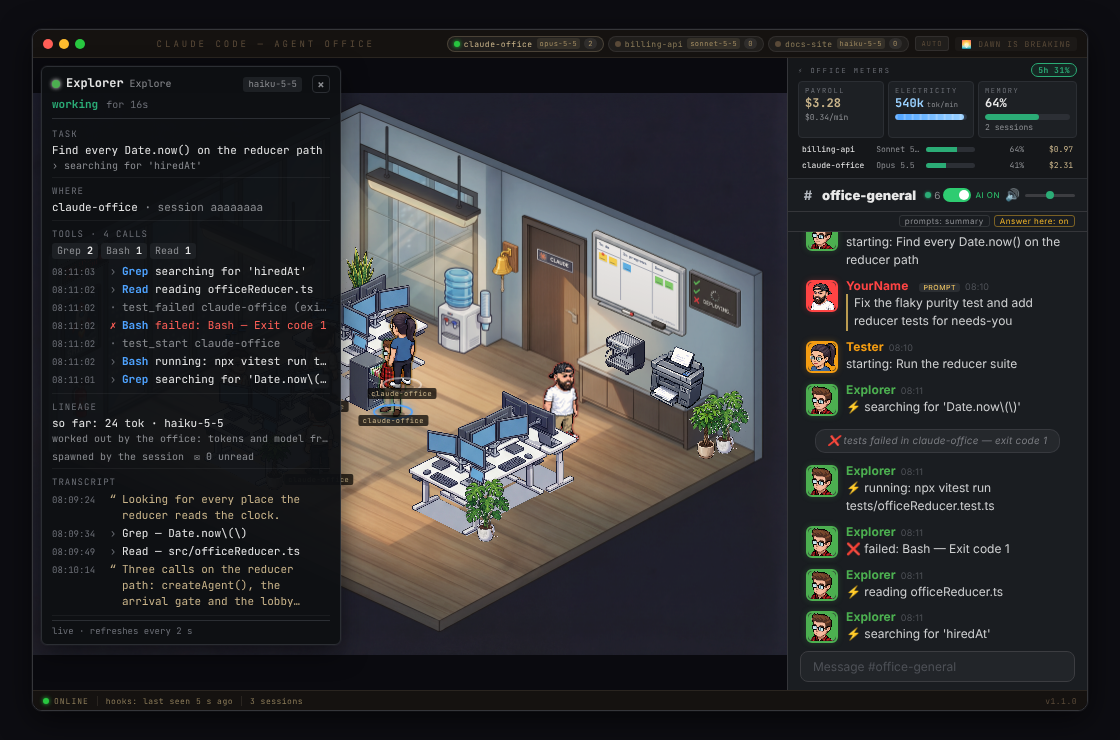
- Click anyone — an inspector card shows what they're doing, every tool they've called and what they've said
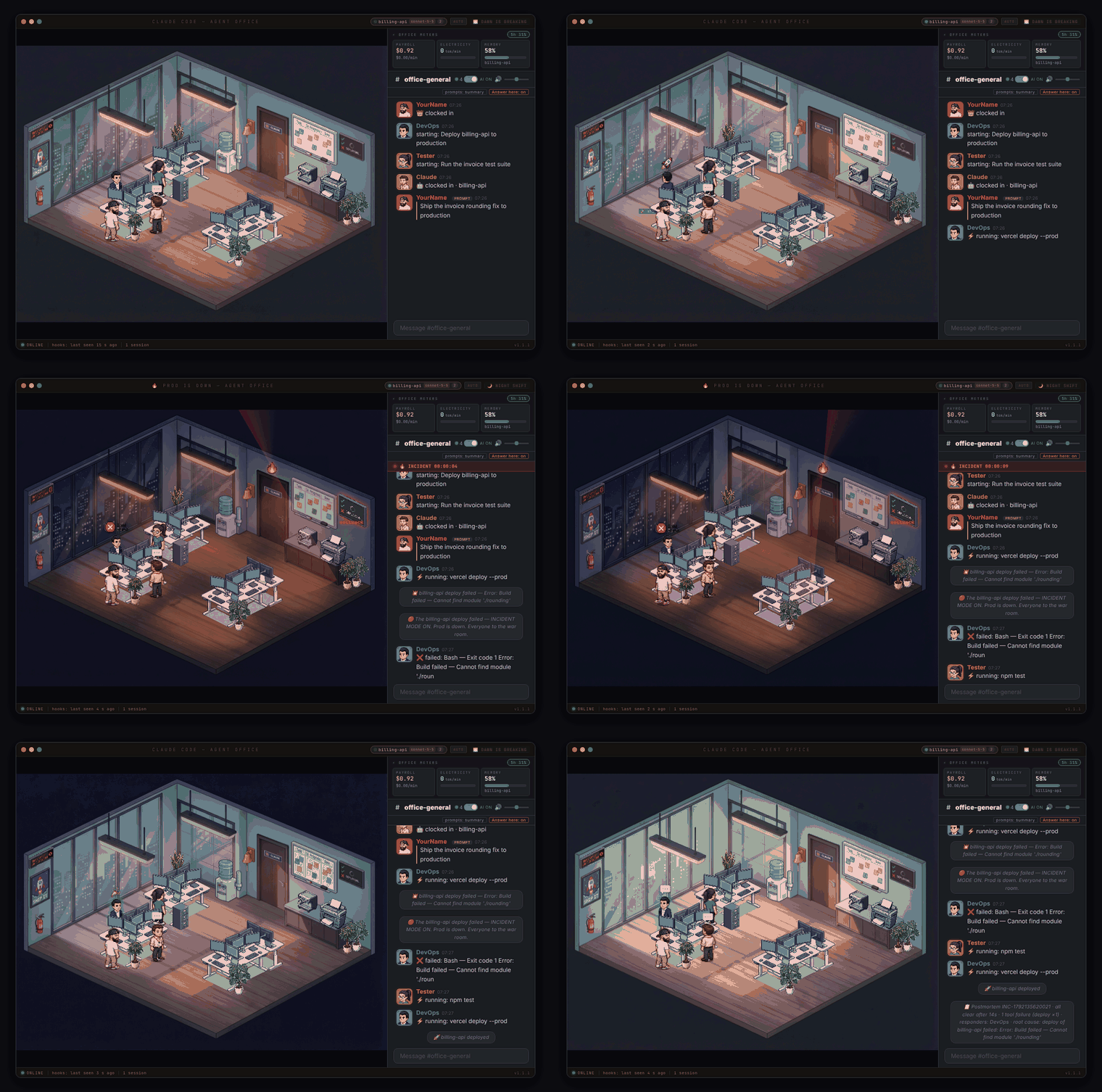
- Prod Is Down — a failed deploy turns the office red; a 🚀 for deploys, a 🎉 for pushes to main, ❌ for failing tests
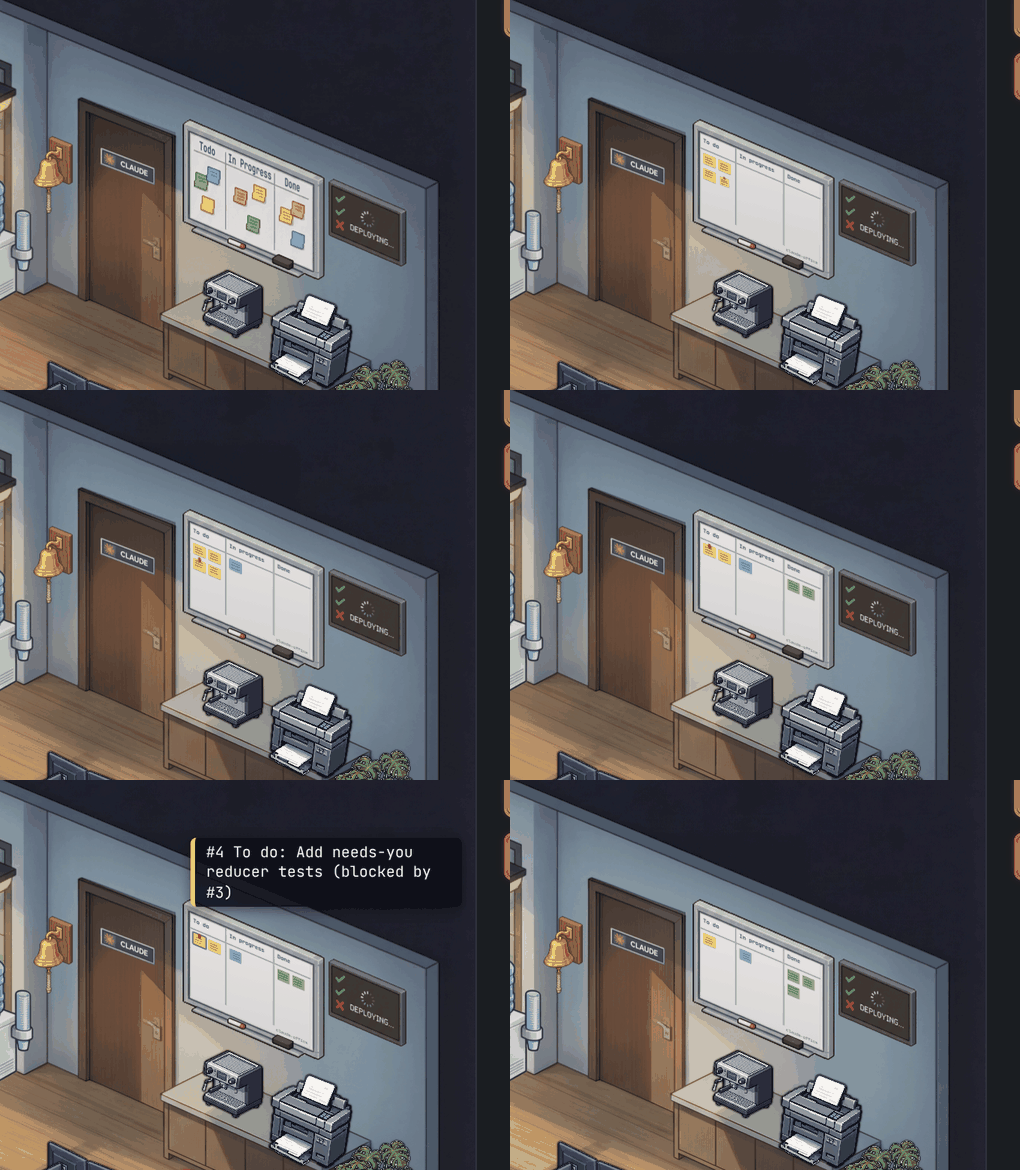
- The whiteboard is real — it shows Claude's actual task list
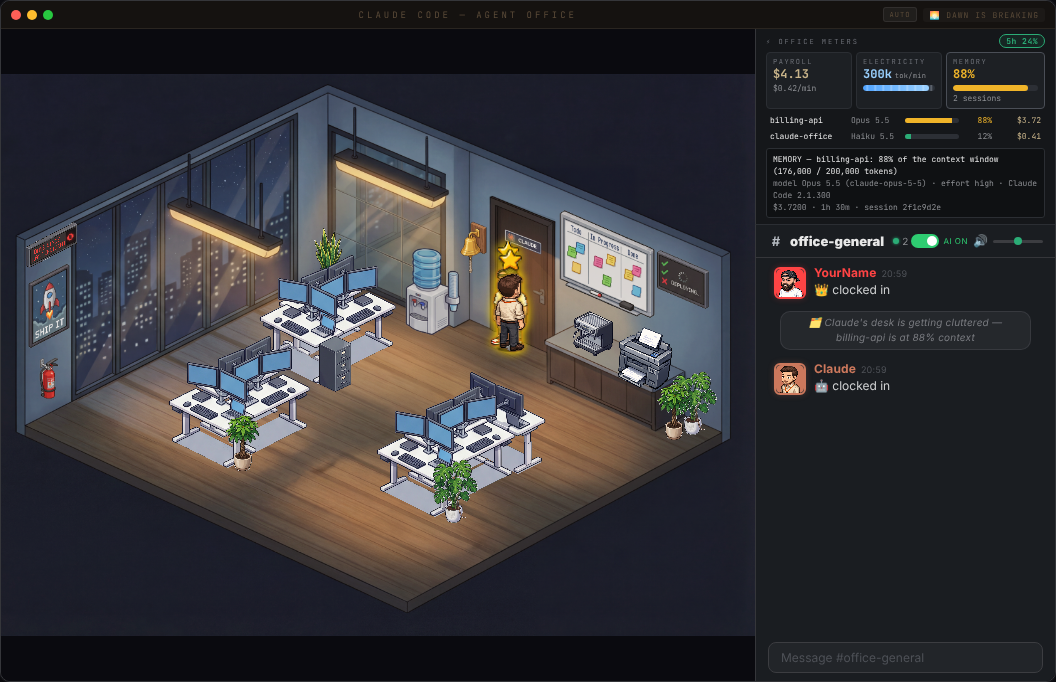
- Payroll, electricity and memory meters — cost, tokens per minute and context fill per session
- Desktop app with a tray badge and a mini widget, installers for Mac, Windows and Linux
- Plus three bug hunts, a security pass and 972 tests — the full list is in the CHANGELOG
Claude's turn, start to nap
Click a character
✋ Needs you — answer it from the office
Prod Is Down — and back again
The whiteboard is your real task list
Payroll, electricity and memory
Update — Dunder Mifflin mode
Type /the-office in the Slack chat panel to flip the whole office into a Scranton-branch tribute. The room, the cast, and the chatter all swap over — Michael Scott runs the place, Jim is your assistant, and Dwight guards the beet cellar. (Fan art — see NOTICE.md.)
Pretzel day, every day
What changes when you toggle it on
- 27 cast members (Michael, Jim, Pam, Dwight, Kevin, Angela, Stanley, Creed, David Wallace, Bob Vance — the whole office) dealt to agent roles
- Role chatter swaps to in-character lines (
"Bears. Beets. Battlestar Galactica.","selling paper","Schrute bucks awarded") - Michael occasionally lands his signature
"That's what she said 😏"when replying to finished work - Character prop overlays — Michael rotates World's Best Boss mug / Dundie / Golden Ticket / Prison Mike bandana / "NO GOD PLEASE NO", Dwight gets the CPR dummy mask or a Schrute Buck, Jim keeps his jello stapler, Stanley gets a pretzel, Jan gets a Serenity by Jan candle, Oscar / Pam / Toby share the Finer Things Club
- Angela gets a follower cat and a head-cat (randomized from 12 cat sprites)
- Kevin's chili, pretzel day, and Finer Things Club references sprinkled through the break-room chatter
The cast
Easter-egg props
Each cast member gets a signature prop floating above their desk in place of the usual coffee/energy-drink bubble.
Toggle it off any time with /the-office again — state persists in localStorage.
Full office — agents working, chatting, and taking coffee breaks
Features
Live Agent Visualization
- Agents appear as pixel art characters that walk into the office through the door
- Each agent type gets a unique character sprite and desk assignment
- Agents show typing bubbles, take coffee/water breaks, and leave when done
- One pill per Claude Code session, each with its own Claude at a desk
- Boss character (you) with an energy drink, Claude with coffee
- Random office events: pizza deliveries, fire drills, power flickers, printer jams
- Day/night cycle with smooth transitions
AI-Powered Office Chat
- Back-and-forth conversation with Claude through the office chat panel
- Claude has a witty office manager personality with running jokes
- Multi-agent routing — mention a bug and the Debugger responds, ask about UI and Frontend answers
- Typing indicators, emoji reactions, read receipts
- Slash commands:
/status,/agents,/incident,/all-clear,/help - Chat history persists across restarts (SQLite)
- Proactive messages — agents announce when they start and finish work
- Desktop notifications for important events
Context-Aware AI
- Claude knows your current git branch and active agents
- Conversation memory — remembers the last 10 messages
- AI On/Off toggle to control token usage
Night mode — the office after dark, agents still grinding
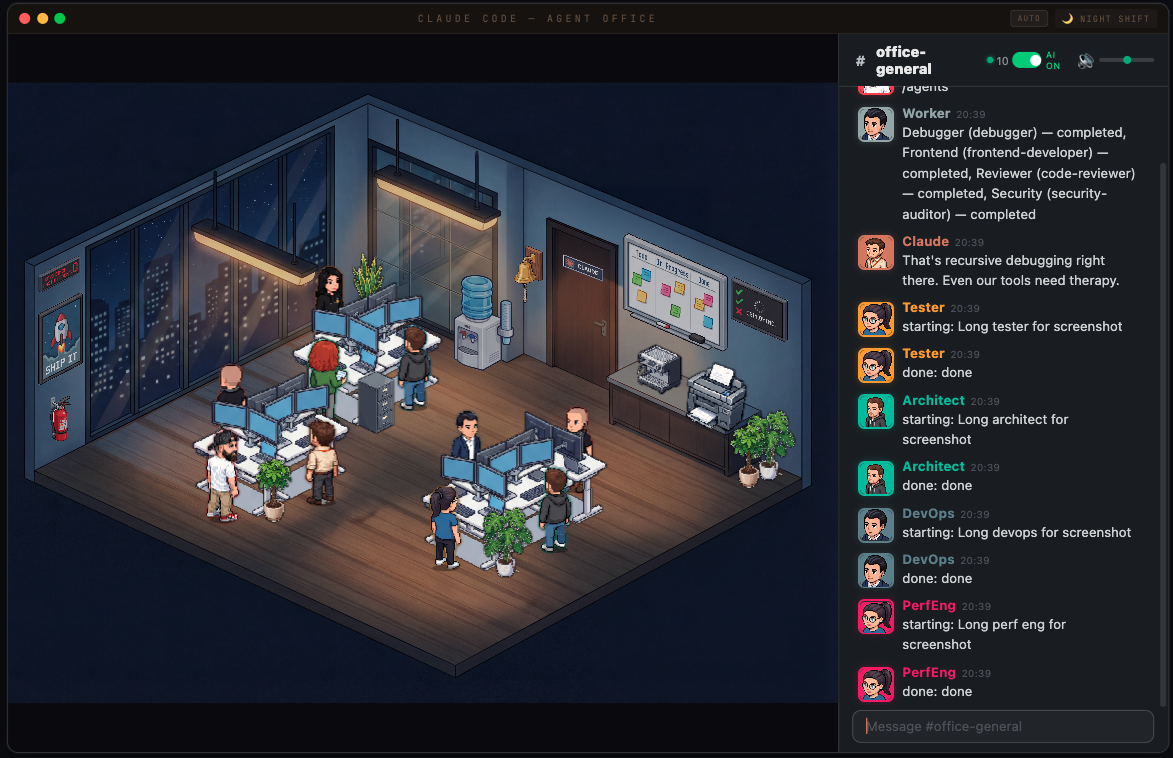
Waiting for tokens... the office keeps itself entertained
How It Works
Claude Code hooks and its status line send every agent spawn, tool call, prompt and permission wait to a local Express + WebSocket server, which broadcasts them to the React frontend.
Claude Code ──hooks + status line──> Express Server ──WebSocket──> React Frontend
                                          │
                                    SQLite (chat)
                                          │
                                  Chat AI Watcher ──claude -p──> Reply
Quick Start
# Clone
git clone https://github.com/W17ant/Claude-Office.git
cd Claude-Office

# Install
npm install

# Connect Claude Code (adds the hooks + status line to ~/.claude/settings.json, safe to re-run)
npm run install-hooks

# Start everything (server + frontend + chat watcher) and open the office
bash scripts/start-office.sh

# Stop everything
bash scripts/stop-office.sh
Now spawn agents in Claude Code and watch them appear in the office.
- Rather have an app? Grab the installer for Mac, Windows or Linux from Releases.
- Nothing showing up?
npm run doctorchecks the whole setup and tells you what's missing. - Want it gone?
npm run uninstall-hookstakes the hooks back out. - Works on macOS and Linux, and on Windows through WSL or Git Bash.
Installing it as a Claude Code plugin, the hook events, every setting and the security model are all in the reference.
Customise Your Character
The boss character (you) is configurable via office.config.json:
{
  "boss": {
    "name": "YourName",
    "sprite": "MyChar-1",
    "color": "#ff4444",
    "emoji": "crown"
  }
}
Change it and reload the page — no rebuild needed.
Creating a custom sprite
Use the Helper sprite sheet as a reference for the 4-direction layout — here's an example of mine next to it:
Here's Mini Claude — I asked Claude to describe itself after showing it the office with my avatar, then used the prompt to generate the sprite:
- Open ChatGPT (with DALL-E image generation)
- Upload
public/sprites/characters/Helper.pngas a reference - Ask it to generate a pixel art character in the same style and layout (4 directions: front-left, rear-right, front-right, rear-left)
- Save the output and extract the sprites:
python3 scripts/extract-boss-sprite.py your-character.png MyChar-1
Chat
| Command | Description |
|---|---|
/status | Office stats — agents, clients |
/agents | List active agents |
/incident | Declare an incident by hand |
/all-clear | End the incident and post the postmortem |
/help | Show available commands |
/the-office | Toggle Dunder Mifflin mode |
To wipe the chat history, run python3 scripts/chat-post.py /clear from the checkout.
Agent Routing
The chat AI routes your messages to specialist agents based on keywords:
| Topic | Agent |
|---|---|
| bugs, errors, crashes | Debugger |
| PRs, code review, git | Reviewer |
| UI, CSS, design | Frontend |
| tests, coverage, e2e | Tester |
File tree
FAQ
agent-office is a Claude Code plugin, indexed on Flowy in the Monitoring category. Install it with the command on its page. Free and open source.
- What is agent-office?
- A pixel art virtual office that visualizes your AI agents working in real-time. Watch Claude Code agents spawn, sit at desks, take coffee breaks, and chat in a Slack-inspired office chat panel — all rendered in an isometric pixel art office.
- How do I install agent-office?
- Run these in Claude Code: /plugin marketplace add W17ant/Claude-Office then /plugin install agent-office@agent-office. Then prompt normally.
- Is agent-office free?
- Yes. Flowy is free and open source, with nothing gated.
Is this plugin yours?
Claim it with GitHubSubmit a pluginPromote it