
Design
Plugin
anydesign
anydesign is a Claude Code plugin with 1 hand-picked skill, indexed on Flowy in the Design category.

Plugin Signal55/100Fair
maintained80
capable14
documented75
adopted50
Install
$ npx -y skills add uxKero/anydesign --agent claude-code
Stats
227
Stars
13
Forks
Maintained
Maintenance
Python
Language
MIT
License
1mo ago
Last commit
5mo ago
Created
4d ago
Added
What's inside
README
anydesign
Point it at anything visual. Get a design system back.
A Claude skill that turns images, websites, and Figma files into structured, machine-readable design specs — and copies single elements (navbars to 3D art) as rebuild prompts any AI can execute.




Install · See it work · Element mode · CLI scripts · Examples
🧠 What it does
anydesign runs in Claude — its output is universal. Plain Markdown + W3C DTCG
JSON that v0, Lovable, Cursor, Bolt, Claude Code, or a human designer can consume.
No lock-in. It's not a description generator — it's a design diagnostics tool:
every inference carries a confidence marker (✅ ⚠️ ❓), every color is a real hex,
and inventing tokens is treated as worse than saying "not enough info".
Two modes, picked automatically from what you ask:
| You say | Mode | You get |
|---|---|---|
| "Extract the design system from this site" | Full analysis | design.md (7-section spec) + design-tokens.json (DTCG) + optional WCAG report |
| "Copy this navbar" / "Recreate this 3D graphic" | Element mode | A focused element.md: code spec + rebuild prompt, or a token-grounded image prompt |
🎬 See it work
Every image below is a real, reproducible run — sources and commands live in
examples/.
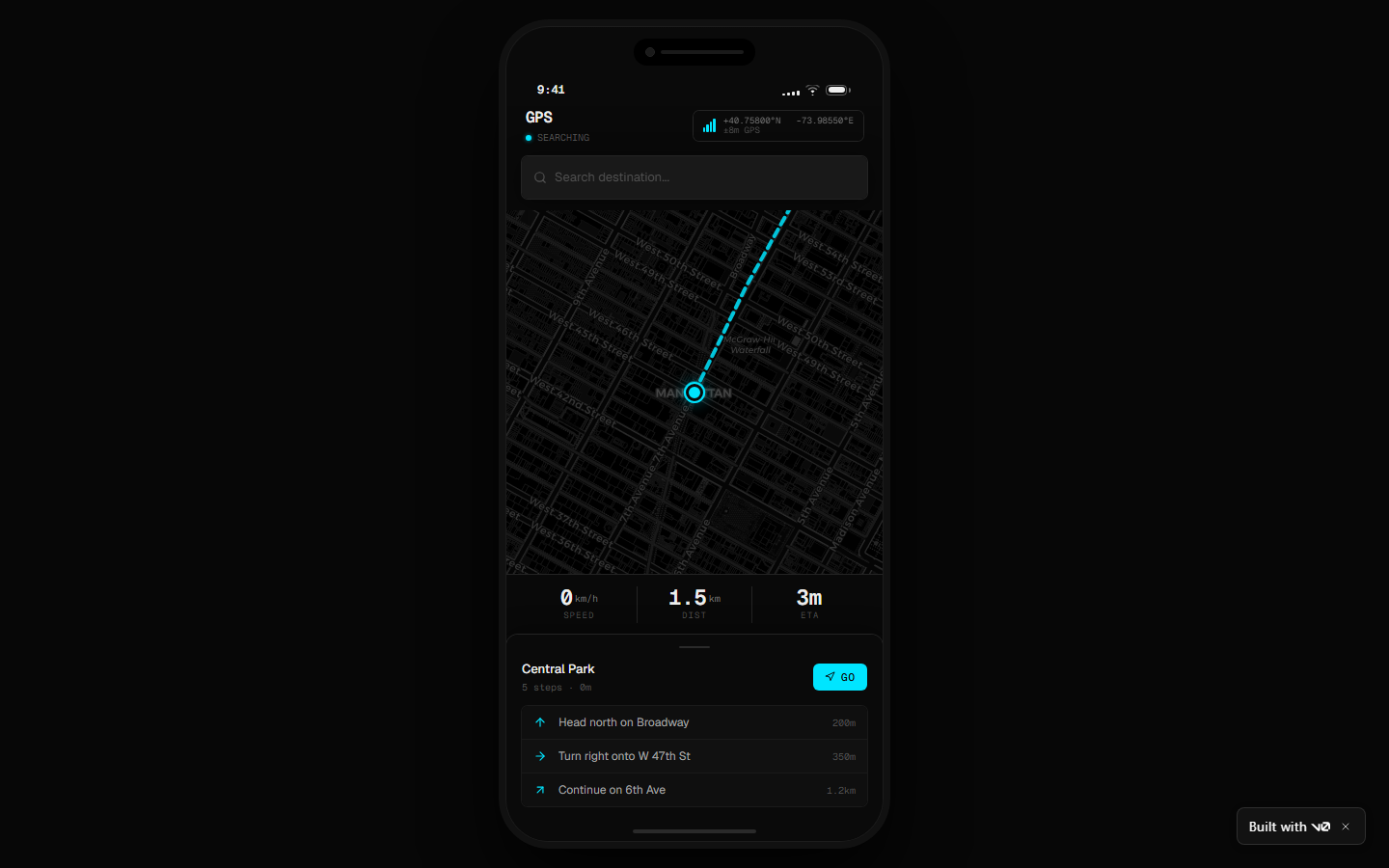
Act 1 — A full design system becomes a running app
The skill analyzed vercel.com (808 CSS custom properties
extracted, nothing invented), produced a design.md, and v0 built this from it:
Act 2 — One element, rebuilt
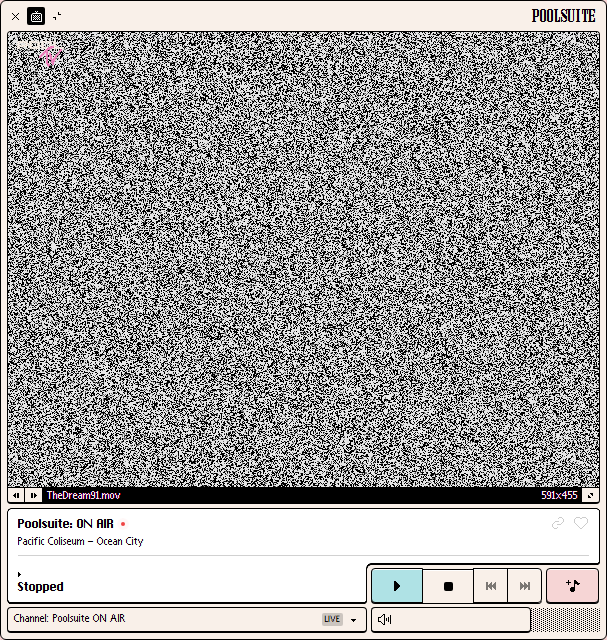
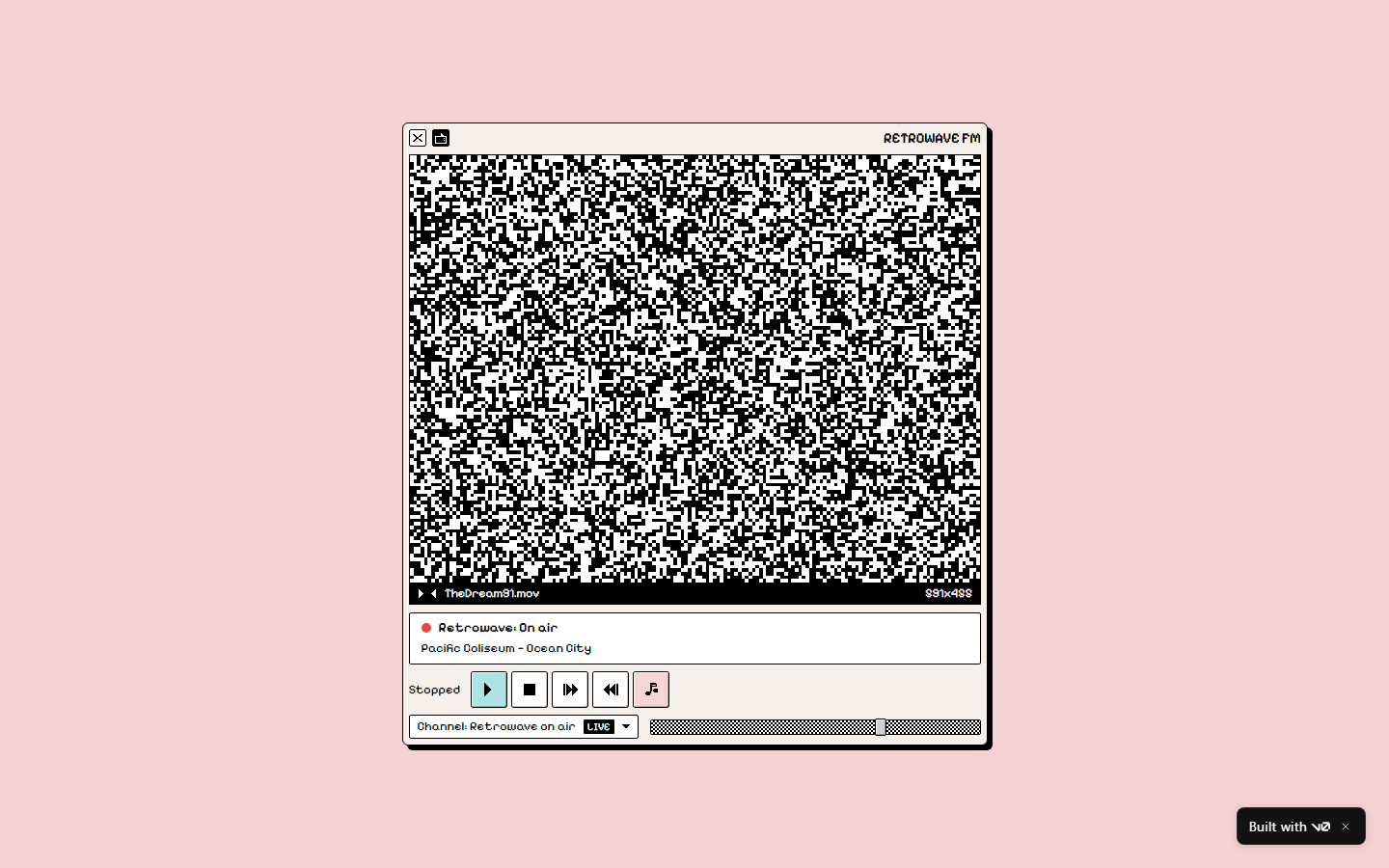
Element mode pointed at the retro Mac OS player of poolsuite.net: DOM-precise capture, pixel-sampled palette, the verbatim bevel-shadow system — and a rebuild prompt that v0 turned into a working app.
| Captured element | Rebuilt by v0 from the element.md |
|---|---|
 |  |
Act 3 — Art becomes a prompt that holds
When the element is art, you get a generative image prompt grounded in the extracted palette — hex by hex. Discord's 3D hero scene, regenerated on the first pass: indigo world locked, every accent on its exact extracted hex, original characters (no brand mascots — there's an IP guardrail).
| Captured element | Generated from the token-grounded prompt |
|---|---|
 |  |
And the same extraction as an isolated, web-ready cutout — single subject, real alpha, no scenery. Drop it straight into your site:
Act 4 — Game asset packs that stay consistent
The #1 pain of AI game art is consistency between assets. Element mode extracts a game's art direction once — palette, lighting recipe, color-allocation rules — and emits a prompt pack where every asset shares that base. One key art in, a coherent sprite set out:
| Captured key art | Original character generated from the pack |
|---|---|
 |
🚀 Install
git clone https://github.com/uxKero/anydesign.git

# Personal skills (all projects)
cp -r anydesign ~/.claude/skills/

# OR for a single project
cp -r anydesign /path/to/project/.claude/skills/
Optional extras:
# Python deps for the companion scripts
pip install -r requirements.txt
playwright install chromium   # only for capture_site.py (~300MB first time)
To analyze Figma files, connect the Figma MCP in the Claude app
(Settings → Connectors).
That's it — the skill activates automatically when Claude detects design-analysis intent ("extract the design system from X", "copy this navbar", "what palette does this site use"). No command to remember.
📦 What you get
| File | What it is |
|---|---|
design.md | 7-section spec: TL;DR → visual identity (incl. brand voice + the "ONE brand thing") → tokens → components → layout → reconstruction notes → Do's/Don'ts → open questions. YAML frontmatter + {token.refs} make it machine-parseable and refactor-safe. |
design-tokens.json | W3C DTCG format ($value/$type) — drops into Style Dictionary, Figma Variables, Tokens Studio. |
design-a11y.md (optional) | WCAG 2.1 contrast report with AA/AAA pass-fail. |
element.md (element mode) | Scoped spec + rebuild prompt (code), token-grounded image prompt (asset), or both (hybrid). |
🪄 Element mode — "copy just that"
Sometimes you don't want the whole system — you want that navbar, that pricing
card, that 3D illustration. Say so and the skill captures just the element
(capture_site.py --selector grabs its exact bounding box + outerHTML on URLs)
and classifies it:
| Kind | Example | Output |
|---|---|---|
code | Navbar, card, button, hero | Scoped token spec + paste-ready rebuild prompt (v0 / Claude Code / Lovable) |
asset | 3D illustration, mascot, photo art | Token-grounded prompt for image models (gpt-image, Midjourney, SD/Flux) |
hybrid | A card containing an illustration | Code spec + nested asset prompt |
The image prompts are the differentiator: instead of an impressionistic description,
the prompt embeds the exact extracted palette, observed lighting, and the parent
brand's mood — so the regenerated asset belongs to the source design. Two delivery
formats: scene (composition with background) or isolated (single subject,
transparent PNG with alpha, ready for the web).
🔌 Works with any AI builder
The deliverable is plain text. Anything that reads Markdown can use it.
| Tool | How |
|---|---|
| v0 / Bolt / Lovable | Paste design.md as the brief — see both live demos |
| Claude Code / Cursor / Windsurf | Drop design.md + design-tokens.json into context, ask for the build |
| Style Dictionary / Tokens Studio / Figma Variables | Import design-tokens.json directly (DTCG) |
| gpt-image / Midjourney / SD | Paste the element.md image prompt |
| Notion / Linear / a human | design.md reads as a designer brief |
🧰 Standalone CLI scripts
Eight pure-Python tools in scripts/ that work without Claude:
| Script | What it does | Deps |
|---|---|---|
extract_css_vars.py | Pull every --* custom property from a URL's stylesheets: compact digest on screen, full JSON on disk | stdlib |
capture_site.py | Playwright captures: computed styles of typical elements, readable viewport frames, multi-viewport, cookie-banner dismiss, single-element (--selector) | playwright |
extract_colors.py | Dominant colors from an image, with area % | Pillow |
check_contrast.py | WCAG 2.1 contrast table for color pairs | stdlib |
lint_design_md.py | Validate a design.md against the spec | stdlib |
build_tokens_json.py | Generate design-tokens.json (DTCG) from a design.md | stdlib |
verify_design.py | Drift audit: compare a design-tokens.json against the live URL — is your spec still true? | stdlib |
export_for_claude_design.py | Bundle tokens into PPTX/DOCX/CSS/Tailwind for claude.ai/design | pyyaml, python-pptx, python-docx |
# Pull design tokens from any URL — no Claude needed
python scripts/extract_css_vars.py https://vercel.com/

# Computed styles + readable frames, desktop and mobile
python scripts/capture_site.py https://your-site.com --viewports desktop,mobile

# Capture a single element (screenshot + outerHTML)
python scripts/capture_site.py https://your-site.com --selector "header.navbar" -o element.png

# WCAG contrast check
python scripts/check_contrast.py --pair "#111,#FFF" --pair "#3B82F6,#FFF" --output design-a11y.md

# Validate a generated design.md, then derive its DTCG token file
python scripts/lint_design_md.py path/to/design.md
python scripts/build_tokens_json.py path/to/design.md

# Audit declared tokens vs live site (the drift tool)
python scripts/verify_design.py path/to/design-tokens.json https://vercel.com/

# Bundle a design.md + tokens for upload to claude.ai/design
python scripts/export_for_claude_design.py path/to/design.md --out my-brand-bundle/
Each script has --help.
💡 More you can do with it
Claude Design (Anthropic Labs) builds a persistent
design system from brand assets you upload — PPTX decks, DOCX briefs, code repos.
It doesn't ingest DTCG JSON or markdown directly, so the
export_for_claude_design.py script bridges the gap:
python scripts/export_for_claude_design.py path/to/design.md --out my-brand/
| File | What Claude Design does with it |
|---|---|
brand-kit.pptx | Primary asset — cover, atmosphere, swatches, typography, components, Do's/Don'ts |
brand-overview.docx | The full design.md as Word — use as the brand brief |
tokens.css | :root { --... } from your DTCG tokens — link via "Code repository" |
tailwind.config.ts | Same path, Tailwind v3 form — either works |
README-claude-design.md | Upload instructions |
File tree
FAQ
anydesign is a Claude Code plugin with 1 hand-picked skill, indexed on Flowy in the Design category. Install it with the command on its page. It includes anydesign. Its skills do not fire on their own yet. Request auto-invocation to have Flowy route them as you prompt. Free and open source.
- What is anydesign?
- Claude skill that analyzes images, websites, and Figma files and generates a structured design.md with token system, component inventory, and reconstruction notes.
- How do I install anydesign?
- Run these in Claude Code: npx -y skills add uxKero/anydesign --agent claude-code. Then prompt normally.
- Does anydesign auto-invoke its skills?
- Not yet. It is indexed on Flowy as a plain plugin. Request auto-invocation on its page and Flowy will route its skills for you as you prompt.
- Is anydesign free?
- Yes. Flowy is free and open source, with nothing gated. You can read every skill in full before you install.
Is this plugin yours?
Claim it with GitHubSubmit a pluginPromote it