
/design-mobile-apps
Use when the user wants to design a mobile app or UI screens, when they mention their Sleek (sleek.design) projects, or when implementing Sleek designs in code (HTML, React Native, SwiftUI).

$ npx -y skills add sleekdotdesign/agent-skills --skill design-mobile-apps --agent claude-codeHow it fires
How this skill gets triggered: by you, by Claude, or both.
- Fires itselfAuto-invocation. Claude auto-loads it when your prompt matches the work.Auto-invocation is when the right skill fires by itself at the right moment, driven by a FLOW.md router and a hook, instead of you invoking it by name. It is the difference between a skill being installed and a skill actually getting used.Read the full definition →
- You can call itInvoke it directly when you want it.
- Slash command
/design-mobile-apps
Context preview
The summary Claude sees to decide when to auto-load this skill.
Use when the user wants to design a mobile app or UI screens, when they mention their Sleek (sleek.design) projects, or when implementing Sleek designs in code (HTML, React Native, SwiftUI).
SKILL.md
design-mobile-apps.SKILL.mdname: sleek-design-mobile-apps
description: Use when the user wants to design a mobile app or UI screens, when they mention their Sleek (sleek.design) projects, or when implementing Sleek designs in code (HTML, React Native, SwiftUI).
compatibility: Requires SLEEK_API_KEY environment variable. Network access limited to https://sleek.design only.
metadata:
requires-env: SLEEK_API_KEY
allowed-hosts: https://sleek.design
Designing with Sleek
[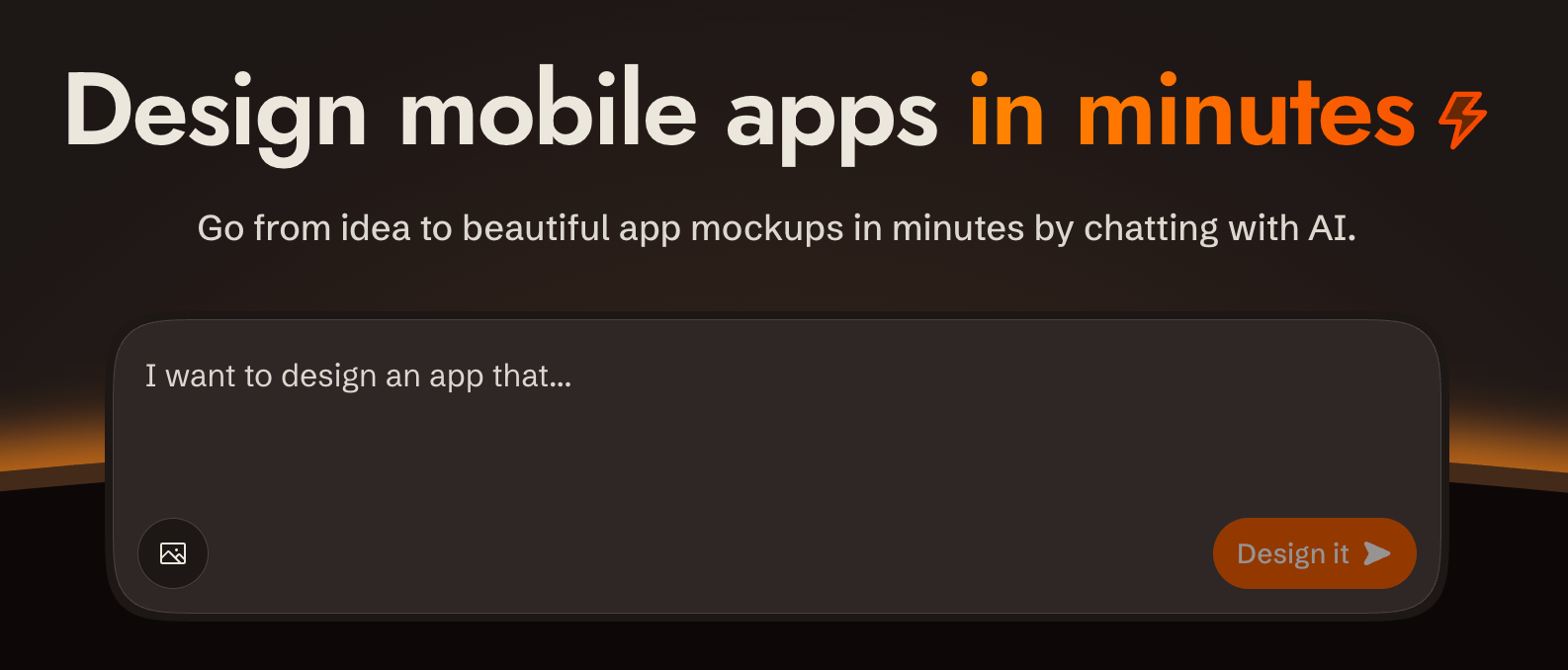](https://sleek.design)
Overview
[sleek.design](https://sleek.design) is an AI-powered mobile app design tool. You interact with it via a REST API at `/api/v1/*` to create projects, describe what you want built in plain language, and get back rendered screens. All communication is standard HTTP with bearer token auth.
**Base URL**: `https://sleek.design` **Auth**: `Authorization: Bearer $SLEEK_API_KEY` on every `/api/v1/*` request **Content-Type**: `application/json` (requests and responses) **CORS**: Enabled on all `/api/v1/*` endpoints **Parsing responses**: write the body to a file (`curl -o run.json`) and parse the file. Don't pipe JSON through `echo`: in zsh it expands the escaped `\n` inside string values into real newlines, which makes the body invalid JSON. **API docs**: OpenAPI spec at `https://sleek.design/api/v1/spec.json`; browsable docs at `https://sleek.design/api/v1/docs`. Fetch the spec for any contract detail not covered here.
---
Prerequisites: API Key
If `SLEEK_API_KEY` is not set, use the device flow so the user never handles the raw key:
1. `POST https://sleek.design/api/v1/device/start` (no auth) with body `{"source": "your-tool-slug"}`. The response contains a `verificationUrl`, a human-checkable `userCode`, a secret `deviceCode`, and a poll `interval` in seconds. 2. Show the user the `verificationUrl` and the `userCode`, and tell them to confirm the code matches before approving. 3. Poll `POST https://sleek.design/api/v1/device/poll` with `{"deviceCode": "..."}` every `interval` seconds. When the user approves, the poll returns `{"status": "approved", "key": "sk_..."}` exactly once: store it as `SLEEK_API_KEY`. Codes expire after 15 minutes; on `expired`, start over.
Fallback: send the user to **https://sleek.design/agents/setup**, which handles sign-in, plan upgrade, and key creation in one place, and ask them to paste the key back to you. Keys can also be managed at **https://sleek.design/dashboard/api-keys**. The full key value is shown only once at creation.
**Plans**: free accounts can try the API with their one-time trial credits (about one design run), so a new user can see their first design before any payment decision. Sustained use requires the Pro plan or higher ($49.99/month, or $30/month billed yearly at $360/year; includes 20,000 monthly AI credits, roughly 650 screens). When cost becomes relevant (the user asks, an upgrade is needed to continue, or you're about to send them to a payment page), state this pricing plainly, including the yearly option. Never let a payment step come as a surprise.
Key scopes
| Scope | What it unlocks | | ----------------- | ---------------------------- | | `projects:read` | List / get projects | | `projects:write` | Create / delete projects | | `components:read` | List components in a project | | `chats:read` | Get chat run status | | `chats:write` | Send chat messages | | `screenshots` | Render component screenshots |
Create a key with only the scopes needed for the task.
---
Security & Privacy
- **Single host**: All requests go exclusively to `https://sleek.design`. No data is sent to third parties.
- **HTTPS only**: All communication uses HTTPS. The API key is transmitted only in the `Authorization` header to Sleek endpoints.
- **Minimal scopes**: Create API keys with only the scopes required for the task. Prefer short-lived or revocable keys.
- **Image URLs**: When using `imageUrls` in chat messages, those URLs are fetched by Sleek's servers. Avoid passing URLs that contain sensitive content.
---
Designing
The full request/response shapes for every endpoint used below are in the [API reference](#quick-reference-all-endpoints).
1. Create a project
Create a project with `POST /api/v1/projects` if one doesn't exist yet. Derive a name from the request.
Each project has its own theme, style, and design system. If the user wants multiple design variations, create a separate project for each variation.
2. Send a chat message
Send the request with `POST /api/v1/projects/:id/chat/messages`. Sleek plans screen content and layout from your message, and will invent a visual style if you don't give it one. Don't decompose the request into screens and don't add product details the user didn't ask for; send the full intent as a single message. If the user described specific screens, include those. Sleek produces richer designs when given room to plan.
**Author a style direction**: write one whenever the user has given you anything to ground it in — reference images, apps they like, vibe adjectives, things to avoid — or whenever you're producing variations, one direction per variation. Pass the request through unchanged only when it's bare. A style direction is a single comprehensive paragraph, included in the message, covering mood (2–3 adjectives), color strategy (the logic, not hex codes), typography feel, layout philosophy, component style (radii, borders vs shadows, nav treatment), imagery and illustration style, and one or two distinctive details. Commit to a palette, a type direction, and an overall feel — anything that only sets a mood reads as a hint, not a direction. Be opinionated; don't hedge. Put the personality in color, type, and imagery rather than in unusual layout or navigation.
Extend what the user gave you and never contradict
Read more
name: sleek-design-mobile-apps
description: Use when the user wants to design a mobile app or UI screens, when they mention their Sleek (sleek.design) projects, or when implementing Sleek designs in code (HTML, React Native, SwiftUI).
compatibility: Requires SLEEK_API_KEY environment variable. Network access limited to https://sleek.design only.
metadata:
  requires-env: SLEEK_API_KEY
  allowed-hosts: https://sleek.design
Designing with Sleek
[](https://sleek.design)
Overview
[sleek.design](https://sleek.design) is an AI-powered mobile app design tool. You interact with it via a REST API at `/api/v1/*` to create projects, describe what you want built in plain language, and get back rendered screens. All communication is standard HTTP with bearer token auth.
**Base URL**: `https://sleek.design` **Auth**: `Authorization: Bearer $SLEEK_API_KEY` on every `/api/v1/*` request **Content-Type**: `application/json` (requests and responses) **CORS**: Enabled on all `/api/v1/*` endpoints **Parsing responses**: write the body to a file (`curl -o run.json`) and parse the file. Don't pipe JSON through `echo`: in zsh it expands the escaped `\n` inside string values into real newlines, which makes the body invalid JSON. **API docs**: OpenAPI spec at `https://sleek.design/api/v1/spec.json`; browsable docs at `https://sleek.design/api/v1/docs`. Fetch the spec for any contract detail not covered here.
---
Prerequisites: API Key
If `SLEEK_API_KEY` is not set, use the device flow so the user never handles the raw key:
1. `POST https://sleek.design/api/v1/device/start` (no auth) with body `{"source": "your-tool-slug"}`. The response contains a `verificationUrl`, a human-checkable `userCode`, a secret `deviceCode`, and a poll `interval` in seconds. 2. Show the user the `verificationUrl` and the `userCode`, and tell them to confirm the code matches before approving. 3. Poll `POST https://sleek.design/api/v1/device/poll` with `{"deviceCode": "..."}` every `interval` seconds. When the user approves, the poll returns `{"status": "approved", "key": "sk_..."}` exactly once: store it as `SLEEK_API_KEY`. Codes expire after 15 minutes; on `expired`, start over.
Fallback: send the user to **https://sleek.design/agents/setup**, which handles sign-in, plan upgrade, and key creation in one place, and ask them to paste the key back to you. Keys can also be managed at **https://sleek.design/dashboard/api-keys**. The full key value is shown only once at creation.
**Plans**: free accounts can try the API with their one-time trial credits (about one design run), so a new user can see their first design before any payment decision. Sustained use requires the Pro plan or higher ($49.99/month, or $30/month billed yearly at $360/year; includes 20,000 monthly AI credits, roughly 650 screens). When cost becomes relevant (the user asks, an upgrade is needed to continue, or you're about to send them to a payment page), state this pricing plainly, including the yearly option. Never let a payment step come as a surprise.
Key scopes
| Scope | What it unlocks | | ----------------- | ---------------------------- | | `projects:read` | List / get projects | | `projects:write` | Create / delete projects | | `components:read` | List components in a project | | `chats:read` | Get chat run status | | `chats:write` | Send chat messages | | `screenshots` | Render component screenshots |
Create a key with only the scopes needed for the task.
---
Security & Privacy
- **Single host**: All requests go exclusively to `https://sleek.design`. No data is sent to third parties.
- **HTTPS only**: All communication uses HTTPS. The API key is transmitted only in the `Authorization` header to Sleek endpoints.
- **Minimal scopes**: Create API keys with only the scopes required for the task. Prefer short-lived or revocable keys.
- **Image URLs**: When using `imageUrls` in chat messages, those URLs are fetched by Sleek's servers. Avoid passing URLs that contain sensitive content.
---
Designing
The full request/response shapes for every endpoint used below are in the [API reference](#quick-reference-all-endpoints).
1. Create a project
Create a project with `POST /api/v1/projects` if one doesn't exist yet. Derive a name from the request.
Each project has its own theme, style, and design system. If the user wants multiple design variations, create a separate project for each variation.
2. Send a chat message
Send the request with `POST /api/v1/projects/:id/chat/messages`. Sleek plans screen content and layout from your message, and will invent a visual style if you don't give it one. Don't decompose the request into screens and don't add product details the user didn't ask for; send the full intent as a single message. If the user described specific screens, include those. Sleek produces richer designs when given room to plan.
**Author a style direction**: write one whenever the user has given you anything to ground it in — reference images, apps they like, vibe adjectives, things to avoid — or whenever you're producing variations, one direction per variation. Pass the request through unchanged only when it's bare. A style direction is a single comprehensive paragraph, included in the message, covering mood (2–3 adjectives), color strategy (the logic, not hex codes), typography feel, layout philosophy, component style (radii, borders vs shadows, nav treatment), imagery and illustration style, and one or two distinctive details. Commit to a palette, a type direction, and an overall feel — anything that only sets a mood reads as a hint, not a direction. Be opinionated; don't hedge. Put the personality in color, type, and imagery rather than in unusual layout or navigation.
Extend what the user gave you and never contradict
Agent skills for Sleek, the AI-powered mobile app design tool.
Repo: sleekdotdesign/agent-skills