

rea
Reverse engineer anything with agents, from app behavior down to native binaries.
420k
 @morluto
A security skill suite for OpenClaw, Hermes, PicoClaw and NanoClaw agents. It provides drift detection to protect key files like SOUL.md, live security advisories, automated audits, and skill integrity checks.
Claude Code
$ npx -y skills add prompt-security/clawsec --agent claude-code
Codex
$ npx skills add prompt-security/clawsec -a codex
Cursor
$ npx skills add prompt-security/clawsec -a cursor
Gemini CLI
$ npx skills add prompt-security/clawsec -a gemini-cli
GitHub Copilot
$ npx skills add prompt-security/clawsec -a github-copilot
OpenCode
$ npx skills add prompt-security/clawsec -a opencode
Windsurf
$ npx skills add prompt-security/clawsec -a windsurf


Website · Skill catalog · Security feed · Documentation · Releases
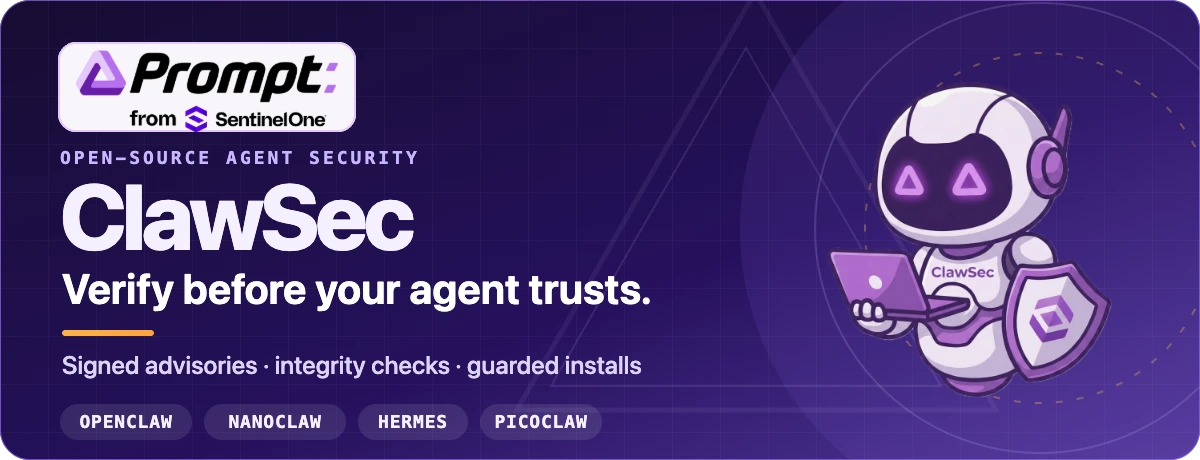
ClawSec is an AGPL collection of security skills and signed advisory intelligence for AI agent runtimes. It helps operators verify skill artifacts, detect configuration drift, audit agent environments, and approval-gate risky installs across OpenClaw, NanoClaw, Hermes, and Picoclaw.
The OpenClaw entry point is clawsec-suite. Adding the package and activating its persistent hook are separate, reviewable steps.
npx skills add prompt-security/clawsec --skill clawsec-suite -a openclaw --global -y
This installs the suite with its signed advisory trust set, heartbeat workflow, guarded installer, and setup scripts. Optional protections remain separate packages that the suite discovers from the published catalog.
SUITE_DIR="${INSTALL_ROOT:-$HOME/.openclaw/skills}/clawsec-suite"
node "$SUITE_DIR/scripts/setup_advisory_hook.mjs"
The setup script prints its preflight before it changes persistent OpenClaw configuration. After it succeeds, restart the OpenClaw gateway and run /new once to trigger the first advisory scan.
To see the current optional protections:
node "$SUITE_DIR/scripts/discover_skill_catalog.mjs"
Installing for someone else? Ask their agent to install
clawsec-suitewith the command above, show the hook preflight, and wait for approval before enabling the hook or optional cron job.
Shell and path notes
For bash and zsh, keep home variables expandable:
export INSTALL_ROOT="$HOME/.openclaw/skills"
Do not single-quote paths that contain $HOME. In PowerShell, build the path explicitly:
$env:INSTALL_ROOT = Join-Path $HOME ".openclaw\skills"
node "$env:INSTALL_ROOT\clawsec-suite\scripts\setup_advisory_hook.mjs"
POSIX .sh workflows require WSL or Git Bash on Windows.
The soul-guardian demo changes a protected agent file, detects the mismatch, and walks through the response.
Watch the MP4 with audio →
Watch the suite installation walkthrough
| Protection layer | What it does |
|---|---|
| Signed intelligence | Verifies the advisory feed and checksum manifest before matching published risk against installed skills. |
| Guarded installs | Stops on advisory matches and requires a second, explicit confirmation before a risky install can continue. |
| Integrity and drift | Gives platform-specific skills baselines for critical files, configuration, attestations, and release artifacts. |
| Audits and reporting | Provides focused audit, posture, self-test, and community-reporting packages where the platform contract supports them. |
ClawSec recommends and gates actions; destructive removal and install overrides remain approval-controlled.
clawsec-suite for signed advisory monitoring and guarded installs, then discover separate drift and audit protections.clawsec-nanoclaw for NanoClaw-specific advisory, integrity, verification, and security-tool workflows.hermes-attestation-guardian for signed advisory checks, guarded verification, deterministic attestations, and baseline drift detection.picoclaw-security-guardian for posture, advisory, drift, and release-artifact checks. Self-pen testing is a separate opt-in package.The
*-traffic-guardiandirectories are specification baselines for platform builders. They are not shipped runtime proxies today.
Browse every package in the live skill catalog or the repository’s skills/ directory.
The full package comparison is preserved in the wiki, including shipped, limited, and specification-only coverage.
Compare every skill in the feature matrix →
The consolidated feed can contain relevant NVD CVEs, approved community reports, and provisional GitHub advisories that do not yet have CVE identifiers.
curl -fsSL https://clawsec.prompt.security/advisories/feed.json \
  | jq '.advisories[] | select(.severity == "critical" or .severity == "high")'
Trust material lives beside the feed:
The legacy /releases/latest/download/feed.json endpoint remains a compatibility mirror. New consumers should use the canonical /advisories/feed.json endpoint.
Run the web catalog locally:
npm install
npm run dev
Run the repository’s local quality gate before pushing:
./scripts/prepare-to-push.sh
Validate a skill package directly:
python utils/validate_skill.py skills/clawsec-feed
Start with these references:
The source of truth for project documentation is wiki/. GitHub Wiki pages and LLM-ready exports are generated from those files.
English · Deutsch · Español · Français · 日本語 · 한국어
Localized wiki indexes: DE · ES · FR · JA · KO · EN
ClawSec source code is licensed under GNU AGPL-3.0-or-later. See LICENSE. Files under font/ have separate license terms and are not used by the README artwork.
ClawSec · Prompt Security, from SentinelOne Verify before your agent trusts.
Stars on GitHub
Reverse engineer anything with agents, from app behavior down to native binaries.
@morlutoA skill pack for authorized reverse engineering, security research, and penetration testing that routes tasks to the right skill and sets up needed tools on demand. It covers API security assessment and Android APK analysis, among others.
 @zhaoxuya520
Gives an AI agent the step-by-step workflow a senior security analyst follows, covering when to use each technique, what to check first, how to run it and how to verify the result. Covers incident response, forensics, threat intelligence, malware analysis, penetration testing and red teaming.
 @mukul975
Agent skill + stdlib Python service to strip multi-vendor AI provenance marks from text and files, for privacy and hygiene on content you own. The skill is a thin client: it drives the machinery over HTTP, so the agent host needs no Python.
 @guillaumemeyer
Install it with the command on its page. It includes claw-release, clawsec-clawhub-checker, clawsec-feed. Its skills do not fire on their own yet. Free and open source.
Is this plugin yours?
Claim it with GitHubSubmit a pluginPromote it