
Cloud & Infrastructure
Plugin
terravision-cloud-diagrams
Professional cloud architecture diagrams in official AWS, Azure and GCP style, from a description in Claude or ChatGPT or from your Terraform 📖 Full documentation site → TerraVision is a free, open-source cloud architecture diagram generator for AWS, Azure

Plugin Signal69/100Solid
maintained99
capable14
documented100
adopted68
Install on Claude Code
> /plugin marketplace add patrickchugh/terravision> /plugin install terravision-cloud-diagrams@terravision
What's inside
README
TerraVision
Professional cloud architecture diagrams in official AWS, Azure and GCP style, from a description in Claude or ChatGPT or from your Terraform







TerraVision is a free, open-source cloud architecture diagram generator for AWS, Azure and Google Cloud that works in both directions: design to code (describe it to your AI assistant, get the diagram, then the Terraform) and code to diagram (draw what your Terraform deploys).
Ask your AI assistant for a cloud architecture diagram, in plain words, and get the diagram a cloud architect would draw: the official AWS, Azure and GCP icons, with every resource in its VPC, subnet, zone or resource group. From a description, from your Terraform code, or the other way round, with the Terraform written from the diagram. TerraVision runs on your own computer and needs no cloud access.
Watch the 90-Second Intro
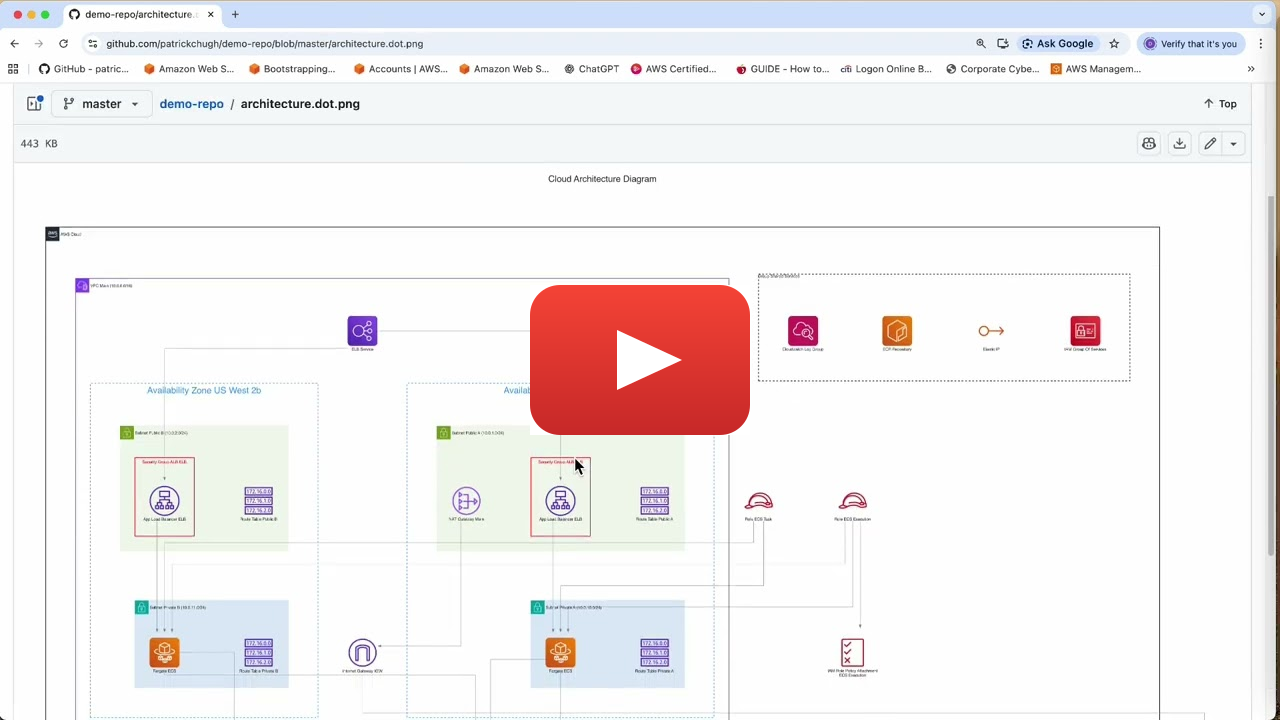
Gallery
The same three-tier design on each cloud, then a flagship for each. Every example comes with the prompt and the source file: see the full gallery of 12 →
More in the gallery: AWS serverless event-driven · AWS data lake · AWS multi-region failover · AWS multi-account network · Azure AKS · Google Cloud data pipeline
Get started in Claude or ChatGPT
TerraVision installs as an extension in Claude Desktop and a plugin in the ChatGPT desktop app, where the diagram appears right in the chat. It also works in Claude Code, Codex CLI, GitHub Copilot, Cursor and any other MCP client.
1. Install the prerequisites (once)
TerraVision needs Graphviz (to draw) and Git. uv runs TerraVision for Claude Code, Codex, Antigravity CLI and other MCP clients; Claude Desktop brings its own on Windows and macOS, so skip it there. Terraform is only needed to draw from Terraform code.
With Homebrew:
brew install graphviz git
brew install uv                        # not needed for Claude Desktop
brew install hashicorp/tap/terraform   # optional: to draw from Terraform code
In PowerShell:
winget install --id Graphviz.Graphviz -e
winget install --id Git.Git -e
winget install --id astral-sh.uv -e    # not needed for Claude Desktop
winget install --id Hashicorp.Terraform -e   # optional: to draw from Terraform code
Then open a new terminal, and restart your AI app, so they see the new programs.
sudo apt install graphviz git
# Ubuntu 26.04 and later only (also Debian 14 "forky"/testing).
# Skip on older releases such as Ubuntu 24.04: graphviz already includes it.
sudo apt install libgvplugin-neato-layout8

curl -LsSf https://astral.sh/uv/install.sh | sh   # Claude Desktop on Linux needs uv pre-installed

# optionally install terraform, to draw from Terraform code: HashiCorp's apt repository
wget -O- https://apt.releases.hashicorp.com/gpg | sudo gpg --dearmor -o /usr/share/keyrings/hashicorp-archive-keyring.gpg
echo "deb [signed-by=/usr/share/keyrings/hashicorp-archive-keyring.gpg] https://apt.releases.hashicorp.com $(lsb_release -cs) main" | sudo tee /etc/apt/sources.list.d/hashicorp.list
sudo apt update && sudo apt install terraform
Other distributions: HashiCorp's install guide.
Can't use a package manager? Without admin rights, or when your organisation's Artifactory or Nexus doesn't carry these packages, download each one from its own site instead: Graphviz (on Windows, the ZIP archive unpacks into any folder without admin rights; on macOS and Linux, build it from source into your home folder: steps), Git (Windows has a portable edition), uv (its installer needs no admin rights) and Terraform (a single program to unzip). Then add each one's folder to your PATH (how, on Windows) and restart your AI app, or ask your IT team to install them.
2. Connect your assistant
Claude Desktop:
Download terravision-<version>.mcpb from the latest release and open it (or drag it into Settings → Extensions). Diagrams appear right in the chat, with buttons to open the image, edit it in draw.io, show it in its folder and see its source.
Claude Code (terminal, VS Code or JetBrains):
claude plugin marketplace add patrickchugh/terravision
claude plugin install terravision-cloud-diagrams@terravision
Then start a new Claude Code session. Diagrams are saved in a diagrams folder in your project.
The very first start downloads and installs TerraVision, which can take longer than Claude Code waits. If /mcp shows TerraVision failed to connect, choose Reconnect. To avoid it, install it ahead of time: uvx --from "terravision[mcp]" terravision --version.
ChatGPT desktop app and OpenAI Codex CLI (the desktop app includes Codex and uses the same plugins):
In the desktop app, go to Settings, add the marketplace https://github.com/patrickchugh/terravision, then select terravision-cloud-diagrams. For the CLI:
codex plugin marketplace add https://github.com/patrickchugh/terravision
codex plugin add terravision-cloud-diagrams@terravision
Google Antigravity CLI (agy, which replaced Gemini CLI):
agy mcp add terravision -- uvx --from "terravision[mcp]" terravision mcp --output-dir /path/for/diagrams
Gemini CLI stopped working for personal Google accounts on 18 June 2026; with a Gemini Code Assist Standard or Enterprise licence or a paid API key it still runs, and installs TerraVision with gemini extensions install https://github.com/patrickchugh/terravision.
VS Code with GitHub Copilot, Cursor and other MCP clients:
Add TerraVision as an MCP server that runs uvx --from "terravision[mcp]" terravision mcp --output-dir <folder for diagrams>. The setup guide has the configuration for each.
Any other agent (Cursor, GitHub Copilot, Codex, Claude Code and more) with the skills CLI:
npx skills add patrickchugh/terravision
This installs the skill only: the instructions that teach the assistant the TerraVision graph format. It does not install TerraVision itself. The assistant then runs the terravision command, so install TerraVision and the prerequisites first. It does not include the MCP server, so there is no diagram view in the chat; for that, use the Claude Desktop extension or the Claude Code / ChatGPT plugin above. The installer needs Node.js, which provides npx.
3. Ask for a diagram (or code)
| You have | Ask something like | You get |
|---|---|---|
| An idea | "Draw an AWS three-tier app: React on CloudFront, ECS Fargate behind an ALB in two AZs, SQL Server on RDS Multi-AZ" | The diagram (PNG, SVG, editable draw.io) and its graph. Refine it by asking: "add ElastiCache", "show how a request flows through it" |
| A diagram you like generated from TerraVision | "Write the Terraform for this architecture" | Terraform for the resources, zones and connections, with the diagram's flows and labels kept (quality depends on model used) |
File tree
Showing a partial view of a very large repo.
FAQ
terravision-cloud-diagrams is a Claude Code plugin with 1 hand-picked skill for cloud & infrastructure work, indexed on Flowy. Install it with the command on its page. It includes terravision-cloud-diagrams. Its skills do not fire on their own yet. Request auto-invocation to have Flowy route them as you prompt. Free and open source.
- What is terravision-cloud-diagrams?
- Professional cloud architecture diagrams in official AWS, Azure and GCP style, from a description in Claude or ChatGPT or from your Terraform 📖 Full documentation site → TerraVision is a free, open-source cloud architecture diagram generator for AWS, Azure
- How do I install terravision-cloud-diagrams?
- Run these in Claude Code: /plugin marketplace add patrickchugh/terravision then /plugin install terravision-cloud-diagrams@terravision. Then prompt normally.
- Does terravision-cloud-diagrams auto-invoke its skills?
- Not yet. It is indexed on Flowy as a plain plugin. Request auto-invocation on its page and Flowy will route its skills for you as you prompt.
- Is terravision-cloud-diagrams free?
- Yes. Flowy is free and open source, with nothing gated. You can read every skill in full before you install.
Is this plugin yours?
Claim it with GitHubSubmit a pluginPromote it