
Design
Plugin
designlang
Extract any website's complete design system with one command. DTCG tokens, semantic+primitive+composite, MCP server for Claude Code/Cursor/Windsurf, multi-platform emitters (iOS SwiftUI, Android Compose, Flutter, WordPress), Tailwind v4, Figma variables, shadcn/ui, CSS health audit, WCAG remediation, Chrome extension. MIT, Playwright, Node 20+.

Plugin Signal83/100Strong
maintained95
capable59
documented100
adopted77
Install on Claude Code
> /plugin marketplace add manavarya09/design-extract> /plugin install designlang@designlang
Stats
4,182
Stars
353
Forks
Active
Maintenance
HTML
Language
MIT
License
9d ago
Last commit
5mo ago
Created
19h ago
Added
Repo: manavarya09/design-extract
What's inside
Skill(2 skills)
/extract-designExtract the full design language from any website URL. Produces 8 output files including AI-optimized markdown, visual HTML preview, Tailwind config, React theme, shadcn/ui theme, Figma variables, W3C design tokens, and CSS variables. Also runs WCAG accessibility scoring. Use/designlangUse when styling UI for cal.com — references the extracted design system tokens instead of inventing colors, spacing, or typography.
Badges


README
Sponsors
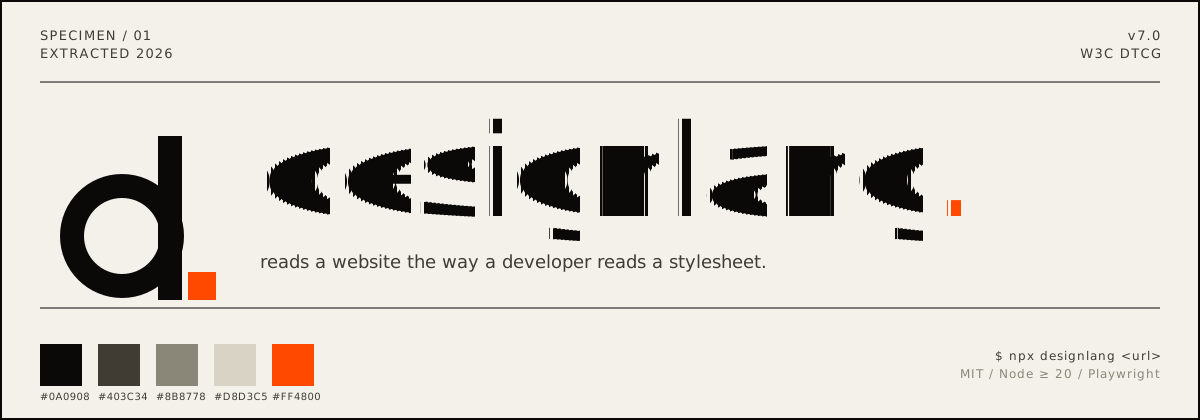
designlang points a headless browser at any URL and reads the design system off the live DOM. One command emits 17+ files — DTCG tokens, Tailwind config, shadcn theme, Figma variables, motion tokens, typed component anatomy, brand voice, page-intent labels, and a paste-ready prompt pack for v0 / Lovable / Cursor / Claude Artifacts.
It also goes where extractors don't: layout patterns, responsive behavior across 4 breakpoints, hover / focus / active states, WCAG contrast scoring, multi-page consistency, drift checks against a live source-of-truth, visual-diffs, and a shareable graded report card.
Quick start
npx designlang https://stripe.com                      # extract everything
npx designlang dna stripe.com                          # place it in the measured design space: neighbours + percentiles ← v13.1
npx designlang site stripe.com                         # whole-site: one canonical system + consistency grade ← v12.23
npx designlang fidelity stripe.com --clone localhost:3000  # score a clone vs the original (visual + motion) ← v12.24
npx designlang gallery                                 # static shareable gallery of measured clones      ← v12.24
npx designlang studio                                  # live token editor: edit, preview, export, share ← v12.19
npx designlang verify stripe.com                       # fidelity score: rebuild from tokens vs live ← v12.18
npx designlang pair stripe.com linear.app              # fuse two designs (visuals A × voice B)    ← v12.8
npx designlang brand stripe.com                        # full brand-guidelines book (13 chapters)  ← v12.7
npx designlang theme-swap stripe.com --primary "#ff4800"  # recolour around your brand        ← v12.6
npx designlang pack stripe.com                         # one polished design-system directory ← v12.4
npx designlang remix stripe.com --as cyberpunk         # restyle in another vocabulary       ← v12.3
npx designlang remix stripe.com --all                  # emit all 6 vocabs at once           ← v12.3
npx designlang grade https://stripe.com --badge        # report card + SVG badge             ← v12.2
npx designlang battle stripe.com vercel.com            # head-to-head graded fight           ← v12.2
npx designlang clone https://stripe.com                # working Next.js starter
npx designlang --full https://stripe.com               # screenshots + responsive + interactions
Drop a live design-score badge in any README:

Watch it read — live Extraction Theatre (v13)
Don't take the output on faith — watch it happen. On designlang.app/watch you paste a URL and a real headless Chromium opens the page and reads its entire design system in real time: a split stage with the live browser on the left and the design system — palette, type, spacing, motion — assembling itself on the right as each token lifts off the page.
It's driven by the actual extraction (the browser's CDP screencast streamed frame-by-frame alongside the real token events), recorded so a shared link replays the exact run. No install, no account. Every gallery card can be watched the same way, and the gallery now spans 37 real-graded design systems.
Whole-site design system (site)
Most extractors read a single URL. designlang site crawls a site's canonical
pages (home, pricing, docs, blog, about, product…) and synthesizes one
de-duplicated system. Every token is elected by coverage — the share of pages
that use it — so what's genuinely site-wide is separated from one-off,
page-local choices. Near-identical colours are merged in OKLab. It's fully
deterministic and free; no API key.
npx designlang site stripe.com --max-pages 8
You get, alongside the standard pack emitted from the canonical system:
| File | What it is |
|---|---|
*-site-system.json | canonical unified tokens + coverage + drift |
*-site-coverage.md | every token tagged 🟢 site-wide / 🟡 section / 🔴 page-local, with the pages using it |
*-site-consistency.md | a 0–100 consistency grade, per-category breakdown, and the off-system outliers to consolidate |
Measured clone fidelity (fidelity + gallery)
Cloning tools all claim "pixel-perfect" — none of them measure it. designlang fidelity does. Point it at the original and your clone (often a local dev
server) and it returns one honest number, both halves of the clone:
- Visual — full-page screenshots of each, pixel-diffed.
- Motion —
extractMotion()on both, compared across feel, durations, easings, springs, keyframe kinds, scroll-linked motion, and choreography/ stagger. (Most clones reproduce static pixels and drop the motion entirely; this is where they lose.)
The two blend into a 0–100 score + letter grade, and — the part competitors don't ship — a ranked correction plan: the exact next edits that will raise the score, hardest-hitting first. Measure → fix → re-run until it converges.
npx designlang fidelity https://stripe.com --clone http://localhost:3000
npx designlang fidelity https://stripe.com --clone http://localhost:3000 --min 90   # CI gate
Generating the clone with designlang clone? Add --fidelity and it grades the
clone's token basis against the live site the moment it's built — writing
FIDELITY.md + a correction plan straight into the project, no separate step:
npx designlang clone https://stripe.com --fidelity
You get fidelity.md (score + motion table + correction plan), fidelity.json,
a shareable fidelity-card.svg (88% · B · stripe.com), and a fidelity-diff.png
loss heatmap.
Then publish them. designlang gallery scans your reports and builds a
deployable static site — an index of score cards plus a permalink page per clone
(each with an OG card, so a shared link unfurls the number).
npx designlang gallery --title "Our clones" --base-url https://clones.example.com
A measured design space (dna)
Every extractor on the market answers what a design uses. None of them answers
where it sits. designlang grade returns a letter — but a letter with no
reference frame is a thermometer with no scale on it.
designlang dna reduces a design to 30 deterministic features across five
axes — colour, type, space, shape, motion — and ranks it against a corpus of
real design systems:
npx designlang dna raycast.com
  Design DNA · https://raycast.com
  30 features, 100% measurable

  vs 8 systems (default)

  color    65th percentile
  type     56th percentile
  space    42th percentile
  shape    79th percentile
  motion   67th percentile

  Nearest
  0.14  https://railway.app
  0.15  https://linear.app
  0.19  https://notion.so
Distance is the mean absolute difference across the features both designs have,
so 0.14 reads as "the average feature is 14% of its range apart" — a number you
can reason about, unlike a Euclidean distance in 30 dimensions.
The report goes past similarity to what makes a design look the way it does: the features furthest from the middle of the corpus, in plain language ("corner radius — 100th percentile, far above the corpus").
Bring your own reference frame — your products, your competitors, a target look:
npx designlang dna-corpus acme.com acme.com/pricing competitor.com
npx designlang dna acme.com/new-page --corpus ./corpus.json
Three things it refuses to do, because a design score that overclaims is worse than no score at all:
- A missing measurement stays missing. Features the page never exposed are
null, never a substituted midpoint, and distance skips them instead of comparing against an invented value. - Every number carries its evidence. Distances report how many features backed them, percentiles name the corpus and its size, and the report warns when coverage was partial.
- The space is versioned. Feature order and normalization are frozen per vector version, and a corpus built by different rules is rejected rather than silently compared against.
Install
npm i -g designlang                         # global
designlang install-browser                  # one-time: the Chromium designlang drives
npx skills add Manavarya09/design-extract   # as an agent skill (40+ agents)
npm install no longer downloads a browser, so it works in CI, Docker and
behind proxies. install-browser fetches the Chromium matching the bundled
Playwright (add --with-deps on bare Linux). Without it, designlang falls back
to an installed Google Chrome.
File tree
Showing a partial view of a very large repo.
FAQ
designlang is a Claude Code plugin with 2 hand-picked skills for design work, indexed on Flowy. Install it with the command on its page. It includes extract-design, designlang. Its skills do not fire on their own yet. Request auto-invocation to have Flowy route them as you prompt. Free and open source.
- What is designlang?
- Extract any website's complete design system with one command. DTCG tokens, semantic+primitive+composite, MCP server for Claude Code/Cursor/Windsurf, multi-platform emitters (iOS SwiftUI, Android Compose, Flutter, WordPress), Tailwind v4, Figma variables, shadcn/ui, CSS health audit, WCAG remediation, Chrome extension. MIT, Playwright, Node 20+.
- How do I install designlang?
- Run these in Claude Code: /plugin marketplace add manavarya09/design-extract then /plugin install designlang@designlang. Then prompt normally.
- Does designlang auto-invoke its skills?
- Not yet. It is indexed on Flowy as a plain plugin. Request auto-invocation on its page and Flowy will route its skills for you as you prompt.
- Is designlang free?
- Yes. Flowy is free and open source, with nothing gated. You can read every skill in full before you install.
Is this plugin yours?
Claim it with GitHubSubmit a pluginPromote it