
Content
Plugin
docx-cli
A .docx CLI built for AI agents. Leave comments, suggest redlines, and edit Word documents without breaking the formatting or losing content — a human accepts or rejects in Word afterward.

Plugin Signal71/100Solid
maintained93
capable37
documented100
adopted49
Install on Claude Code
> /plugin marketplace add kklimuk/docx-cli> /plugin install docx-cli@docx-cli
Stats
207
Stars
10
Forks
Active
Maintenance
TypeScript
Language
MIT
License
18d ago
Last commit
4mo ago
Created
Repo: kklimuk/docx-cli
In this plugin
See everything inside What's inside
Skill(4 skills)
/commitCreate well-structured git commits from the current working tree. Use when the user says 'commit', 'save my work', 'let's commit this', 'make a commit', or any variation of wanting to commit code to git./security-reviewReview code for security vulnerabilities. Use when the user says 'security review', 'security audit', 'check for vulnerabilities', 'pentest the code', 'OWASP check', or any variation of wanting a security assessment./weak-agent-testRun the weak-agent adversarial test harness against docx-cli. Spawns weak exercise agents (Haiku by default, Sonnet to probe, or a local agent harness's pre-produced runs) to perform real document tasks over six scenarios — five editing (MNDA form-fill + font fidelity, invoice/docx-cliRead, edit, redline, comment on, and create Microsoft Word .docx files. Use to fill out or edit a Word doc, redline a contract with tracked changes, add/resolve comments, replace text keeping its formatting, restyle headings/fonts, edit tables, or read/extract a .docx as
Badges
README
docx-cli
A .docx CLI built for AI agents. Leave comments, suggest redlines, and edit Word documents without breaking the formatting or losing content — a human accepts or rejects in Word afterward.
- Hand a
.docxto Claude or Codex and get back a redlined copy with comments — open it in Word, accept or reject as usual. - Agents address text by stable locators with character offsets (
p3:5-20); humans see normal Word formatting on disk. - Custom styles, theme colors, embedded objects — all of it survives. The CLI mutates XML in place rather than re-emitting from a lossy model.
Why docx-cli?
The default way agents edit Word docs is to unzip the .docx and hand-write the OOXML inside. That takes a strong model to get right, burns tokens, and routinely produces a file Word won't open. docx-cli hands the agent plain commands plus an annotated-Markdown read view, so it never has to reason about the XML.
We measured it — a controlled A/B bake-off: six real document tasks (fill an NDA, fill an invoice, restyle a résumé, redline a contract, finalize a contract, author a journal), the same starting files, and one independent judge grading every result from the Word-rendered pages. Three runs per arm at each of two model tiers. Haiku columns: July 2026 rerun on v0.20.4; Sonnet columns: June 2026 bake-off (not Sonnet 5):
| Haiku (weak, cheap) | Sonnet (strong, June run — not Sonnet 5) | |||
|---|---|---|---|---|
| docx-cli | default skill | docx-cli | default skill | |
| Tasks solved (of 6) | 5.0 (5–5) | 0.7 (0–2) | 6.0 (6–6) | 4.0 (4–4) |
| Rendered correctly (of 6) | 6.0 | 4.3 | 6.0 | 4.7 |
| Outright-broken documents | 0 | ~1.3/run (up to 2) | 0 | 0 |
| Effective input tokens | 3.2M | 7.9M (2.5×) | 1.6M | 3.6M (2.2×) |
| Output tokens | 78k | 155k (2.0×) | — | — |
| Wall-clock | 1,186 s | 2,438 s (2.1× slower) | 1,175 s | 2,029 s (1.7× slower) |
- The correctness gap is widest on the cheap Haiku tier (~7×), and a frontier model never closes it — the default skill caps at 4/6, losing the contract redline and the résumé every Sonnet run.
- The cost and speed penalties are model-independent — ~2.2–2.5× more input tokens and ~1.7–2.1× slower at both tiers, with token/time ranges that never overlap. (Output tokens, measured in the July rerun: 2× more for the default skill. The June Sonnet run measured input only.)
- Word couldn't reliably open the default skill's work — in the July Haiku runs it failed to open 4 of the skill's 18 outputs (both legal-redline deliverables in 2 of 3 runs); all 18 of docx-cli's opened on the first try.
Full methodology, per-task rubrics, and the harness that produced these numbers: .claude/skills/weak-agent-test.
Install
npm — the simplest path (requires Bun >= 1.3):
bun add -g bun-docx
# or run without installing:
bunx bun-docx read doc.docx
Standalone binary (no Bun required). Every release publishes prebuilt binaries, the installer, and a SHA256SUMS manifest covering all of them; the installer verifies the binary's SHA-256 before installing:
curl -fsSLO https://github.com/kklimuk/docx-cli/releases/latest/download/install.sh
sh install.sh
install.sh is a release asset, not a file served from a moving branch — so it is immutable per release and listed in that release's SHA256SUMS. (Published from v0.23.0 onward; on earlier releases use the npm path above.) To verify it before running it:
curl -fsSLO https://github.com/kklimuk/docx-cli/releases/latest/download/SHA256SUMS
shasum -a 256 -c SHA256SUMS --ignore-missing   # or: sha256sum -c …
sh install.sh
Honors PREFIX (default $HOME/.local/bin) and VERSION (default latest). Pre-built for linux/x64, linux/arm64, darwin/x64, darwin/arm64, windows/x64.
Once installed, docx upgrade updates a standalone binary — it replaces the binary wherever it already lives (PREFIX does not apply), running the same installer embedded in the binary at build time rather than fetched, so the download stays pinned to a release tag and SHA-256-verified. --to v0.23.0 pins a version, --dry-run reports what would change. On an npm/bun install it tells you to use the package manager instead.
Prefer to skip the script entirely? Download docx-<platform> + SHA256SUMS from the latest release, verify, chmod +x, and put it on PATH.
Quick example: filling out an NDA
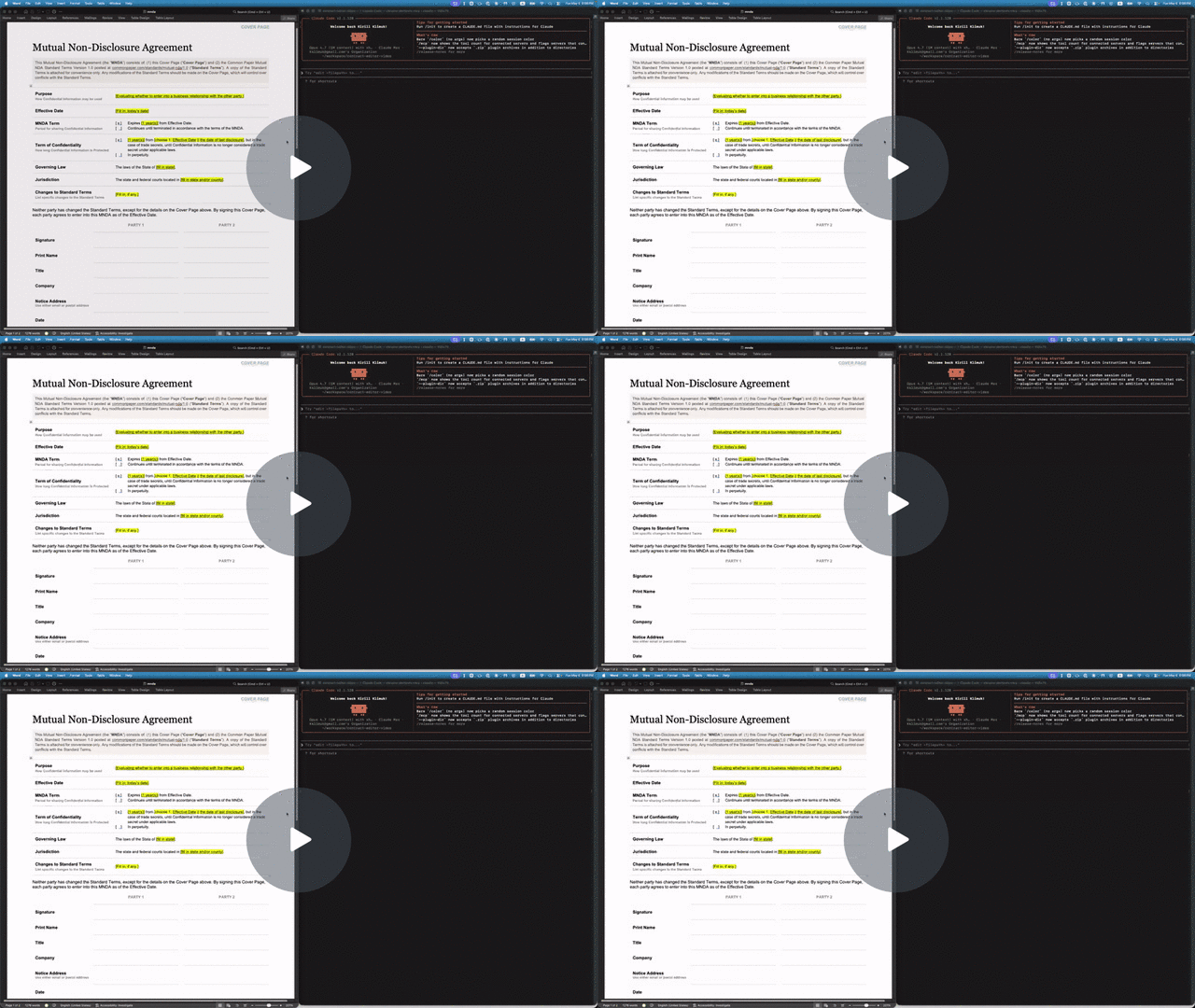
The repo includes a Common Paper Mutual NDA template at tests/fixtures/mnda.docx. Below are the primitives an agent would compose to fill in the cover page and leave redline edits — the same flow shown in the video above. Every command was verified end-to-end against the fixture:
# Make a copy first — there's no undo (git is the history; the CLI overwrites in place)
cp tests/fixtures/mnda.docx mnda-filled.docx

# Read the cover-page table so the agent knows what placeholders exist
docx read mnda-filled.docx --from t1 --to t1

# Fill the yellow-highlighted bracketed placeholders
docx replace mnda-filled.docx "Fill in: today's date" "May 6, 2026"
docx replace mnda-filled.docx "fill in state and/or county" "California"
docx replace mnda-filled.docx "fill in state" "California"
docx replace mnda-filled.docx "Fill in, if any." "None."

# Verify nothing's left to fill (bare locator lines, one per match; nothing → exit 0)
docx find mnda-filled.docx '\[(Fill|fill)[^]]*\]' --regex --all

# Flip on tracked changes for the redline pass
docx track-changes mnda-filled.docx on

# Tighten "having a reasonable need to know" in the Use & Protection clause
docx replace mnda-filled.docx \
    "having a reasonable need to know" \
    "with a documented need to know"

# Leave a comment for the human reviewer — addresses an existing span with --at
docx comments add mnda-filled.docx --at p7:0-30 \
    --text "Should we narrow 'representatives' to a named list?"
Open mnda-filled.docx in Word: tracked changes and comments appear in the review pane, ready to accept, reject, or reply. Or run docx track-changes accept mnda-filled.docx --all to bake them in from the CLI.
Use as an agent skill
docx-cli ships as an Agent Skill — one SKILL.md that works across Claude Code, Codex, Pi, and the other harnesses that read the open skill format. The skill teaches the locator model and the redline / comment / fill workflows, then defers to docx <command> --help at runtime, so it can't go stale.
Why a skill? docx-cli is built for the weakest, cheapest agents. In our weak-agent benchmark — 6 real document tasks (fill a contract, redline, comment, restyle, author from scratch), graded against Word renders, 3 runs each — Haiku driving docx-cli completed 5.0/6 tasks versus 0.7/6 for the default Claude skill (~7×), at roughly 2.5× fewer input tokens and 2× fewer output tokens; with Sonnet (June run — not Sonnet 5) it's 6/6 vs 4/6, with roughly 2x fewer tokens. And every docx-cli output opened cleanly in Word on the first try — it never emits a file the renderer rejects. (Methodology and harness: .claude/skills/weak-agent-test.)
Install
Any agent (skills.sh) — one cross-harness command, installs into whichever agent you're using:
npx skills add kklimuk/docx-cli
Claude Code — one-line plugin install:
/plugin marketplace add kklimuk/docx-cli
/plugin install docx-cli@docx-cli
Codex — add the marketplace (the plugin's skills auto-discover):
codex plugin marketplace add kklimuk/docx-cli
Pi — one-command install (the pi manifest in package.json pulls in the skill), then invoke /skill:docx-cli:
pi install git:github.com/kklimuk/docx-cli      # global; add -l for a project (team-shared) install
# manual alternative: pi --skill /path/to/docx-cli/skills/docx-cli
Any harness / manual — drop skills/docx-cli/ into your agent's skills directory (e.g. ~/.claude/skills/ or the cross-tool ~/.agents/skills/). On first activation the skill's scripts/bootstrap.sh installs the docx binary (and self-updates a stale one).
Keeping the skill current
The binary is the source of truth: docx info skill prints the canonical SKILL.md for the installed version, and a CI test fails if the committed copy drifts. Regenerate after any change with:
docx info skill > skills/docx-cli/SKILL.md
docx <command> --help is the authoritative contract
Agents: run
docx <command> --helpbefore composing a call. Every command's--helpis the source of truth for its flags, locator forms, and exact output shape — this README is a map, not the territory. Two more must-reads:
docx info locators— the canonical locator grammar (--jsonfor a machine-readable form). The top-leveldocx --helpsays it outright: "It is highly recommended to agents to rundocx info locatorsto understand their capabilities."docx info schema— the AST type definitions (--tsfor TypeScript source) thatread --astemits.
Command reference
docx <verb> and docx <noun> <verb>. Every command has --help. Two groups: read/query commands print data to stdout; mutate commands change the file (and accept --dry-run, -o/--output PATH, -v/--verbose).
Read & query (print to stdout, never write the file)
File tree
FAQ
docx-cli is a Claude Code plugin with 4 hand-picked skills for content work, indexed on Flowy. Install it with the command on its page. It includes commit, security-review, weak-agent-test. Its skills do not fire on their own yet. Request auto-invocation to have Flowy route them as you prompt. Free and open source.
- What is docx-cli?
- A .docx CLI built for AI agents. Leave comments, suggest redlines, and edit Word documents without breaking the formatting or losing content — a human accepts or rejects in Word afterward.
- How do I install docx-cli?
- Run these in Claude Code: /plugin marketplace add kklimuk/docx-cli then /plugin install docx-cli@docx-cli. Then prompt normally.
- Does docx-cli auto-invoke its skills?
- Not yet. It is indexed on Flowy as a plain plugin. Request auto-invocation on its page and Flowy will route its skills for you as you prompt.
- Is docx-cli free?
- Yes. Flowy is free and open source, with nothing gated. You can read every skill in full before you install.
Is this plugin yours?
Claim it with GitHubSubmit a pluginPromote it