
Entertainment
Plugin
coding-with-beat
coding-with-beat is a Claude Code plugin with 14 hand-picked skills, indexed on Flowy in the Entertainment category.

Plugin Signal64/100Solid
maintained48
capable69
documented100
adopted44
Install
$ npx -y skills add jaychempan/coding-with-beat --agent claude-code
What's inside
Skill(14 skills)
/cwb-chinesePlay Chinese music including 国风, 古风, Mandarin pop, or folk. Activate when user mentions 国风, 中国风, 华语, 民谣, 古风, 国语, guzheng, erhu, 古琴, or Chinese traditional/folk music./cwb-classicalPlay classical music including piano, strings, and orchestral pieces. Activate when user mentions 古典, 钢琴, 弦乐, 交响, classical, piano, 管弦乐, 巴赫, 莫扎特, or orchestral music./cwb-companionDJ Buddy is your coding companion. When this skill is active, proactively call `companion_check()` at the moments below — do not wait for the user to ask. The tool handles cooldown and conditions internally.
Command(12 commands)
/cwb-chinesePlay Chinese music — 国风, 古风, 华语, 民谣. Triggers: 国风, 中国风, 华语, 民谣, 古风, 国语, guzheng, 古琴, erhu./cwb-classicalPlay classical music — piano solos, strings, orchestral. Triggers: 古典, 钢琴, 弦乐, 交响, classical, piano, 巴赫, 莫扎特, orchestral./cwb-focusPlay focus / flow-state instrumental music. Triggers: 专注, 心流, ambient, 无人声, flow state, deep work, concentration, no vocals.
README









When was the last time you sang and danced while vibecoding?(上次 vibecoding 时又唱又跳是什么时候?)
Right. You can't remember.(对,你已经不记得了。)
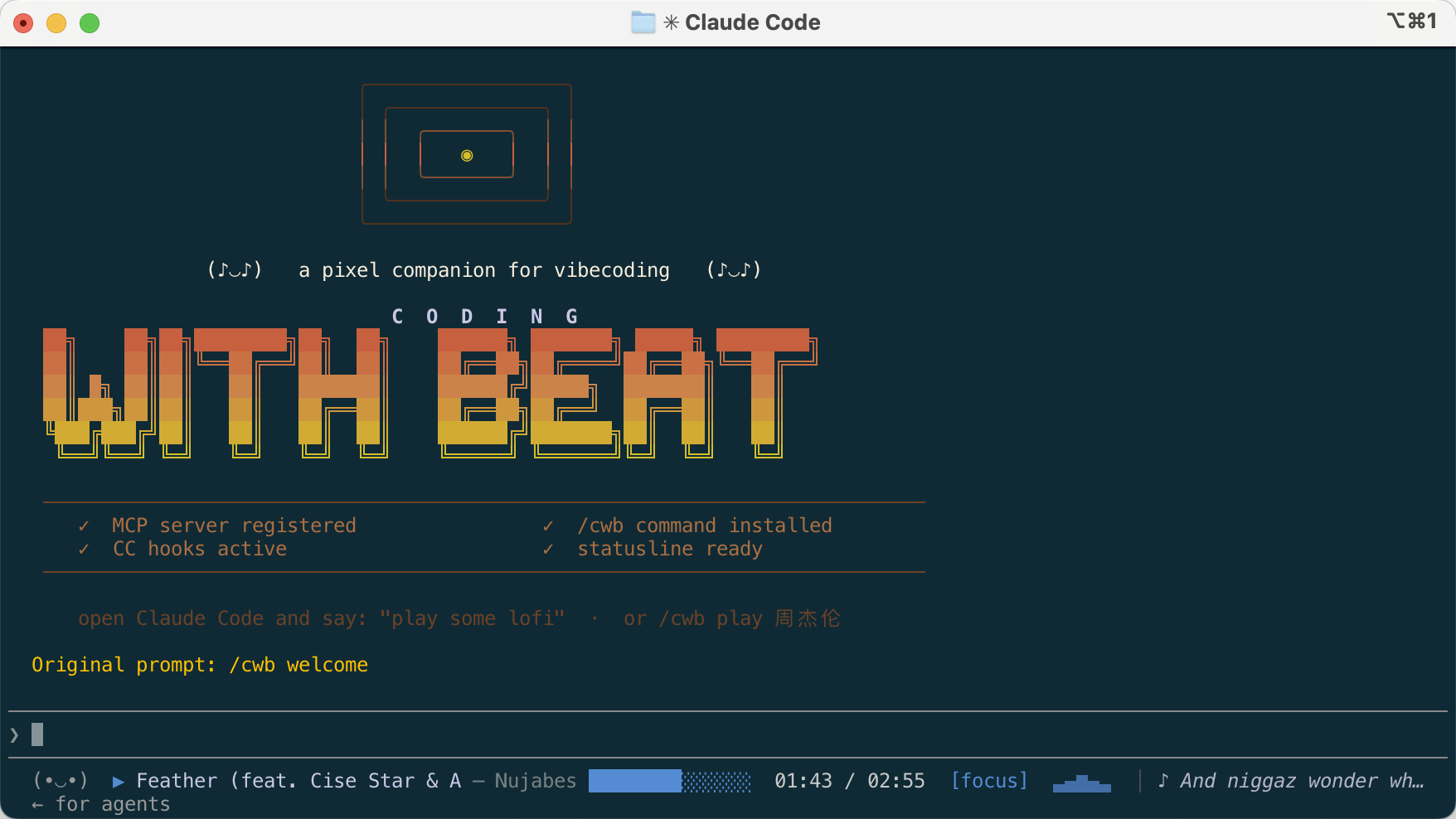
Your coding soundtrack, now inside the terminal. Smart music selection, mood-aware playback, and a pixel DJ that vibes with every keystroke — works with Claude Code, Codex CLI, and any AI-powered terminal.
A retro pixel DJ companion for AI coding sessions. It plays music, shows lyrics, celebrates when you commit, and panics with you when tests fail.
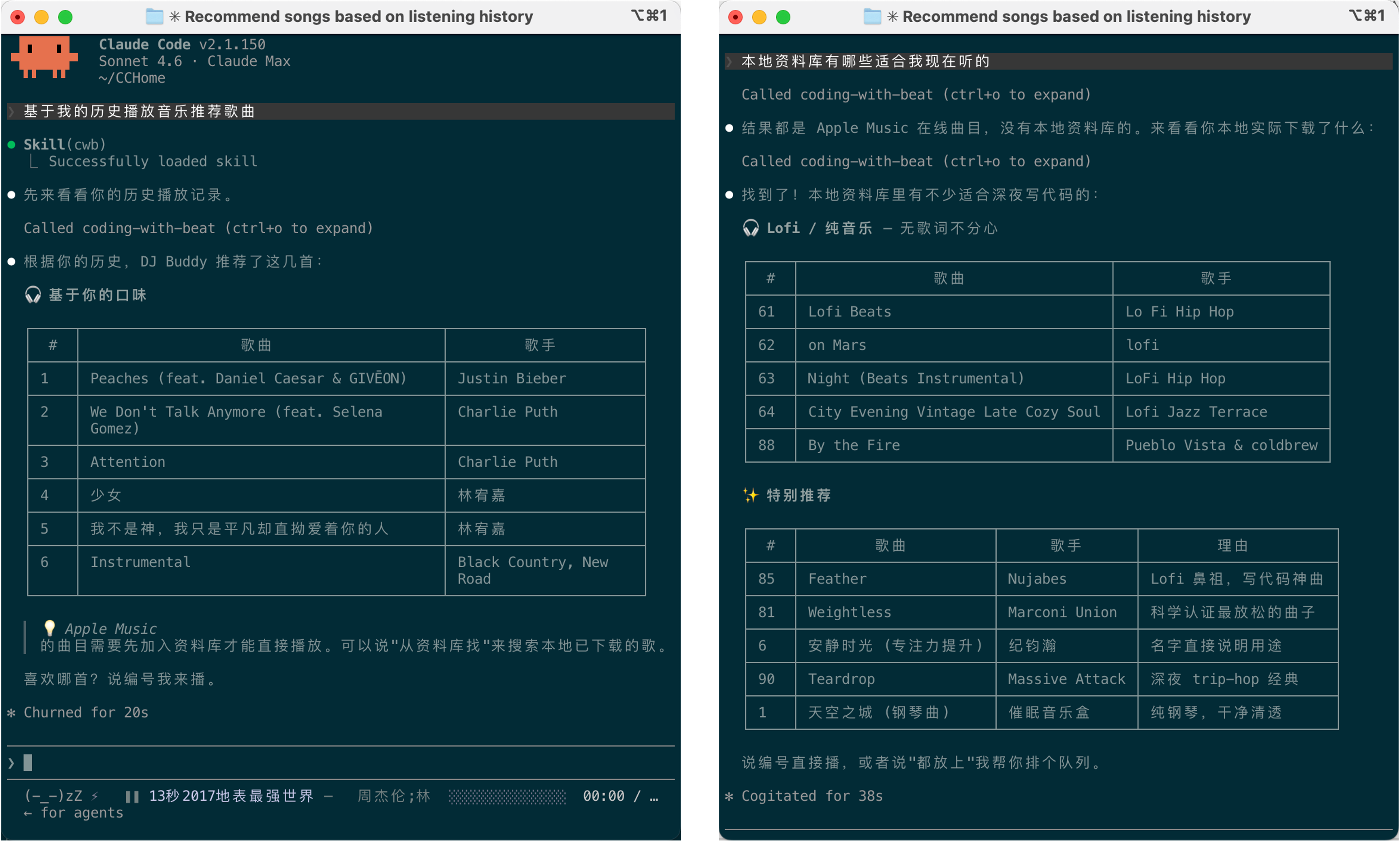
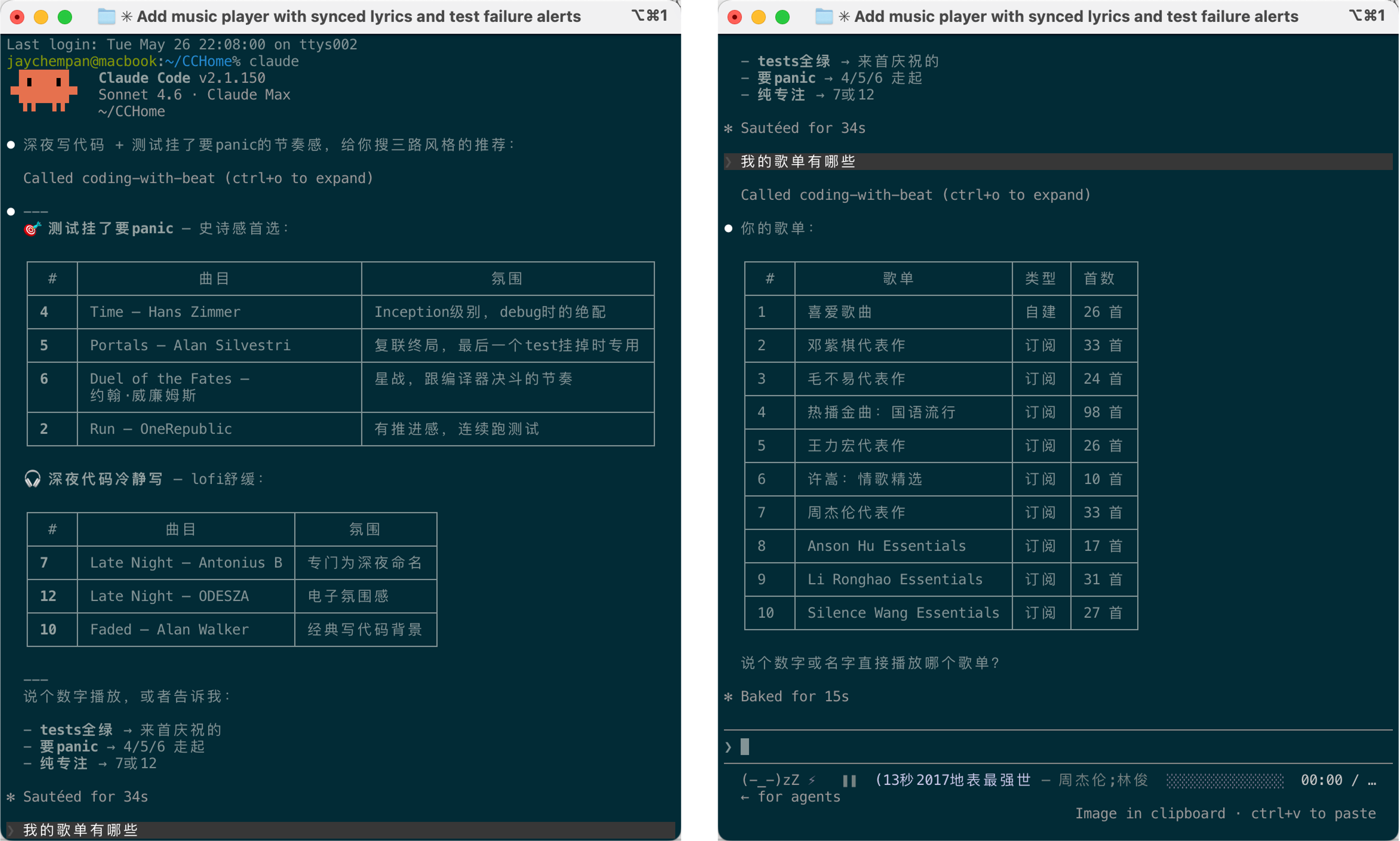
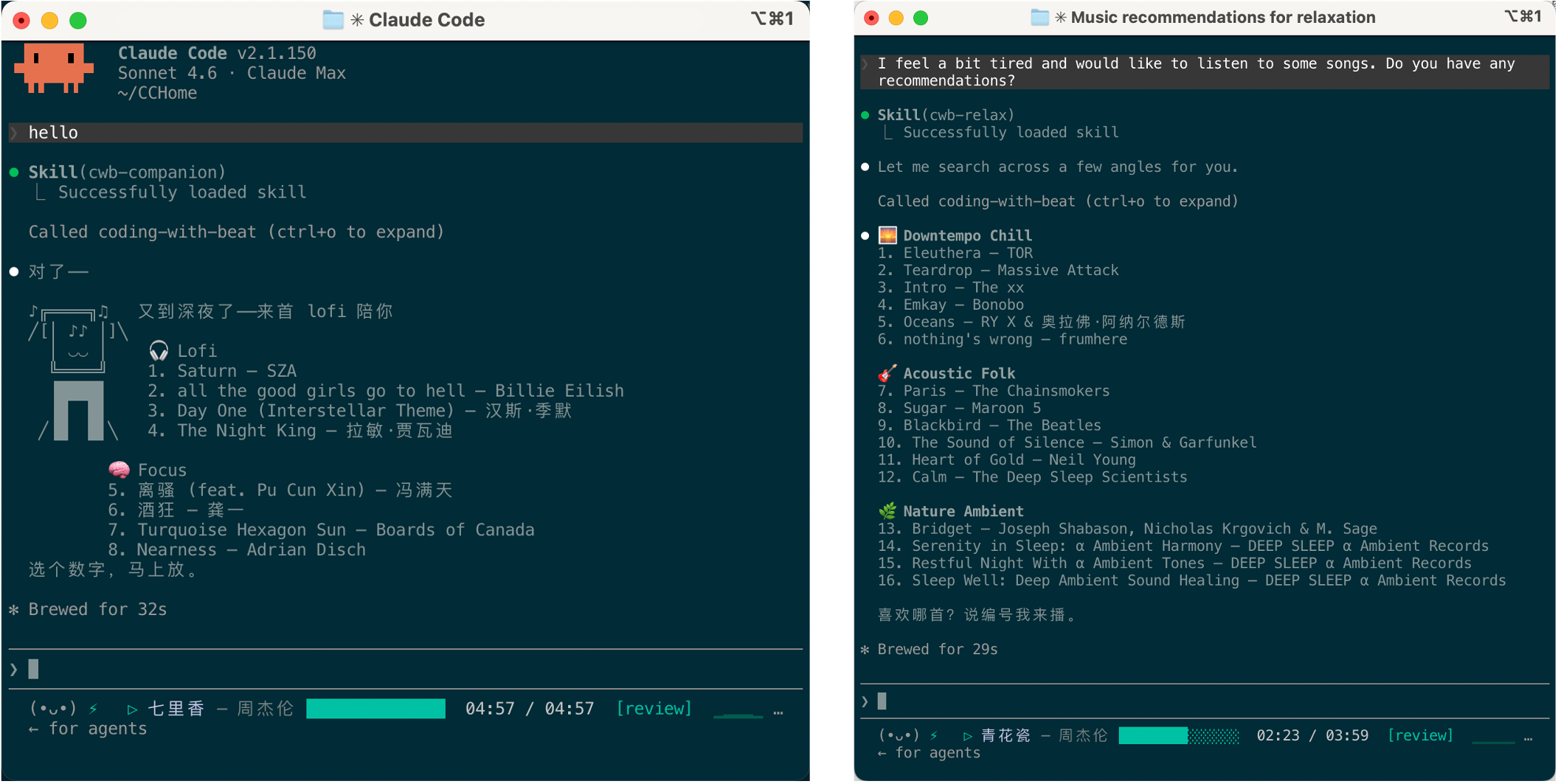
💬 We'd love your feedback! Using Coding with Beat? Tell us what you think — features you want, bugs you've hit, or just how it's changed your coding sessions. → Take the 7-min survey (EN / 中文 both supported)
🆕 What's New
/cwb-profile — Music Profile & Listening Reports (dev preview)
A new skill that analyses your play history and search patterns to generate personalised listening reports and recommendations — daily, weekly, monthly, or yearly.
Try it — just say it naturally:
帮我生成本周的听歌报告
生成年度音乐画像
我最近都在听什么?适合写代码的
what have I been listening to this week
The AI calls generate_profile() and returns:
- 📊 Top artists · genres · language breakdown
- 📈 Rising / stable / declining tastes
- 🕐 Time-of-day listening patterns
- 🎵 2–3 personalised
smart_searchqueries ready to play
CLI (works offline, no MCP server needed):
cwb profile           # weekly (default)
cwb profile daily
cwb profile monthly
cwb profile yearly
Features
-
MCP server — 38 tools so you can tell your AI "play some lofi", "skip this", "what's playing" and it just works.
-
/cwbskill — Auto-registered routing brain: mood/vibe → multi-angle smart search, specific song/artist → catalog lookup, "play 3" →play_number. The AI always calls the right tool.Scene Say… 🎧 Lofi lofi · 深夜写代码 · chillhop 🧠 Focus 专注 · ambient · flow state 🔥 Hype workout · 充能 · 运动 ☕ Jazz jazz · 咖啡馆 · bossa nova 🌆 Synthwave synthwave · 赛博 · 夜驾 🌅 Relax 放松 · unwind · 下班 🎹 Classical 古典 · 钢琴 · classical 💙 Sad 伤感 · heartbreak · 难过 🎉 Party party · edm · 蹦迪 🏮 Chinese 国风 · 华语 · 古风 🌙 Sleep 助眠 · sleep · 白噪音 -
Playlists — List and play your Apple Music playlists (user-created + subscription) directly from the AI: "我有哪些歌单" → numbered list → "播放周杰伦代表作". Queue syncs to
cwb watchautomatically. -
Play history —
cwb history/list_historyshows your recently played tracks sourced from Apple Music's native played date.history_searchrecommends new music based on your listening patterns. -
Music sources — Apple Music (AppleScript, no GUI needed), local files (afplay), QQ Music (search + preview).
-
Pixel UI — Album art in half-block ANSI, GameBoy retro border, pseudo-spectrum equalizer.
-
DJ Buddy — A headphones-wearing pixel character that reacts to your coding state. Tests failing? It panics with you.
-
Vibe engine — CC hooks track what you're doing in real time and shift the mood.
git commit? Victory pose. Tests explode? Panic mode. -
Statusline — One line: face + current track + progress bar.
-
Focus mode — Built-in 25/5 Pomodoro timer shown in the statusline.
Installation
[!NOTE] Want to try the latest features before release? Check out the dev branch for cutting-edge updates.
Claude Code
curl -LsSf https://raw.githubusercontent.com/jaychempan/coding-with-beat/main/bootstrap.sh | sh
Or manually:
git clone https://github.com/jaychempan/coding-with-beat.git
cd coding-with-beat
./install.sh
The installer configures Claude Code to use the HTTP MCP endpoint at http://127.0.0.1:8765/mcp, saves that URL to ~/.coding-with-beat/mcp-url, and on macOS starts a user LaunchAgent for the local MCP server.
Open a new shell and a new Claude Code session. When (•_•) appears in the statusline, you're good.
Codex CLI
curl -LsSf https://raw.githubusercontent.com/jaychempan/coding-with-beat/main/bootstrap_codex.sh | sh
Or manually:
git clone https://github.com/jaychempan/coding-with-beat.git
cd coding-with-beat
./install_codex.sh
Installs Codex CLI if needed, configures ~/.codex/config.toml with the MCP endpoint, writes hooks, and installs the cwb skill so Codex recognises music commands automatically. Proxy is auto-detected. Re-running is safe — already-completed steps are skipped automatically.
See README_CODEX.md for the full integration guide — hooks, proxy, mood reactions, statusline alternatives, and debugging.
Dev Preview
Dev preview install:
# Claude Code
CWB_BRANCH=dev curl -LsSf https://raw.githubusercontent.com/jaychempan/coding-with-beat/dev/bootstrap.sh | sh

# Codex CLI
CWB_BRANCH=dev curl -LsSf https://raw.githubusercontent.com/jaychempan/coding-with-beat/dev/bootstrap_codex.sh | sh
Usage
[!TIP] Not sure what to say? Just ask —
DJ 能做什么/DJ help— and DJ Buddy will show you a full list of phrases you can use.Live player: Open a second terminal and run
cwb watchto see the currently playing track, lyrics, and progress bar in real time.Apple Music: The first time you play a catalog track, a popup will appear — click Add to Library, then repeat the play command.
Just talk to your AI assistant
play some lofi
skip this track
what's playing
pause
recommend something based on my history  # history_search — analyzes your patterns, suggests new tracks
show my recently played tracks           # list_history — reads Apple Music's native play log
基于我的历史推荐一些歌曲                    # same, in Chinese
history_search looks at your top artists, listening style, and tracks you haven't heard in a while, then runs a smart multi-angle search. Pick a number to play.
/cwb command
/cwb play "lofi beats"    # search and play
/cwb play lofi beats
/cwb search "lofi beats"  # search library + Apple Music, show numbered list
/cwb play 2               # play track #2 from last search / list results
/cwb list                 # list all library tracks
/cwb loved                # list loved/hearted tracks
/cwb playlists            # list all playlists (user + subscription)
/cwb play_playlist <name> # play a playlist by name
/cwb history [n]          # recently played tracks
/cwb next
/cwb pause
/cwb np                   # now playing
/cwb like
/cwb volume 70
/cwb watch                # live player (q to quit)
/cwb karaoke              # full-screen karaoke (q to quit)
/cwb lyrics               # lyrics window
/cwb bar auto             # statusline: auto / show / hide
Natural-language commands work too: skip this track, pause, what's playing, and like this are all valid.
watch / karaoke shortcuts
| Key | Action |
|---|---|
Space | Play / pause |
n | Next |
p | Previous |
l | Like |
0-9 | Type a track number + Enter to jump to it |
q | Quit |
Statusline
Once installed, a statusline appears at the bottom of Claude Code:
(•_•) ⚡ ▶ Midnight City — M83 ██████░░░░░░░░ [build] ▃▆█▆▃ │ ♪ lyric preview
| Element | Example | Description |
|---|---|---|
| DJ face | (•_•) (^_^) (T_T) | Buddy's mood, shifts with coding events |
| Activity | ⚡ / · / (none) | ⚡ = tool call in last 15 s; · = last 90 s |
| Play icon | ▶ / ▷ / ❚❚ | Blinks while playing; ❚❚ when paused |
| Track | Midnight City — M83 ██████░░░░░░░░ | Title + artist + progress bar |
| Vibe | [build] [focus] etc. | Current coding vibe |
| Pomodoro | 🍅 work 24:15 | Only shown when focus mode is active |
| Beat wave | ▁▂▃▄▅ | Rises and falls each beat; dims when paused |
| Lyrics | │ ♪ lyrics here | Current LRC lyric |
cwb statusline is the same renderer Claude Code uses. It reads optional JSON from stdin, uses columns as a width hint, and prints one compact status bar line to stdout.
printf '{"columns":120}' | cwb statusline
That makes it easy to plug into other status bars. For example, tmux can show CWB on the right side of its status bar:
tmux status-right
set -g status-right-length 180
set -g status-interval 1
set -g status-right '#(printf "{\"columns\":170}" | cwb statusline | perl -pe "s/\e\[[0-9;]*m//g")'
cwb statusline currently emits ANSI-coloured terminal text. The perl bit strips ANSI escape codes because tmux status formats use their own styling syntax. Increase or decrease columns and status-right-length to control how much room lyrics get.
Neovim statusline
Neovim can also show CWB in its statusline. Keep the shell call asynchronous so editing never waits on music state:
local cwb = { text = "", running = false }

local function strip_ansi(text)
  return text:gsub("\27%[[0-9;]*m", "")
end

local function refresh()
  if cwb.running or vim.fn.executable("cwb") == 0 then
    return
  end
  cwb.running = true
  vim.system({ "cwb", "statusline" }, {
    text = true,
    stdin = vim.json.encode({ columns = 90 }),
  }, function(result)
    vim.schedule(function()
      cwb.running = false
      if result.code == 0 and result.stdout then
        cwb.text = vim.trim(strip_ansi(result.stdout)):gsub("%%", "%%%%")
        vim.cmd.redrawstatus()
      end
    end)
  end)
end

_G.cwb = cwb
vim.fn.timer_start(1000, refresh, { ["repeat"] = -1 })
refresh()
vim.o.statusline = "%f %m%r %= %{v:lua.cwb.text}"
SSH Remote (Claude Code / Codex CLI on a server)
If your AI CLI runs on a remote server while Apple Music runs on your local Mac, run the streamable HTTP MCP server on the Mac and reach it from the server through SSH reverse port forwarding:
# Local Mac: install and start the HTTP MCP LaunchAgent
./install.sh          # for Claude Code
./install_codex.sh    # for Codex CLI

# Local Mac: expose it to the server's 127.0.0.1:8765
ssh -N -R 127.0.0.1:8765:127.0.0.1:8765 user@server

# Server: install hooks/statusline and point them at the forwarded endpoint
./install.sh --mcp-url http://127.0.0.1:8765/mcp          # Claude Code
./install_codex.sh --mcp-url http://127.0.0.1:8765/mcp    # Codex CLI
File tree
FAQ
coding-with-beat is a Claude Code plugin with 14 hand-picked skills, indexed on Flowy in the Entertainment category. Install it with the command on its page. It includes cwb-chinese, cwb-classical, cwb-companion. Its skills do not fire on their own yet. Request auto-invocation to have Flowy route them as you prompt. Free and open source.
- What is coding-with-beat?
- 🎵 将音乐搬进AI终端 · 打造Coding专属智能DJ · 听歌新范式 · 交互式音乐 |A retro pixel DJ for Claude Code / Codex CLI / Terminal with Apple Music / QQ Music / Local Music — plays music, shows synced lyrics, and 😱 panics when your tests fail.
- How do I install coding-with-beat?
- Run these in Claude Code: npx -y skills add jaychempan/coding-with-beat --agent claude-code. Then prompt normally.
- Does coding-with-beat auto-invoke its skills?
- Not yet. It is indexed on Flowy as a plain plugin. Request auto-invocation on its page and Flowy will route its skills for you as you prompt.
- Is coding-with-beat free?
- Yes. Flowy is free and open source, with nothing gated. You can read every skill in full before you install.
Is this plugin yours?
Claim it with GitHubSubmit a pluginPromote it