
Scaffolding
Plugin
main
A comprehensive open-source framework for building production-ready SaaS applications with Firebase, React, TypeScript, and Stripe integration.

Plugin Signal62/100Solid
maintained83
capable14
documented100
adopted58
Install
$ npx -y skills add fireact-dev/main --agent claude-code
Stats
558
Stars
181
Forks
Maintained
Maintenance
TypeScript
Language
MIT
License
1mo ago
Last commit
6y ago
Created
4h ago
Added
Repo: fireact-dev/main
What's inside
README
fireact.dev
A comprehensive open-source framework for building production-ready SaaS applications with Firebase, React, TypeScript, and Stripe integration.
Overview
fireact.dev provides a complete foundation for building modern SaaS applications. It combines industry-standard technologies and best practices to help developers launch their SaaS products faster and more efficiently.
Demo
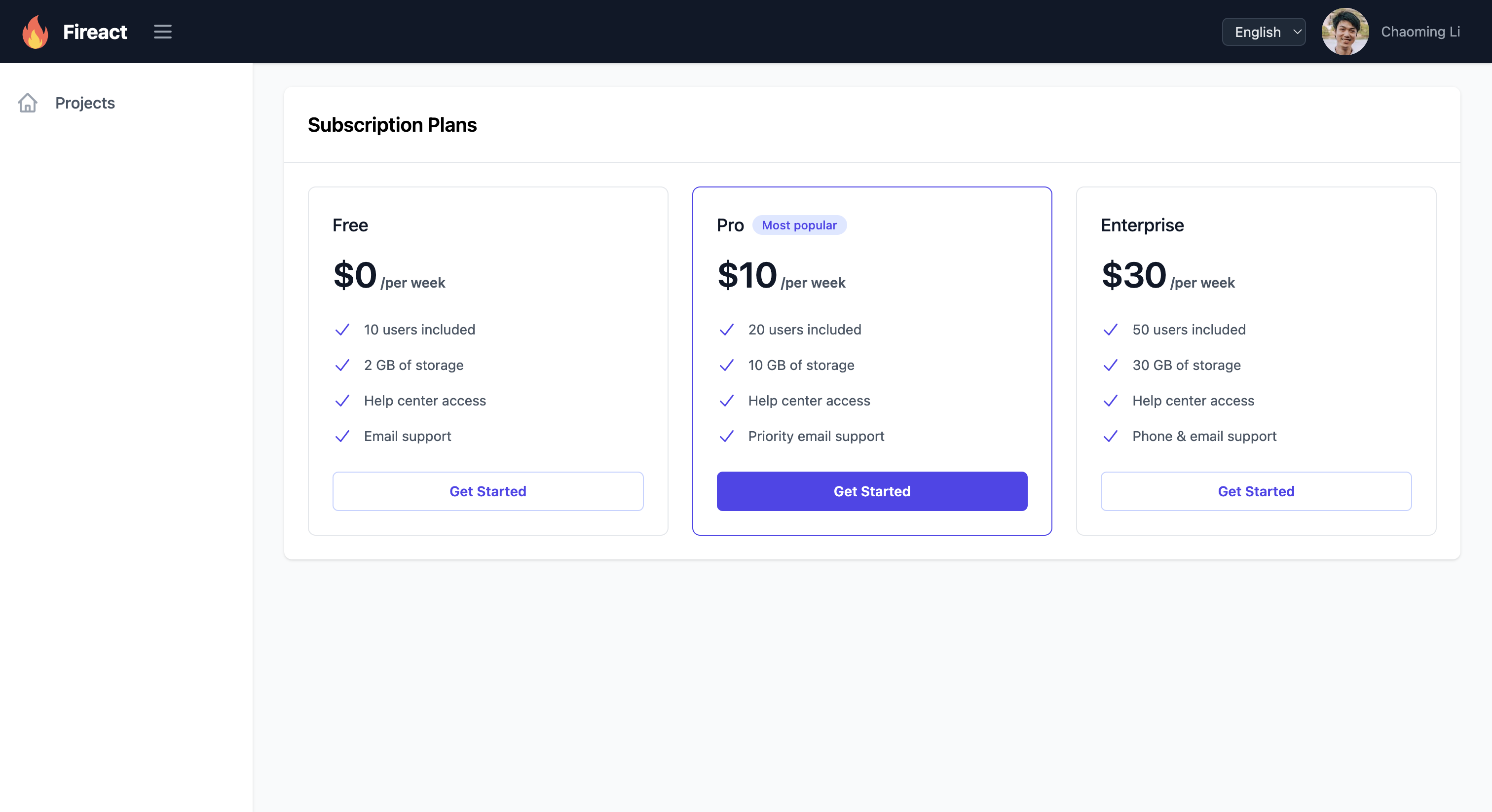
Visit our demos page to explore live demonstrations of both the Core and SaaS versions, showcasing the full range of features and capabilities.
Features
Features
- Authentication & User Management
- Complete authentication system (sign-up, sign-in, password reset)
- User profile management
- Role-based access control
- Team member invitations and permissions
- Subscription Management
- Multiple subscription plans support
- Stripe integration for payment processing
- Billing portal and invoice management
- Payment method management
- Subscription upgrades and downgrades
AI-Assisted Development (Claude Code)
- Built-in Claude Code skill for post-installation customization
- Natural language commands to add pages, components, navigation, Cloud Functions, and more
- 8 customization playbooks with step-by-step guidance
- Invoke with
/fireact-builderor let it auto-detect your project
Developer Experience
- TypeScript for better code quality
- TailwindCSS for responsive design
- Firebase emulator support for local development
- Comprehensive documentation
- Modular architecture
Project Structure
The repository is organized into several key directories:
source/: This directory contains the complete, combined source code for the Fireact.dev project, including both the React frontend application and Firebase Cloud Functions backend code. It follows a monorepo structure withpackages/appfor the React app andpackages/functionsfor the Cloud Functions.create-fireact-app/: Contains the CLI tool used to scaffold new Fireact applications.website/: The main marketing website for fireact.dev, built with Hugo.docs/: The documentation website for fireact.dev, built with Hugo.demo/: Contains the demo application.
Getting Started
To create a new Fireact application, use the create-fireact-app CLI tool. This tool will guide you through the setup process, including Firebase and Stripe configurations.
-
Install the CLI (if you haven't already):
npm install -g create-fireact-app -
Create a new project:
create-fireact-app <your-project-name>Replace
<your-project-name>with the desired name for your new application. -
Follow the prompts: The CLI will guide you through selecting your Firebase project and configuring Stripe.
-
After creation: Navigate into your new project directory:
cd <your-project-name>Then, build the application and functions, and start the emulators:
npm run build && cd functions && npm run build && cd ..
firebase emulators:start
For Stripe webhook testing, in a separate terminal:
stripe listen --forward-to http://127.0.0.1:5001/<your-firebase-project-id>/us-central1/stripeWebhookRemember to update
functions/src/config/stripe.config.jsonwith the new webhook endpoint secret and rebuild functions (cd functions && npm run build) if the webhook secret changes.
Tech Stack
- Frontend: React, TypeScript, TailwindCSS
- Backend: Firebase (Authentication, Firestore, Cloud Functions)
- Payment Processing: Stripe
- Development Tools: Vite, ESLint, PostCSS
Deployment
Preparing for Production
Before deploying to production:
-
Update Configuration Files:
- Replace emulator settings with production Firebase config
- Use production Stripe API keys
- Set
emulators.enabledtofalsein firebase.config.json
-
Build for Production:
cd <your-project-name> npm run build cd functions npm run build cd .. -
Test Production Build Locally:
firebase emulators:start --only hosting
Deploying to Firebase
Initial Deployment:
# Deploy everything
firebase deploy

# Or deploy specific services
firebase deploy --only hosting        # React app
firebase deploy --only functions      # Cloud Functions
firebase deploy --only firestore      # Security rules & indexes
Subsequent Deployments:
# Deploy only what changed
firebase deploy --only hosting,functions
Environment-Specific Deployments
Using Multiple Firebase Projects:
# Set up aliases
firebase use --add

# Deploy to staging
firebase use staging
firebase deploy

# Deploy to production
firebase use production
firebase deploy
CI/CD with GitHub Actions
Create .github/workflows/deploy.yml:
name: Deploy to Firebase

on:
  push:
    branches: [ main ]

jobs:
  deploy:
    runs-on: ubuntu-latest
    steps:
      - uses: actions/checkout@v3
      - uses: actions/setup-node@v3
        with:
          node-version: '18'

      - name: Install dependencies
        run: |
          npm install
          cd functions && npm install

      - name: Build
        run: |
          npm run build
          cd functions && npm run build

      - name: Deploy to Firebase
        uses: w9jds/firebase-action@master
        with:
          args: deploy
        env:
          FIREBASE_TOKEN: ${{ secrets.FIREBASE_TOKEN }}
Get Firebase token:
firebase login:ci
# Save the token as GitHub secret: FIREBASE_TOKEN
CI/CD with Google Cloud Build
See demo/README.md for detailed Cloud Build setup with secure configuration management.
Post-Deployment
Verify Deployment:
- Check hosting URL:
https://your-project.web.app - Test authentication flow
- Verify Cloud Functions
- Check Firestore connectivity
- Test Stripe webhooks
Set Up Production Webhook:
# Add webhook endpoint in Stripe Dashboard
https://us-central1-your-project.cloudfunctions.net/stripeWebhook

# Use production webhook secret in stripe.config.json
Monitor:
- Firebase Console → Functions logs
- Firebase Console → Analytics
- Stripe Dashboard → Webhooks
- Error tracking (recommended: Sentry, LogRocket)
For detailed deployment guides, see:
Documentation
Visit fireact.dev for comprehensive documentation, including:
- Getting Started Guide
- Architecture Overview
- Component Documentation
- API Reference
- Custom Development Guide
- AI-Assisted Development with Claude Code
- Troubleshooting Guide
Contributing
We welcome contributions! Please read our Contributing Guidelines before submitting pull requests.
Key contribution areas:
- Bug fixes and improvements
- New features and components
- Documentation enhancements
- Example applications
- Test coverage
Community & Support
- Website: fireact.dev
- Documentation: docs.fireact.dev
- GitHub Discussions: Ask a question or get help getting started — start here if you're not sure it's a bug
- GitHub Issues: Report a confirmed bug or request a feature
- Demo Application: Live Demo
License
This project is open source and available under the MIT License.
File tree
FAQ
main is a Claude Code plugin with 1 hand-picked skill for scaffolding work, indexed on Flowy. Install it with the command on its page. It includes fireact-builder. Its skills do not fire on their own yet. Request auto-invocation to have Flowy route them as you prompt. Free and open source.
- What is main?
- A comprehensive open-source framework for building production-ready SaaS applications with Firebase, React, TypeScript, and Stripe integration.
- How do I install main?
- Run these in Claude Code: npx -y skills add fireact-dev/main --agent claude-code. Then prompt normally.
- Does main auto-invoke its skills?
- Not yet. It is indexed on Flowy as a plain plugin. Request auto-invocation on its page and Flowy will route its skills for you as you prompt.
- Is main free?
- Yes. Flowy is free and open source, with nothing gated. You can read every skill in full before you install.
Is this plugin yours?
Claim it with GitHubSubmit a pluginPromote it