
MCP Servers
Plugin
jupyter-mcp-server
An MCP server developed for AI to connect and manage Jupyter Notebooks in real-time — and scale your Code Sandbox from local to the cloud (Datalayer, Kaggle, Google Colab, Modal, Daytona, E2B, CoreWeave, Cloudflare...)

Plugin Signal75/100Solid
maintained99
capable34
documented100
adopted66
Stats
1,299
Stars
204
Forks
Active
Maintenance
Python
Language
BSD-3-Clause
License
3d ago
Last commit
1y ago
Created
14h ago
Added
Repo: datalayer/jupyter-mcp-server
What's inside
Command(3 commands)
MCP(1 mcp)
README

🪐🔧 Jupyter MCP Server
An MCP server developed for AI to connect and manage Jupyter Notebooks in real-time — and scale your Code Sandbox from local to the cloud (Datalayer, Kaggle, Google Colab, Modal, Daytona, E2B, CoreWeave, Cloudflare...)
Developed by Datalayer - Join our Discord





📖 Documentation · 🔧 Tools · 💬 Community

No process to run. Datalayer now hosts this server for you at
https://mcp.datalayer.run/mcp — one endpoint for every agent and every notebook.
Sign in from your browser, approve what the agent may do, and your work keeps running
on the server after the agent disconnects.
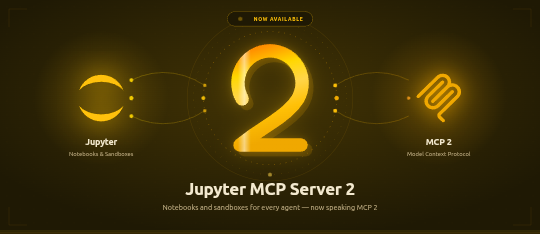

One command to connect Claude Code, with /datalayer:notebook, /datalayer:run and
/datalayer:status on top:
/plugin marketplace add datalayer/jupyter-mcp-server
/plugin install datalayer
→ Datalayer plugin for Claude Code
Free and open source, BSD 3-Clause — point it at any Jupyter you already run, local or JupyterHub, no account needed.
Built and maintained by Datalayer, where the same server drives always-on Notebooks with GPU Code Sandboxes and durable execution — so your agent keeps working on your data when your laptop does not.


No token to copy and paste. An agent that meets this server unauthenticated is told where to authenticate, opens your browser, and you sign in to Datalayer as yourself. The agent never sees your password — it receives a token scoped to what you approved, and you can disconnect one agent without touching the others.
What each agent may do is two separate decisions: the scopes you approve
(notebooks:read, notebooks:write, code:execute, data:read) say what kind of
operation it may perform, and your own Datalayer permissions still say which notebooks it
may touch. An agent can never reach a notebook you cannot.
Personal access tokens keep working, and remain the simpler path for a CLI or a script. → OAuth and identity

Pin code-sandboxes to match your jupyter-mcp-server. The sandbox variant
jupyter was renamed to jupyter-server in code-sandboxes 1.1.1, and the two packages
have to agree on the name.
Your jupyter-mcp-server | Install |
|---|---|
| >= 1.5.0 | code-sandboxes >= 1.1.1 |
| < 1.5.0 | code-sandboxes <= 1.0.9 |
# On 1.5.0 or later
pip install "jupyter-mcp-server>=1.5.0" "code-sandboxes>=1.1.1"

# Staying on an earlier jupyter-mcp-server
pip install "jupyter-mcp-server<1.5.0" "code-sandboxes<=1.0.9"
An older server with a newer code-sandboxes installs cleanly and then fails on the
first execution with Unknown sandbox variant: jupyter.
→ Release notes

Jupyter MCP Server 2 runs on the MCP Python SDK 2
(mcp>=2,<3), the SDK's first major release. Nothing changes in how you start or
configure the server, in the tools, or for the MCP clients connecting to it — the protocol
is negotiated with each client as before. What changes is the Python environment:
Your jupyter-mcp-server | mcp SDK |
|---|---|
| >= 2.0.0 | mcp >= 2 |
| < 2.0.0 | mcp < 2 |
Both are pinned in the package, so pip sorts it out; an environment holding another
package that still pins mcp<2 has to stay on jupyter-mcp-server<2 until that package
moves. Writing an extension or a custom token verifier against the SDK? See the
release notes for the renamed
imports.

--provider is now --document-provider (env var PROVIDER → DOCUMENT_PROVIDER).
It only ever chose where the notebook documents live — jupyter for the collaboration
API of a Jupyter Server, datalayer for the Datalayer spacer — while the old name and its
help text suggested it also chose where code runs. Execution is picked separately, with
--sandbox-variant (jupyter-server, datalayer, daytona, e2b, coreweave,
cloudflare, kaggle, google-colab, monty, modal).
Nothing breaks in v1.3.2: --provider is still accepted as an alias, PROVIDER is still
read, and a /connect payload carrying "provider" is still understood. Move to the new
names when convenient — the old ones are deprecated, not removed.
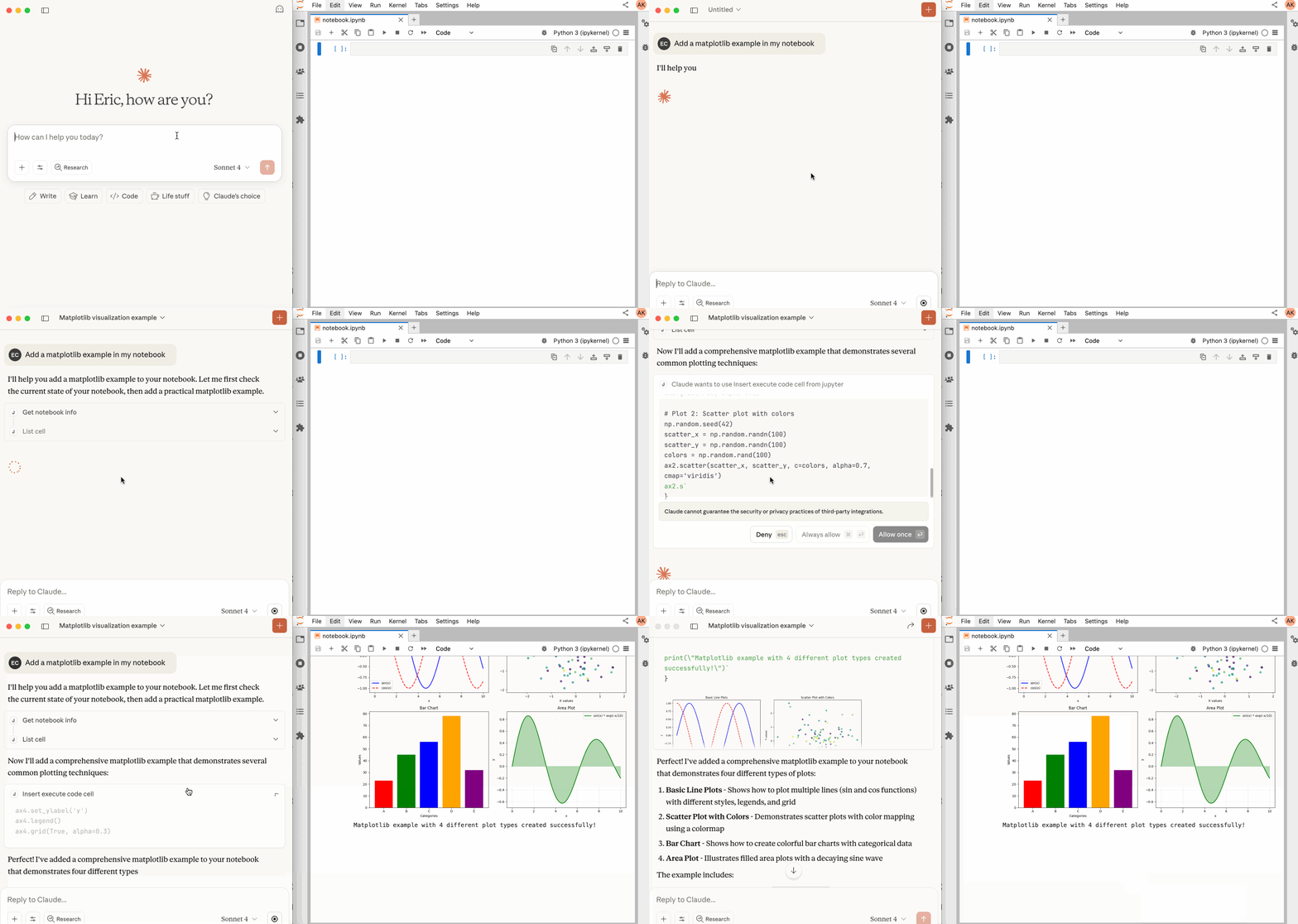
📖 Table of Contents
- Key Features
- MCP Overview
- Getting Started
- Sandbox Variants
- Best Practices
- Contributing
- Resources
🚀 Key Features
- ⚡ Real-time control: Instantly view notebook changes as they happen.
- 🔁 Smart execution: Automatically adjusts when a cell run fails thanks to cell output feedback.
- 🧠 Context-aware: Understands the entire notebook context for more relevant interactions.
- 📊 Multimodal support: Support different output types, including images, plots, and text.
- 📚 Multi-notebook support: Seamlessly switch between multiple notebooks.
- 🎨 JupyterLab integration: Enhanced UI integration like automatic notebook opening.
- 🤝 MCP-compatible: Works with any MCP client, such as Claude Desktop, Cursor, Windsurf, and more.
- 🔍 Observability: Built-in hook system with OpenTelemetry integration for tracing tool calls and kernel executions.
Compatible with any Jupyter deployment (local, JupyterHub, ...) and with Datalayer hosted Notebooks, where the Code Sandboxes come with GPUs and the execution survives a disconnect.
🔧 MCP Overview
🔧 Tools Overview
Every tool, with its parameters, schema and return value, is generated from a live snapshot of the running server and published at jupyter-mcp-server.datalayer.tech/mcp — so it is never out of step with the code, which a table copied into this file would be.
They fall into four groups:
- Server and code sandbox — browse the Jupyter file system, list kernels, connect to a server at runtime, and launch, select and terminate code sandboxes.
- Notebooks — open, create and switch between notebooks, list them, read one, restart its kernel, release it.
- Cells — read, insert, delete, move, reorder and edit cells, surgically or wholesale, and clear their outputs.
- Execution — run a cell or arbitrary code on the active backend, with multimodal output and streaming where the sandbox supports it.
Sandbox tools need the optional jupyter_mcp_sandboxes extension; see
Sandbox Variants.
JupyterLab Integration
Available only when JupyterLab mode is enabled. It is enabled by default.
In JupyterLab mode the server also exposes JupyterLab commands as MCP tools through
jupyter-mcp-tools —
notebook_run-all-cells and notebook_get-selected-cell by default, with more
selectable through allowed_jupyter_mcp_tools. The full list and how to configure it are
in the Additional Tools documentation.
📝 Prompt Overview
The server implements the MCP
prompts feature.
jupyter-cite cites specific cells from a notebook, the way @ does in a coding IDE or
CLI. Input parameters and returned content are in the
Prompts documentation.
🏁 Getting Started
For comprehensive setup instructions—including Streamable HTTP transport, running as a Jupyter Server extension and advanced configuration—check out our documentation. Or, get started quickly with JupyterLab and STDIO transport here below.
1. Set Up Your Environment
pip install jupyterlab jupyter-collaboration jupyter-mcp-tools ipykernel

To confirm your environment is correctly configured:
- Open a notebook in JupyterLab
- Type some content in any cell (code or markdown)
File tree
FAQ
jupyter-mcp-server is a Claude Code plugin with hand-picked skills for mcp servers work, indexed on Flowy. Install it with the command on its page. Its skills do not fire on their own yet. Request auto-invocation to have Flowy route them as you prompt. Free and open source.
- What is jupyter-mcp-server?
- An MCP server developed for AI to connect and manage Jupyter Notebooks in real-time — and scale your Code Sandbox from local to the cloud (Datalayer, Kaggle, Google Colab, Modal, Daytona, E2B, CoreWeave, Cloudflare...)
- How do I install jupyter-mcp-server?
- Run these in Claude Code: . Then prompt normally.
- Does jupyter-mcp-server auto-invoke its skills?
- Not yet. It is indexed on Flowy as a plain plugin. Request auto-invocation on its page and Flowy will route its skills for you as you prompt.
- Is jupyter-mcp-server free?
- Yes. Flowy is free and open source, with nothing gated. You can read every skill in full before you install.
Is this plugin yours?
Claim it with GitHubSubmit a pluginPromote it