
Writing
Plugin
markdown-exporter
An Agent Skill and Dify plugin to transform Markdown to files of DOCX, PPTX, XLSX, PNG, PDF, HTML, MD, CSV, JSON, XML.

Plugin Signal55/100Fair
maintained65
capable14
documented100
adopted52
Install on Claude Code
> /plugin marketplace add bowenliang123/markdown-exporter> /plugin install markdown-exporter@md-exporter-plugins
Stats
274
Stars
67
Forks
Maintained
Maintenance
Python
Language
Apache-2.0
License
2mo ago
Last commit
1y ago
Created
3d ago
Added
What's inside
Badges




README
Markdown Exporter
An Agent Skill and Dify Plugin to Export Markdown into Powerful Documents
- Author: bowenliang123
- GitHub Repo: markdown-exporter
Markdown Exporter can be used as:
| Use As | Platforms | Installation |
|---|---|---|
| Dify Plugin | Dify | Install from Dify Marketplace |
| Agent Skills | Any platform supporting Agent Skills:- IDEs/CLIs: Claude Code, Trae, Codebuddy, etc.- Agent Frameworks: LangChain DeepAgents, AgentScope, etc. | - Local Import: download and import the source code zip- Remote Install: run /plugin marketplace add bowenliang123/markdown-exporter in agent CLIs |
| OpenClaw Skills 🦞 | OpenClaw | Install from ClawHub: npx clawhub@latest install markdown-exporter |
| Command Line Interface (CLI) | Python | - Install from PyPI: pip install md-exporter- Run markdown-exporter -h for usage information |
✨ What is Markdown Exporter?
Markdown Exporter is a powerful toolset, available as an Agent Skill or a Dify plugin, that transforms your Markdown text into a wide variety of professional formats. Whether you need to create polished reports, stunning presentations, organized spreadsheets, or code files — this tool has you covered.
With support for 15+ output formats, Markdown Exporter bridges the gap between simple text editing and professional document creation, all while maintaining the simplicity and elegance of Markdown syntax.
🎯 Why You'll Love It
- 🚀 Lightning Fast – Export your Markdown to multiple formats in milliseconds
- 🎨 Customizable – Use custom templates for DOCX and PPTX to match your brand
- 🔒 100% Private – All processing happens locally, no data ever leaves your environment
- 📊 Versatile – From documents to spreadsheets, presentations to code files
- 🌐 Multi-Language Support – Perfect for international teams and content
🛠️ Tools and Supported Formats
📖 Usage as Dify Plugin
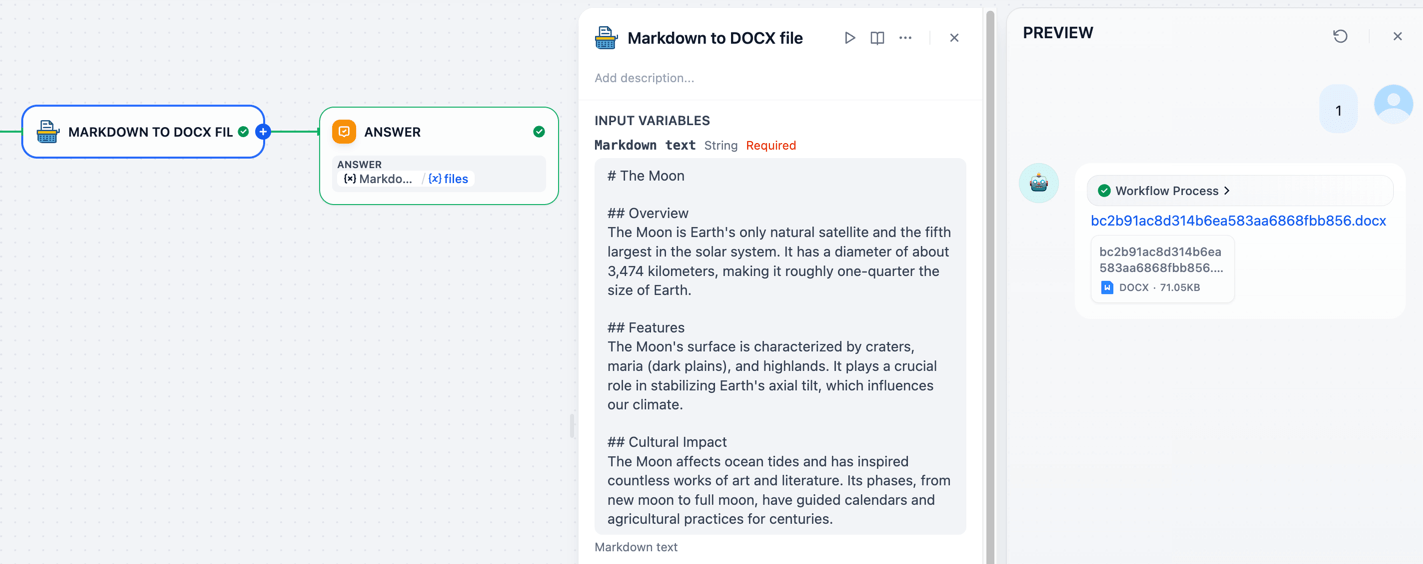
Simply input your Markdown text, select your desired output format, and click export. It's that easy!
🎨 Tool Usage Examples
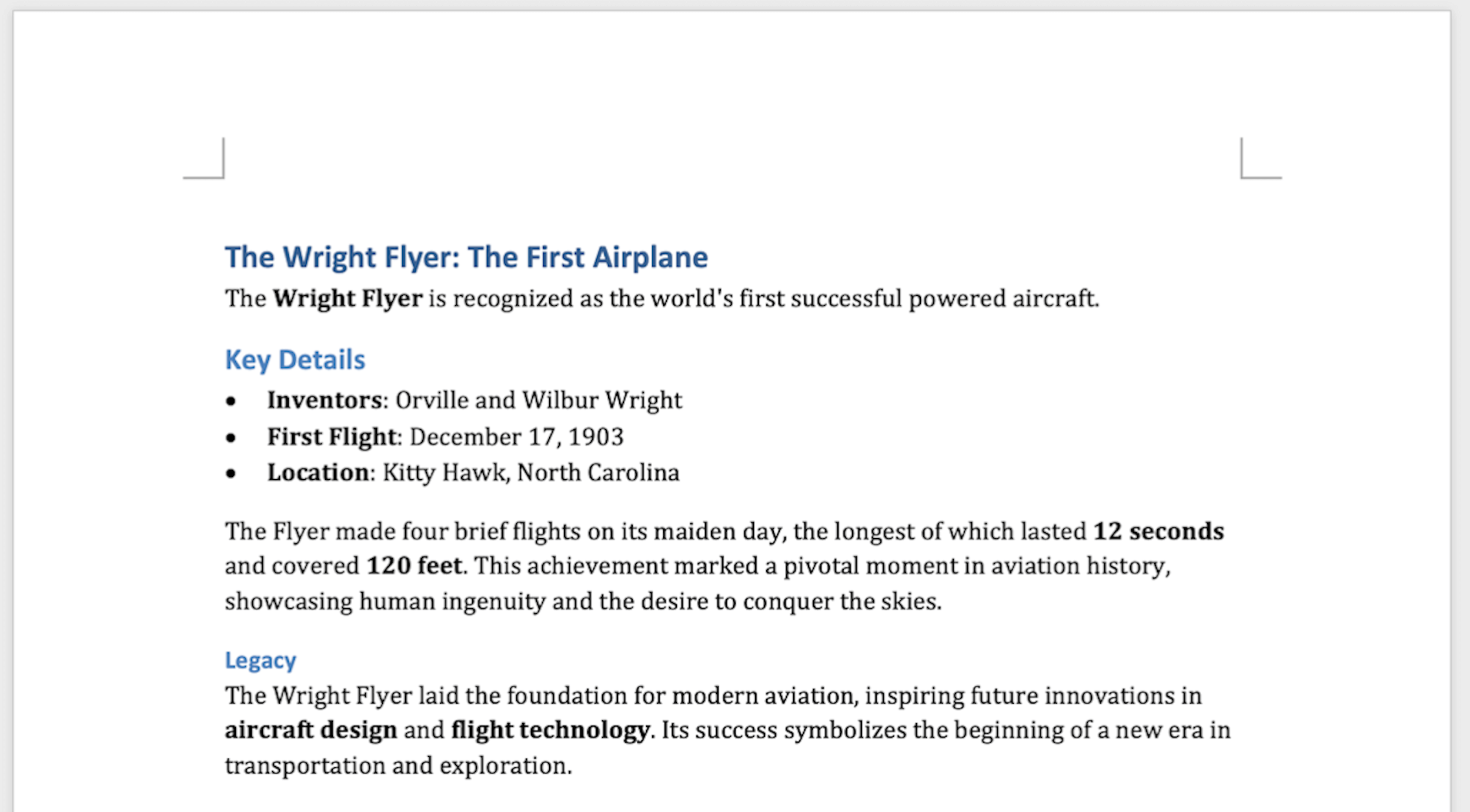
📄 Markdown → DOCX
Create professional Word documents with beautiful formatting.
✨ Pro Tip: Custom Styling with Templates
The
md_to_docxtool supports custom DOCX template files, giving you full control over your document's appearance.What you can customize:
- Heading styles (fonts, sizes, colors)
- Paragraph formatting (spacing, indentation)
- Table styles and borders
- List styles and bullets
- And much more!
Check out the default docx template or create your own. Learn how at Customize or create new styles.
📊 Markdown → XLSX
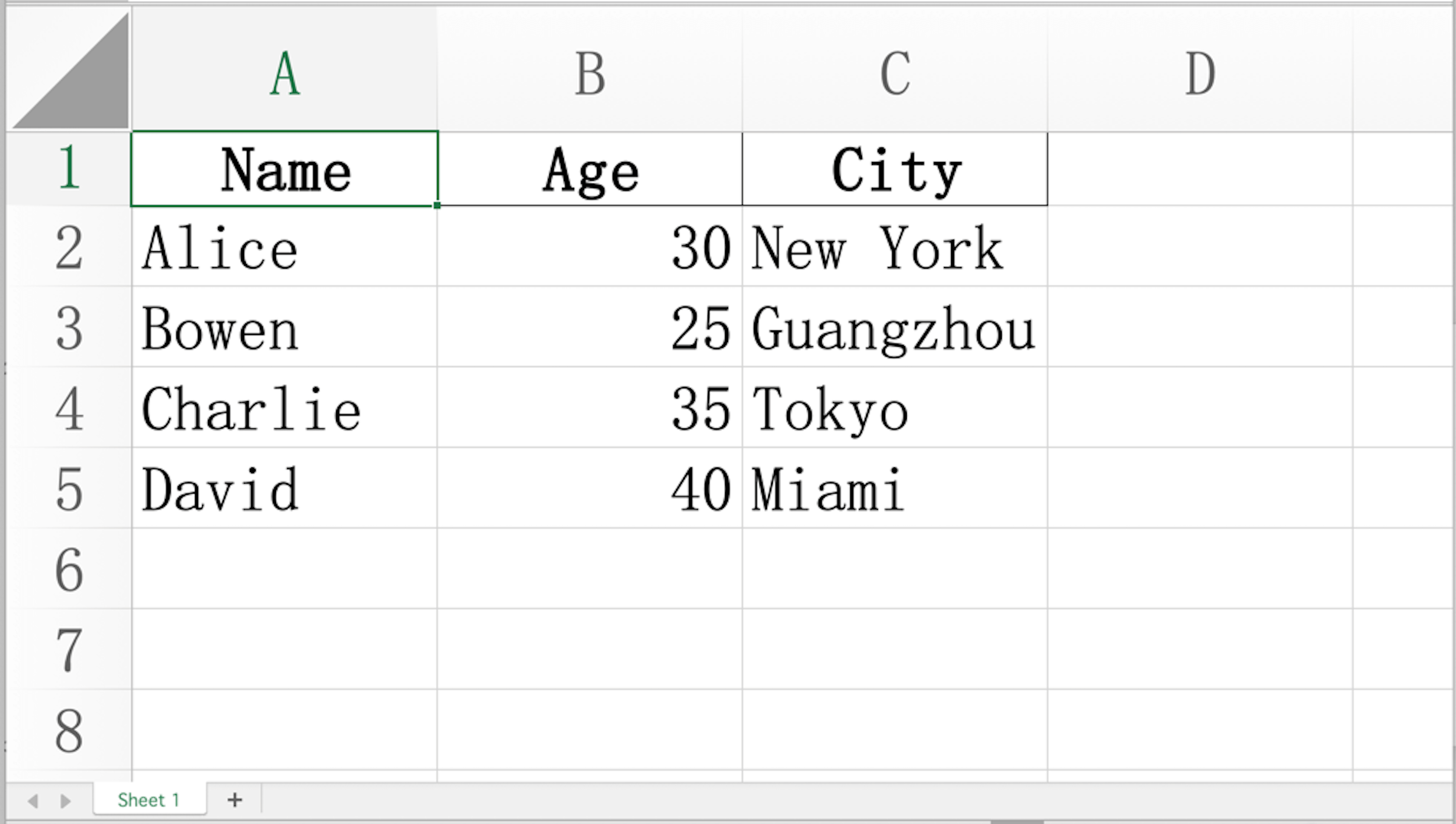
Convert your Markdown tables into polished Excel spreadsheets with auto-fitted columns and preserved data types.
Input:
| Name    | Age | City        |
|---------|-----|-------------|
| Alice   | 30  | New York    |
| Bowen   | 25  | Guangzhou   |
| Charlie | 35  | Tokyo       |
| David   | 40  | Miami       |
Output:
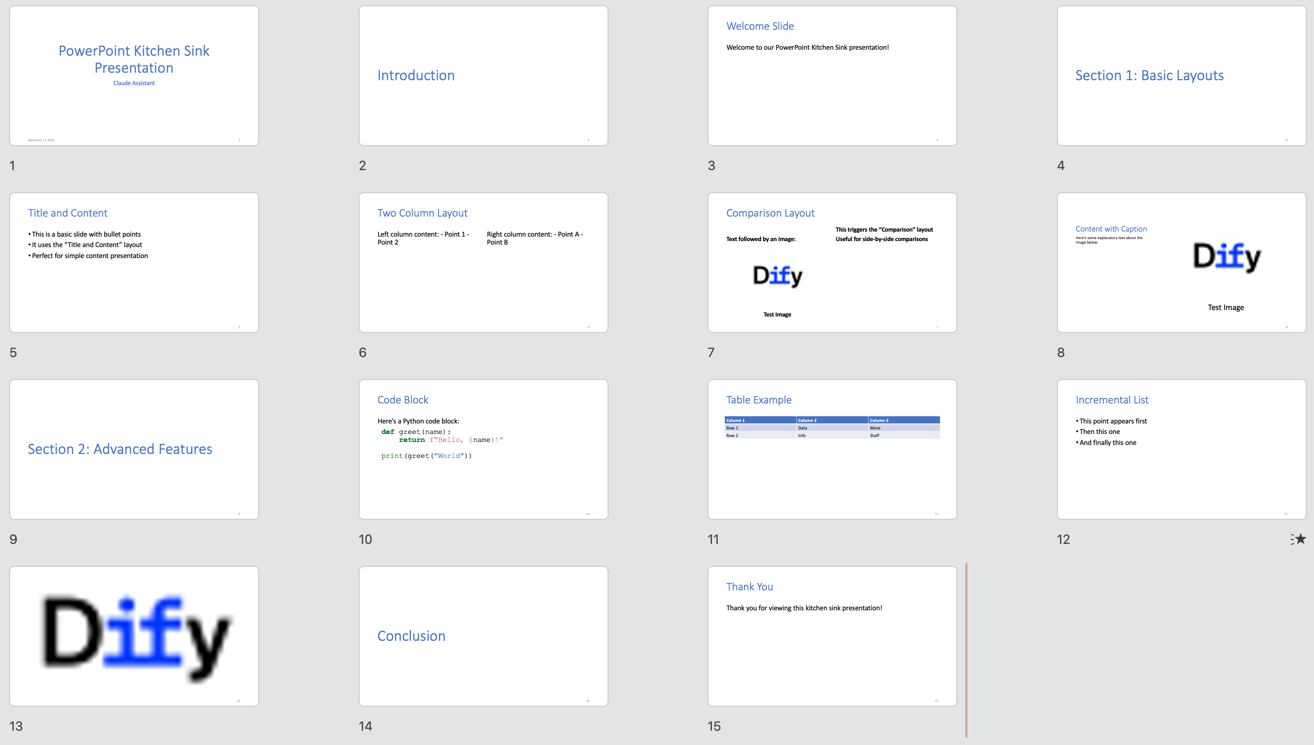
🎯 Markdown → PPTX
Turn your Markdown into stunning PowerPoint presentations automatically.
✨ Syntax Requirements
The input Markdown must follow the syntax and guidance in Pandoc Slide Shows.
Supported Features:
- ✅ Title slides
- ✅ Column layouts
- ✅ Tables
- ✅ Hyperlinks
- ✅ And more!
🎨 Custom Templates:
Use custom PPTX templates with slide masters to match your brand's visual identity. Learn how. Get the default pptx template.
Input Example:
---
title: Markdown Exporter
author: Bowen Liang
---
# Introduction
## Welcome Slide
Welcome to our Markdown Exporter!
::: notes
Remember to greet the audience warmly.
:::
---
# Section 1: Basic Layouts
## Title and Content
- This is a basic slide with bullet points
- It uses the "Title and Content" layout
- Perfect for simple content presentation
## Two Column Layout
::::: columns
::: column
Left column content:
- Point 1
- Point 2
:::
::: column
Right column content:
- Point A
- Point B
:::
:::::
## Comparison Layout
::::: columns
::: column
Text followed by an image:

:::
::: column
- This triggers the "Comparison" layout
- Useful for side-by-side comparisons
:::
:::::
## Content with Caption
Here's some explanatory text about the image below.

---
# Section 2: Advanced Features
## Code Block
Here's a Python code block:
```python
def greet(name):
return f"Hello, {name}!"
print(greet("World"))
```
## Table Example
| Column 1 | Column 2 | Column 3 |
|----------|----------|----------|
| Row 1 | Data | More |
| Row 2 | Info | Stuff |
## Incremental List
::: incremental
- This point appears first
- Then this one
- And finally this one
:::
## {background-image="https://avatars.githubusercontent.com/u/127165244?s=48&v=4"}
::: notes
This is a slide with a background image and speaker notes only.
The "Blank" layout will be used.
:::
# Conclusion
## Thank You
Thank you for viewing this kitchen sink presentation!
::: notes
Remember to thank the audience and invite questions.
:::
Output:
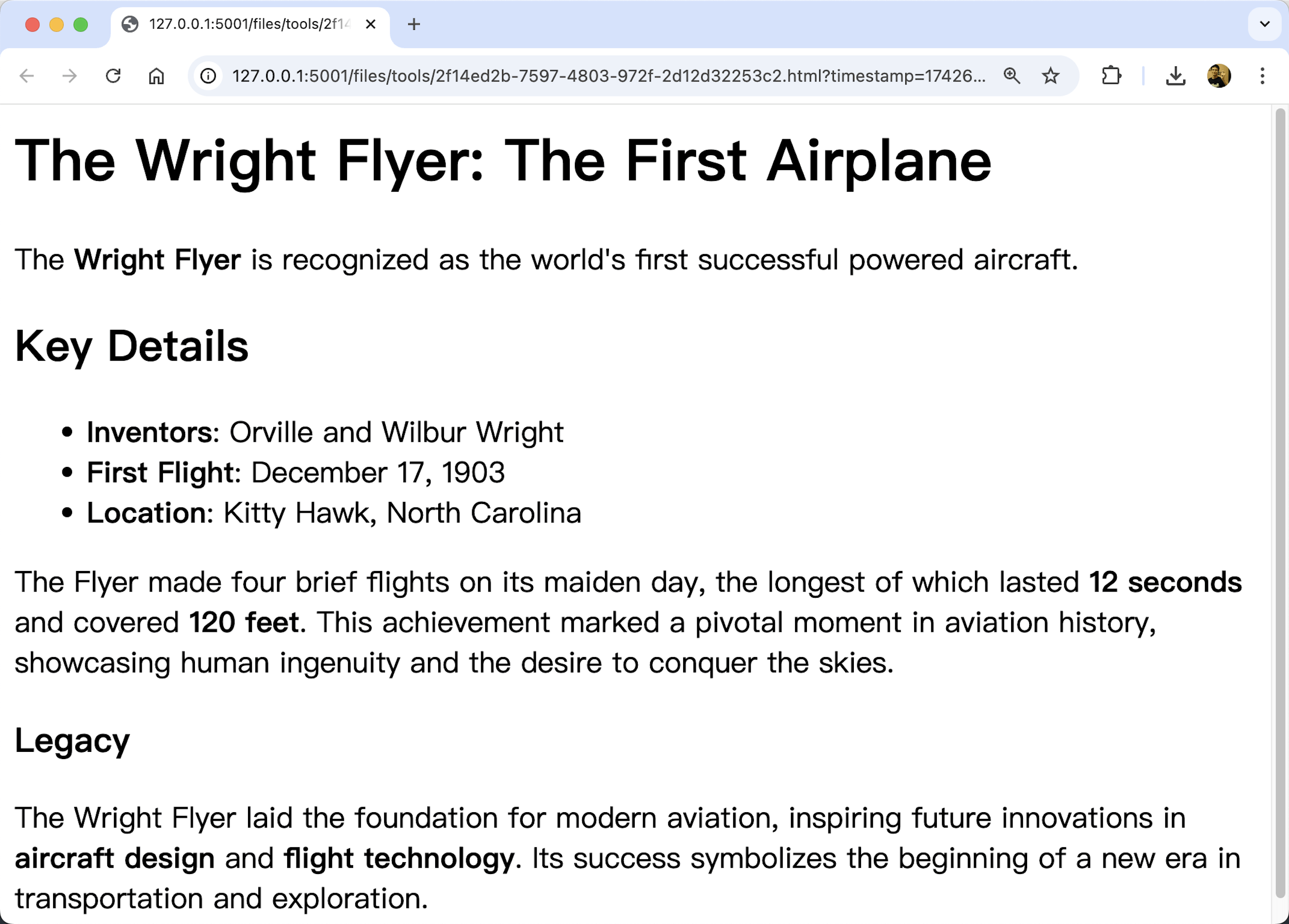
🌐 Markdown → HTML
Transform your Markdown into clean, semantic HTML perfect for web pages.
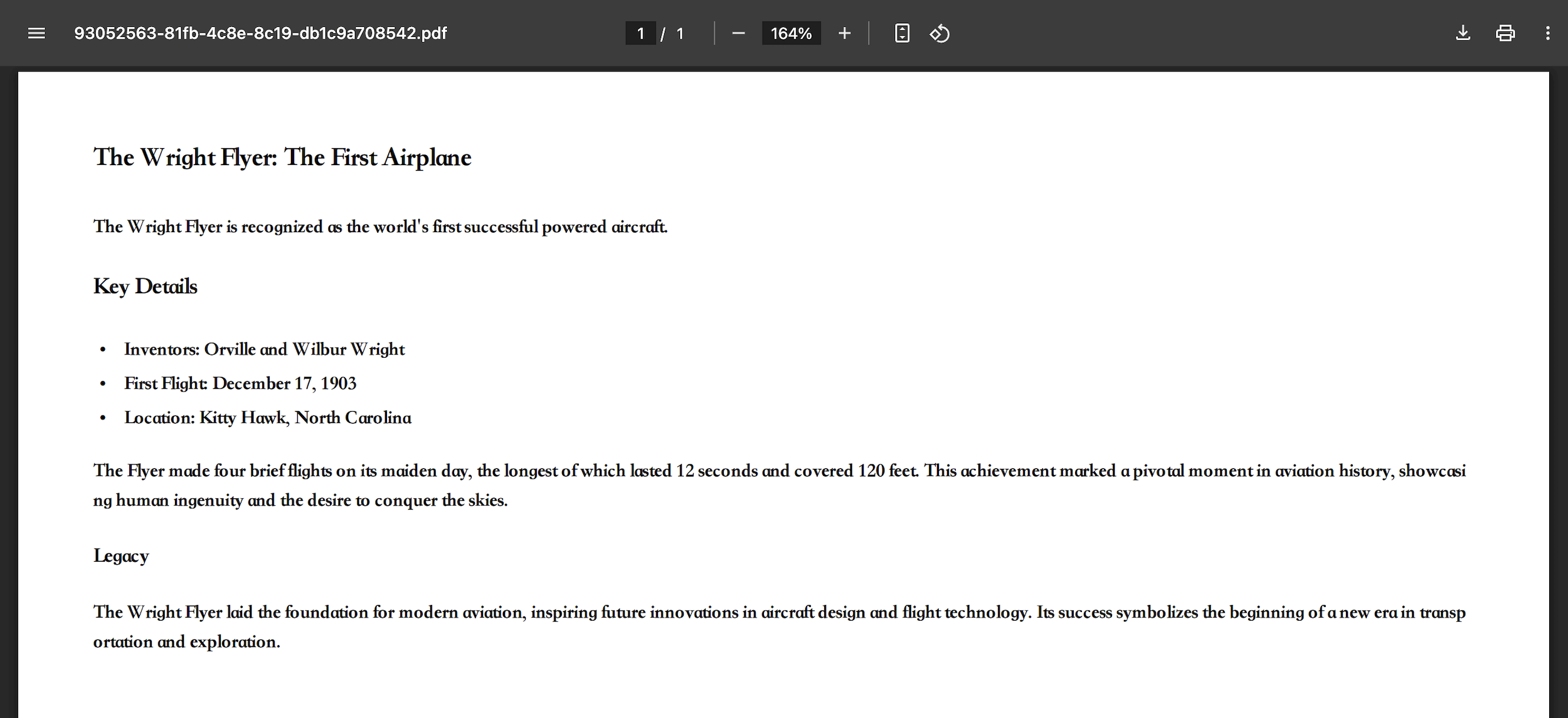
📑 Markdown → PDF
Generate professional PDF documents perfect for printing or sharing.
File tree
FAQ
markdown-exporter is a Claude Code plugin with 1 hand-picked skill, indexed on Flowy in the Writing category. Install it with the command on its page. It includes markdown-exporter. Its skills do not fire on their own yet. Request auto-invocation to have Flowy route them as you prompt. Free and open source.
- What is markdown-exporter?
- An Agent Skill and Dify plugin to transform Markdown to files of DOCX, PPTX, XLSX, PNG, PDF, HTML, MD, CSV, JSON, XML.
- How do I install markdown-exporter?
- Run these in Claude Code: /plugin marketplace add bowenliang123/markdown-exporter then /plugin install markdown-exporter@md-exporter-plugins. Then prompt normally.
- Does markdown-exporter auto-invoke its skills?
- Not yet. It is indexed on Flowy as a plain plugin. Request auto-invocation on its page and Flowy will route its skills for you as you prompt.
- Is markdown-exporter free?
- Yes. Flowy is free and open source, with nothing gated. You can read every skill in full before you install.
Is this plugin yours?
Claim it with GitHubSubmit a pluginPromote it