
Image Generation
Plugin
bananahub-skill
BananaHub is an agent-native image workflow skill.

Plugin Signal38/100Fair
maintained35
capable14
documented75
adopted44
Install
$ npx -y skills add bananahub-ai/bananahub-skill --agent claude-code
What's inside
README
BananaHub Skill 🍌
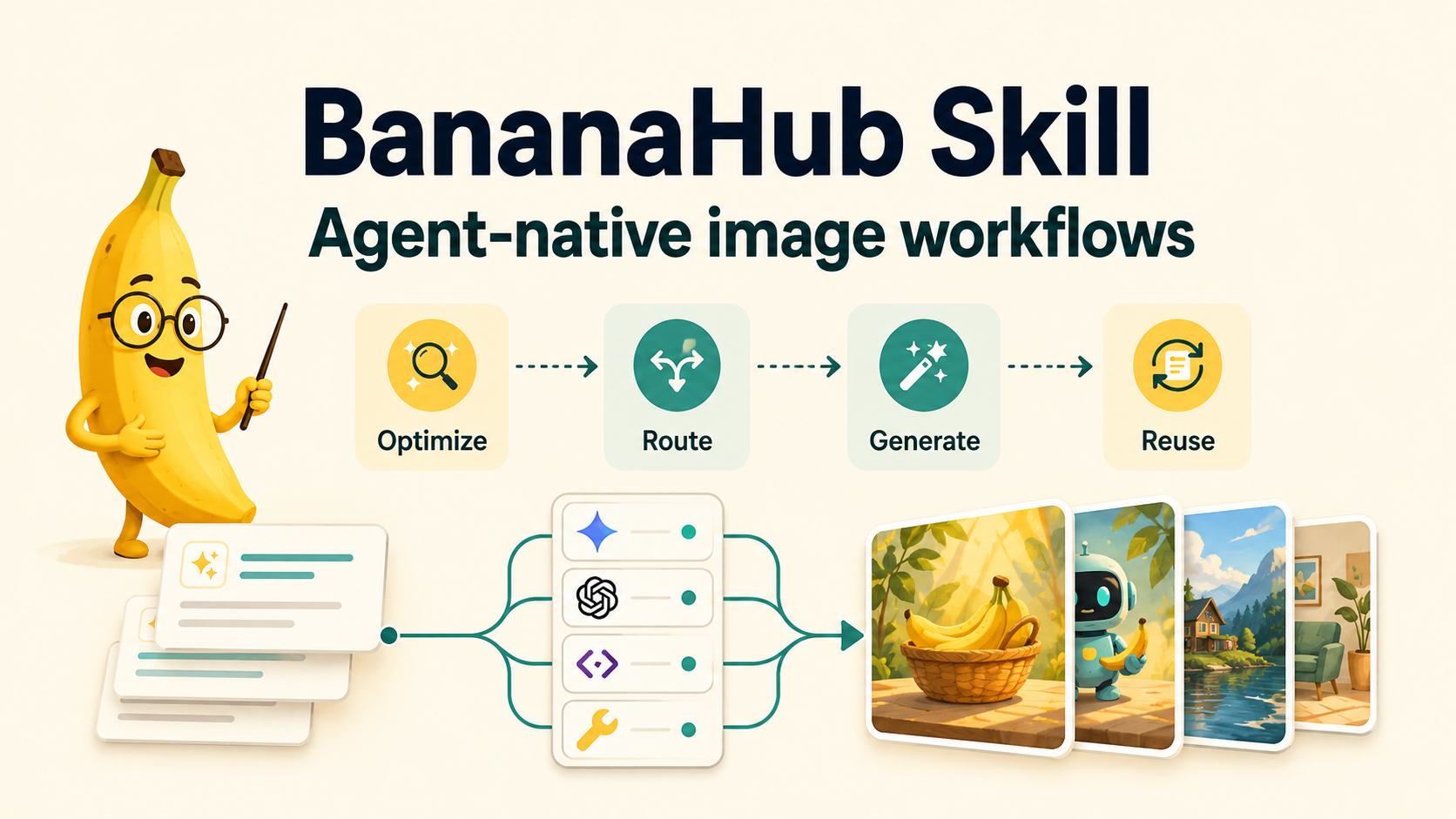
BananaHub is an agent-native image workflow skill. Describe what you want in Chinese, English, or mixed language; BananaHub cleans up the prompt, detects the available runtime, routes the task to the right image path, and keeps generation, editing, templates, and reusable prompts under one /bananahub command.
It is not just a prompt helper. BananaHub acts as a workflow layer between agents and image providers: GPT Image 2 by default, plus Gemini / Nano Banana, OpenAI official, compatible gateways, and host-native image tools when configured.
When installed in hosts that support implicit skill loading, BananaHub can also appear for ordinary image requests. In that case it asks whether you want prompt optimization first; if you decline, the agent can continue with its normal image tool.
Why BananaHub
- Works in more environments: direct provider calls when keys are configured, host-tool delegation when the client already has image generation, prompt-only output when no image runtime is available.
- Less rework: locks text, layout, preserved elements, and edit boundaries before generation.
- Multi-model without guesswork: prompt cleanup and archiving are cross-model; mask edits, native sizes, reference limits, quality presets, and output formats stay provider/model-scoped.
- Reusable by default: archive final prompts for handoff, QA, reruns, and template authoring.
- Template-ready: use built-ins, install more from BananaHub, or create repeatable prompt/workflow modules.
Quick Start
# Open Agent Skills / skills.sh
npx skills add https://github.com/bananahub-ai/bananahub-skill --skill bananahub

# Or install directly in Claude Code
claude skill install https://github.com/bananahub-ai/bananahub-skill

/bananahub init
/bananahub 一只橘猫趴在键盘上打盹
init defaults to GPT Image 2 through an OpenAI-compatible image endpoint. If your Codex or agent host already exposes a built-in image generation tool, BananaHub can use it as a host-native channel without storing a local API key.
Check the current execution path:
python3 scripts/bananahub.py check-mode --pretty
Test the host-native image channel:
/bananahub test-host-imagegen
Workflow
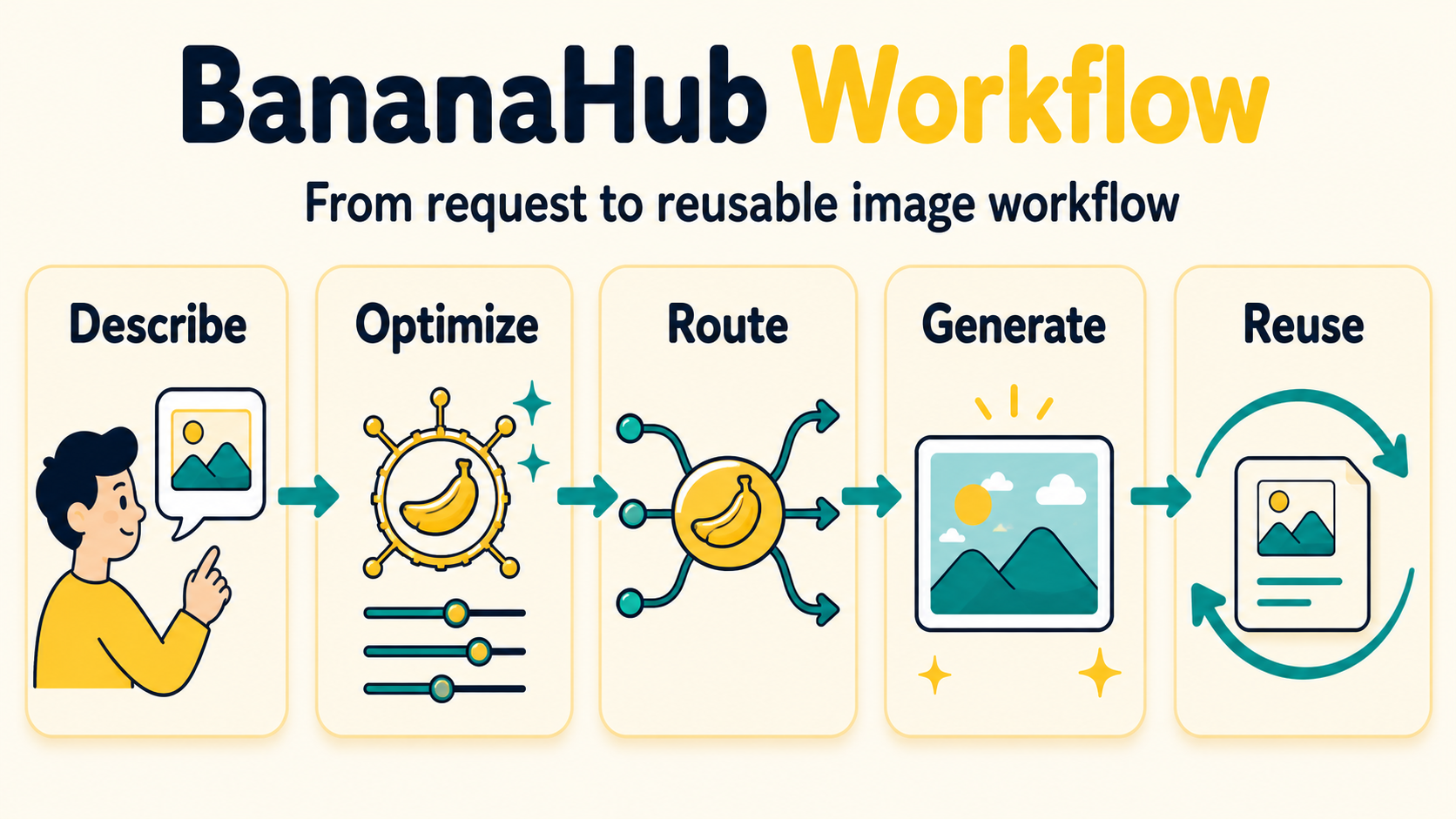
The core loop is simple: describe the image, let BananaHub optimize and route the request, generate through the configured provider, then reuse the archived prompt or template.
Runtime Modes
| Mode | When It Applies | What BananaHub Does |
|---|---|---|
provider-backed | A supported provider and key are configured | Optimizes the prompt, calls the provider, and saves outputs |
host-native | Local provider config is incomplete, but Codex or the host agent has an image tool | Optimizes/archives the prompt, then delegates image generation to the host |
prompt-only | No provider and no host image tool are available | Returns a reusable prompt; never pretends an image was generated |
Codex OAuth and some API login modes expose a built-in image generation tool. For CLI checks, use BANANAHUB_HOST_IMAGEGEN=1 or check-mode --host-imagegen to mark host-native image generation as available.
Setup Flow
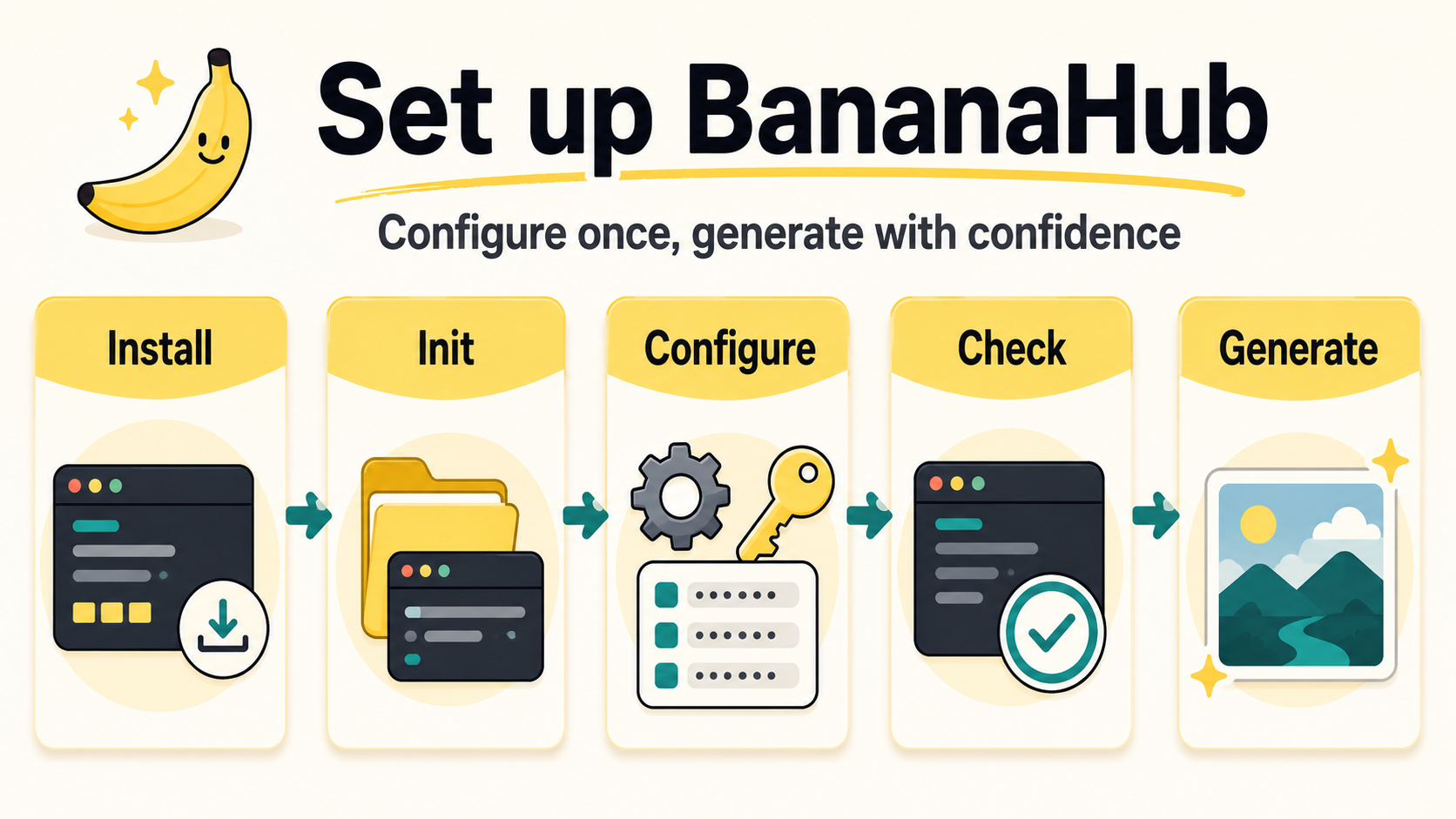
Configuration is intentionally profile-based: initialize once, persist provider credentials locally, check the runtime path, and keep future runs predictable.
Best Fit
- Everyday visual work: product clean shots, background replacement, article one-pagers, infographics, and repo explainers.
- Knowledge visuals: turn processes, long-form content, or codebase context into readable one-image summaries.
- Provider-aware teams: use the same template IDs across Gemini / Nano Banana and OpenAI GPT Image without hiding model-specific limits.
- Reusable workflows: archive prompts and install richer templates from BananaHub instead of bloating the skill package.
Commands
| Command | Use |
|---|---|
/bananahub <description> | Optimize the prompt and generate an image |
/bananahub edit <description> --input <image> | Edit an existing image |
/bananahub optimize <description> | Optimize only, no generation |
/bananahub generate <English prompt> | Generate directly from an English prompt |
/bananahub models | List available models |
/bananahub check-mode | Inspect runtime mode and capability layers |
/bananahub test-host-imagegen | Verify Codex/host built-in image generation |
/bananahub templates | List built-in and installed templates |
/bananahub use <template-id> | Use a prompt template or start a workflow template |
/bananahub discover <need> | Search BananaHub for matching templates |
/bananahub capture-workflow | Turn the current image iteration into a reusable workflow draft |
/bananahub init | Check and initialize the environment |
For ordinary image requests without /bananahub, BananaHub is advisory by default: it prompts before optimizing and does not silently replace the host's image generator.
Common Flags
| Flag | Meaning |
|---|---|
--direct | Fewer confirmations; still conservative about creative additions |
--raw | Translate/clean only, no extra enhancement |
--model <id> | Select a model, e.g. gemini-3-pro-image-preview, gpt-image-2 |
--provider <id> | Override provider for one run, e.g. openai, google-ai-studio |
--aspect <ratio> | Aspect ratio, e.g. 16:9, 1:1, 9:16 |
--image-size <preset> | Gemini native size preset: 1K, 2K, 4K |
--n <count> | OpenAI Images API number of generated/edited outputs |
--openai-size <value> | OpenAI Images API native size option |
--quality <value> | Provider-native quality preset |
--background <value> | Provider-native background option |
--output-format <value> | Provider-native output format, e.g. png, jpeg, webp |
--output-compression <value> | Provider-native output compression when supported |
--response-format <value> | Optional legacy OpenAI Images response override: url or b64_json |
--timeout <seconds> | OpenAI image request timeout override |
--resize <WxH> | Resize after generation/editing |
--output <path> | Image output path |
--save-prompt | Archive the final prompt under bananahub-prompts/ |
--prompt-output <path> | Save the final prompt to a file or directory |
--input <path> | Source image for edit commands |
--ref <path...> | Reference images for edit commands |
--mask <path> | OpenAI-native mask edit |
Set BANANAHUB_SAVE_PROMPTS=1 to archive final prompts by default for generate/edit runs.
Set BANANAHUB_IMAGE_TIMEOUT=<seconds> to override the OpenAI image request timeout; the default is 900. Use --timeout <seconds> for a single command.
Prompt Archive
Prompt archive is useful for QA, handoff, reruns, provider switching, and template design.
python3 scripts/bananahub.py generate \
  "A clean product photo of a blue wireless earbud case" \
  --save-prompt

python3 scripts/bananahub.py generate \
  "A launch poster for BananaHub" \
  --prompt-output docs/prompts/launch-poster.md
The archive file stores command metadata, provider, model, timestamp, and the final prompt. It is written before the provider call, so a failed API request still leaves a reusable prompt behind.
Provider Paths
BananaHub supports several provider routes. Advanced capabilities are not assumed globally; use check-mode and the capability registry to verify what is available.
| Provider | Best For | Generate | Edit | Mask | Notes |
|---|---|---|---|---|---|
openai-compatible | Recommended default for OpenAI-style image gateways | ✅ | ✅ | ✅ | GPT Image 2 path; standard Images API support depends on the gateway |
openai | Official OpenAI GPT Image APIs | ✅ | ✅ | ✅ | GPT Image native route; supports multi-output and multi-image edits through Images API |
google-ai-studio | Gemini / Nano Banana users | ✅ | ✅ | — | Gemini Developer API route |
gemini-compatible | Gemini-style relays or proxies | ✅ | ✅ | — | Depends on the relay |
vertex-ai | Enterprise GCP / Vertex AI | ✅ | ✅ | — | ADC or API key auth |
chatgpt-compatible | Chat/completions endpoints that return images | ✅ | — | — | Best-effort URL/base64 extraction |
Setup examples:
# Agent/script-readable diagnosis before provider calls
python3 scripts/bananahub.py config doctor --json

# Recommended GPT Image gateway profile
python3 scripts/bananahub.py config quickset --provider openai-compatible --profile gpt --default-profile \
  --base-url https://your-openai-compatible-endpoint --api-key <your_key> --model gpt-image-2

# OpenAI official GPT Image profile
python3 scripts/bananahub.py config quickset --provider openai --profile gpt --default-profile \
  --api-key <your_openai_key> --model gpt-image-2

# Google AI Studio / Gemini Developer API profile
python3 scripts/bananahub.py config quickset --provider google-ai-studio --profile nano --default-profile \
  --api-key <your_api_key> --model gemini-3-pro-image-preview

# Gemini-compatible relay profile
python3 scripts/bananahub.py config quickset --provider gemini-compatible --profile nano --default-profile \
  --base-url https://your-gemini-endpoint --api-key <your_key> --model gemini-3-pro-image-preview

# Chat/completions-compatible image endpoint
python3 scripts/bananahub.py config quickset --provider chatgpt-compatible --profile chat --default-profile \
  --base-url https://your-chat-endpoint --api-key <your_key> --model gpt-5.4

# Vertex AI ADC profile
python3 scripts/bananahub.py config quickset --provider vertex-ai --profile vertex --default-profile \
  --auth-mode adc --project <gcp-project> --location global

# Human-terminal fallback when you want guided prompts
python3 scripts/bananahub.py init --wizard
Agents should use config doctor --json, collect only missing provider fields, and persist them with config quickset. Direct API-key entry is supported when the user chooses it; otherwise provide a quickset command with placeholders for the user's local terminal.
When an agent receives the key directly, prefer --api-key-stdin over --api-key so the secret is not placed in command arguments.
Manual validation for an OpenAI-compatible gpt-image-2 gateway:
BANANAHUB_PROFILE=gpt python3 scripts/bananahub.py generate \
  "Create a cute sticker of a tiny cheerful robot holding a banana, rounded kawaii vector style, thick clean outlines, soft pastel colors, plain white background, no text." \
  --model gpt-image-2 \
  --aspect 1:1 \
  --no-fallback \
  --output /tmp/bananahub-gpt-image-2-retry-test.png
The command should return status: "ok" with actual_model: "gpt-image-2"; telemetry HTTP 403 warnings do not indicate generation failure.
Config priority: --config <file> → selected profile in ~/.config/bananahub/config.json → environment variables fill missing fields.
Use BANANAHUB_PROFILE=<name> to pick another persisted profile. Set BANANAHUB_ENV_OVERRIDE=1 only when environment variables should temporarily override profile fields.
Agent-facing diagnostics are provider-scoped: resolved_from only points to active values, ignored_config_sources lists values inactive for the selected provider, and env_shadowed_config_sources lists environment values ignored because the selected profile already defines that field.
How Prompt Optimization Works
File tree
FAQ
bananahub-skill is a Claude Code plugin with 1 hand-picked skill, indexed on Flowy in the Image Generation category. Install it with the command on its page. It includes bananahub-skill. Its skills do not fire on their own yet. Request auto-invocation to have Flowy route them as you prompt. Free and open source.
- What is bananahub-skill?
- BananaHub is an agent-native image workflow skill. Describe what you want in Chinese, English, or mixed language; BananaHub cleans up the prompt, detects the available runtime, routes the task to the right image path, and keeps generation, editing, templates,
- How do I install bananahub-skill?
- Run these in Claude Code: npx -y skills add bananahub-ai/bananahub-skill --agent claude-code. Then prompt normally.
- Does bananahub-skill auto-invoke its skills?
- Not yet. It is indexed on Flowy as a plain plugin. Request auto-invocation on its page and Flowy will route its skills for you as you prompt.
- Is bananahub-skill free?
- Yes. Flowy is free and open source, with nothing gated. You can read every skill in full before you install.
Is this plugin yours?
Claim it with GitHubSubmit a pluginPromote it