
Plugin
facts
Antidote for fluffy specs, a toolkit for fact-driven development with AI agents
8 skills206
 @av
@avReady-made animated components for Remotion — charts, transitions, text reveals, and more.
$ npx -y skills add av/remotion-bits --agent claude-code
https://github.com/user-attachments/assets/2a5760fe-1886-4490-9c2b-aceec24aff2f
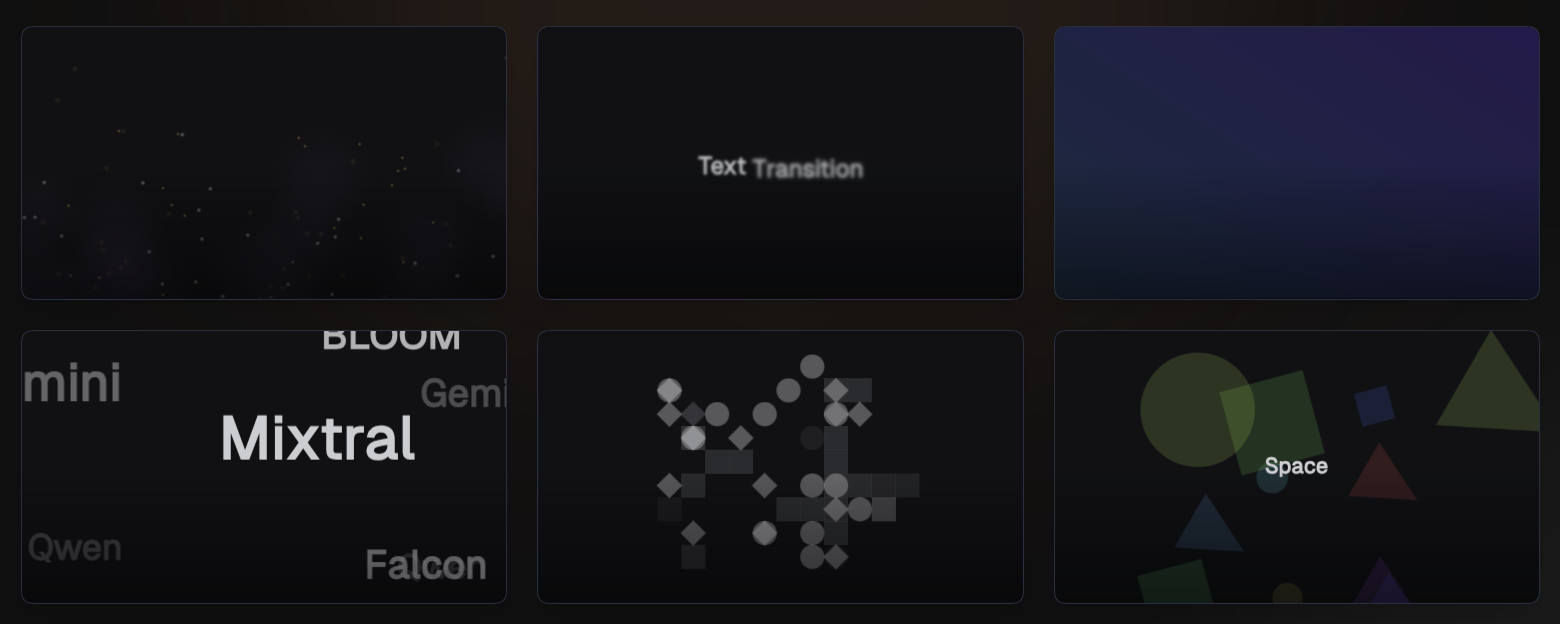





Remotion Bits is a comprehensive collection of animation components and utilities designed specifically for Remotion video projects. It provides ready-made, composable components for common animation needs: text effects, gradient transitions, particle systems, 3D scenes, and more. It also includes lower-level utilities for advanced motion and color handling.
[!NOTE] This project is not affiliated with or endorsed by the Remotion team.
npm install remotion-bits
Install the package when you want to consume Remotion Bits components inside a Remotion project. If you want to discover bits, run the MCP server, or pull individual bits into your app, start with the single-step usage paths below.
All published entry points use the same package name: remotion-bits.
Use the published CLI directly without installing it first:
npx remotion-bits find 3d cards
npx remotion-bits fetch bit-fade-in --json
Or install the bin globally:
npm i -g remotion-bits
remotion-bits find 3d cards
remotion-bits fetch bit-fade-in --json
Start the MCP server on stdio without a prior install:
npx remotion-bits mcp
Or use the global bin:
remotion-bits mcp
Minimal MCP client config:
{
	"command": "npx",
	"args": ["-y", "remotion-bits", "mcp"]
}
If you installed the package globally, use:
{
	"command": "remotion-bits",
	"args": ["mcp"]
}
The server exposes two tools:
find_remotion_bitsfetch_remotion_bitUse the package install when you want to import components and utilities into a Remotion project:
npm install remotion-bits
import { AnimatedText, GradientTransition } from 'remotion-bits';
Pull a bit into your project in one step:
npx jsrepo add --registry https://unpkg.com/remotion-bits/registry.json animated-text
Optional init flow if you plan to add multiple items:
npx jsrepo init https://unpkg.com/remotion-bits/registry.json
npx jsrepo add animated-text
This repository ships a skill file at skills/remotion-bits/SKILL.md.
Use that skill in an agent setup that supports custom skills, then point it at the published Remotion Bits entry points above. The skill does not automatically install anything by itself; it documents the workflow and relies on the MCP or CLI commands shown here.
Search by visual goal, tags, and output format:
npx remotion-bits find "camera presentation" --tag scene-3d --limit 2
npx remotion-bits find "fade in" --limit 1 --json
npx remotion-bits fetch bit-fade-in --json
The registry is published as a jsrepo registry at:
https://unpkg.com/remotion-bits/registry.json
One-off add without init:
npx jsrepo add --registry https://unpkg.com/remotion-bits/registry.json animated-text
npx jsrepo add --registry https://unpkg.com/remotion-bits/registry.json particle-system
After jsrepo init, add components or utilities by name:
npx jsrepo add animated-text
npx jsrepo add particle-system
npx jsrepo add color
Install the package if you want to keep using the published components directly instead of copying them into your app:
npm install remotion-bits
You will also need the Remotion peer dependencies in your project: React 18+, React DOM 18+, and Remotion 4+.
Use the repo-local commands below only when working inside this repository.
Prerequisites:
Fresh clone bootstrap:
git clone https://github.com/av/remotion-bits.git
cd remotion-bits
npm install
Lookup CLI from the repo root:
npm run bits:find -- --query "camera presentation" --tag scene-3d --limit 2
npm run bits:find -- --query "fade in" --limit 1 --json
npm run bits:fetch -- bit-fade-in --json
MCP server from the repo root:
npm run mcp:bits
Equivalent repo-local client config:
{
	"command": "node",
	"args": ["./node_modules/tsx/dist/cli.mjs", "scripts/remotion-bits-mcp.ts"],
	"cwd": "/absolute/path/to/remotion-bits"
}
Use the repo root as cwd. The server is stdio-only and should be attached directly, not through npm run, so stdout stays reserved for MCP protocol messages.
Reproducible repo-side MCP verification without inventing a separate client:
npx vitest run scripts/__tests__/remotion-bits-mcp.test.ts
That test starts the stdio server, verifies the tool list contains exactly find_remotion_bits and fetch_remotion_bit, then calls both tools through a real MCP client.
If you want your own MCP client config after verifying the repo flow, use:
{
	"command": "node",
	"args": ["./node_modules/tsx/dist/cli.mjs", "scripts/remotion-bits-mcp.ts"],
	"cwd": "/absolute/path/to/remotion-bits"
}
Fallback path when MCP is unavailable:
npm run bits:find -- --query "camera presentation" --tag scene-3d --limit 2
npm run bits:fetch -- bit-fade-in
Verify that the docs catalog, CLI lookup, and MCP lookup all use the same shared catalog:
npx vitest run docs/src/bits/__tests__/catalog.test.ts scripts/__tests__/remotion-bits-lookup.test.ts scripts/__tests__/remotion-bits-mcp.test.ts
What this covers:
find and fetch return deterministic results from that same catalogfind_remotion_bits and fetch_remotion_bit return results from that same catalogVerify live-source behavior directly from the repo:
npm run bits:fetch -- bit-fade-in --json
The JSON output should include:
sourcePath under docs/src/bits/examples/...sourceCode loaded from that file at runtimePackaging parity is a separate release concern. If you need to refresh the jsrepo extraction artifact, run:
npm run registry:extract
This updates extracted-bits.json. The runtime lookup path used by docs, CLI, and MCP does not depend on that file.
main.MIT
View @av’s profileAntidote for fluffy specs, a toolkit for fact-driven development with AI agents
@avremotion-bits is a Claude Code plugin with 1 hand-picked skill, indexed on Flowy in the Video & Audio category. Install it with the command on its page. It includes remotion-bits. Its skills do not fire on their own yet. Request auto-invocation to have Flowy route them as you prompt. Free and open source.
Is this plugin yours?
Claim it with GitHubSubmit a pluginPromote it