
Design
Plugin
brand-system-skill
Turn one visual reference into a connected brand system with Lovart Agent.

Plugin Signal49/100Fair
maintained64
capable14
documented75
adopted46
Install
$ npx -y skills add amirmushichge/brand-system-skill --agent claude-code
Stats
143
Stars
11
Forks
Maintained
Maintenance
CC-BY-4.0
License
2mo ago
Last commit
2mo ago
Created
19h ago
Added
What's inside
README
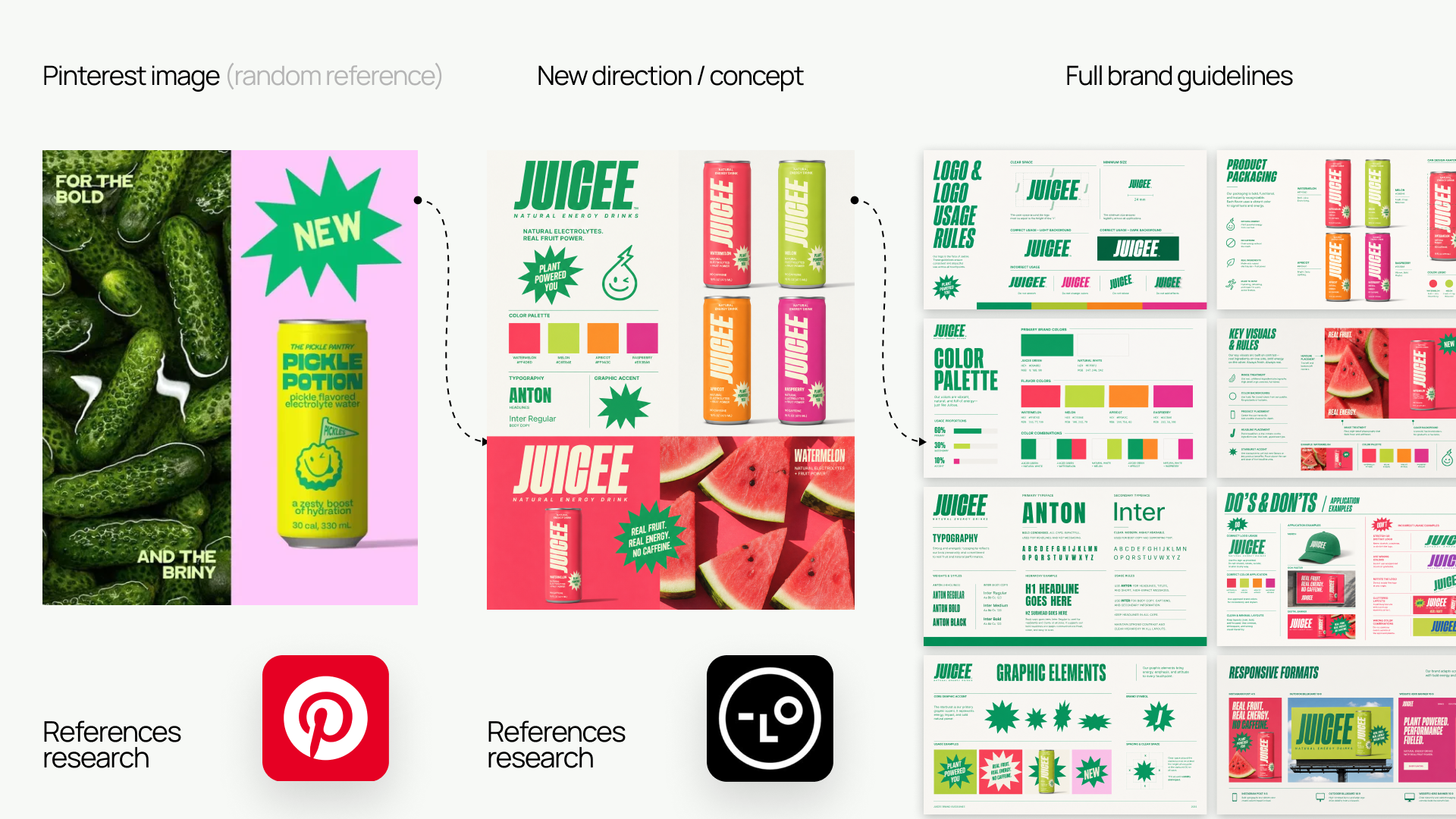
Lovart Brand System Skill
Turn one visual reference into a connected brand system with Lovart Agent.



An open-source, agent-guided creative-direction workflow for building an Anchor Brand Kit, guidelines, key visuals, original campaign assets, and packaging concepts—without losing brand consistency.
Prompts produce outputs. A Skill gives the Agent a process.
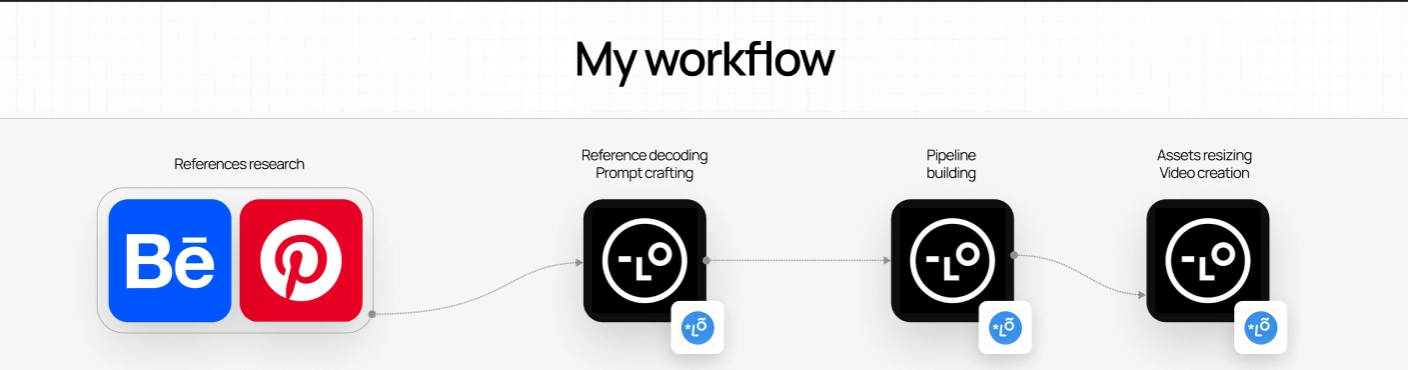
What the Skill does
The Skill helps users:
- collect a clear project brief;
- answer design questions in accessible language;
- analyze a reference without copying it;
- build an Anchor Brand Kit;
- use named Google Fonts;
- approve generation plans before spending credits;
- create one guideline slide per module;
- create original campaign scenes through Brand Lock;
- diagnose visual problems;
- refine or reject weak directions;
- audit consistency before scaling.
Best experience
Use the Skill in Lovart Agent with Thinking Mode enabled. Start a fresh project, paste the complete Skill, and keep one clear main visual reference ready. The workflow is written for non-designers as well as experienced creative teams: it explains unfamiliar choices and asks for missing information instead of inventing it.
Quick Start
- Open SKILL.md.
- Click Raw.
- Copy the complete document.
- Start a new Lovart project in Thinking Mode.
- Paste the complete Skill into the Agent chat.
- Send it.
- Follow the onboarding.
- Attach one main visual reference when requested.
If a question feels difficult, reply:
HELP ME WITH THIS
Lovart does not currently accept .md files as chat attachments, so copy and paste is the primary installation method.
Experimental GitHub URL method
Experimental: direct loading from a raw GitHub URL may not work consistently.
Turn on Web Search and send this instruction to Lovart Agent:
Turn on Web Search and read the complete instructions at:

https://raw.githubusercontent.com/amirmushichge/lovart-brand-system-skill/main/SKILL.md

Treat the document as the canonical operating workflow for this project. Confirm its name and version, then start with onboarding. Do not generate anything before the required approval gate.
If Lovart cannot confirm the Skill name and version (brand-system-builder, 0.2.0-alpha), use the copy-and-paste method above.
Approval gates
The workflow stops for explicit approval at the decisions that shape everything downstream:
- Project Brief
- Reference Direction
- Anchor Brand Kit
- Brand Lock
Every credit-consuming generation also requires a written Generation Plan and explicit approval. Guidelines, campaigns, and packaging cannot begin until the Anchor Brand Kit is approved.
Brand Lock
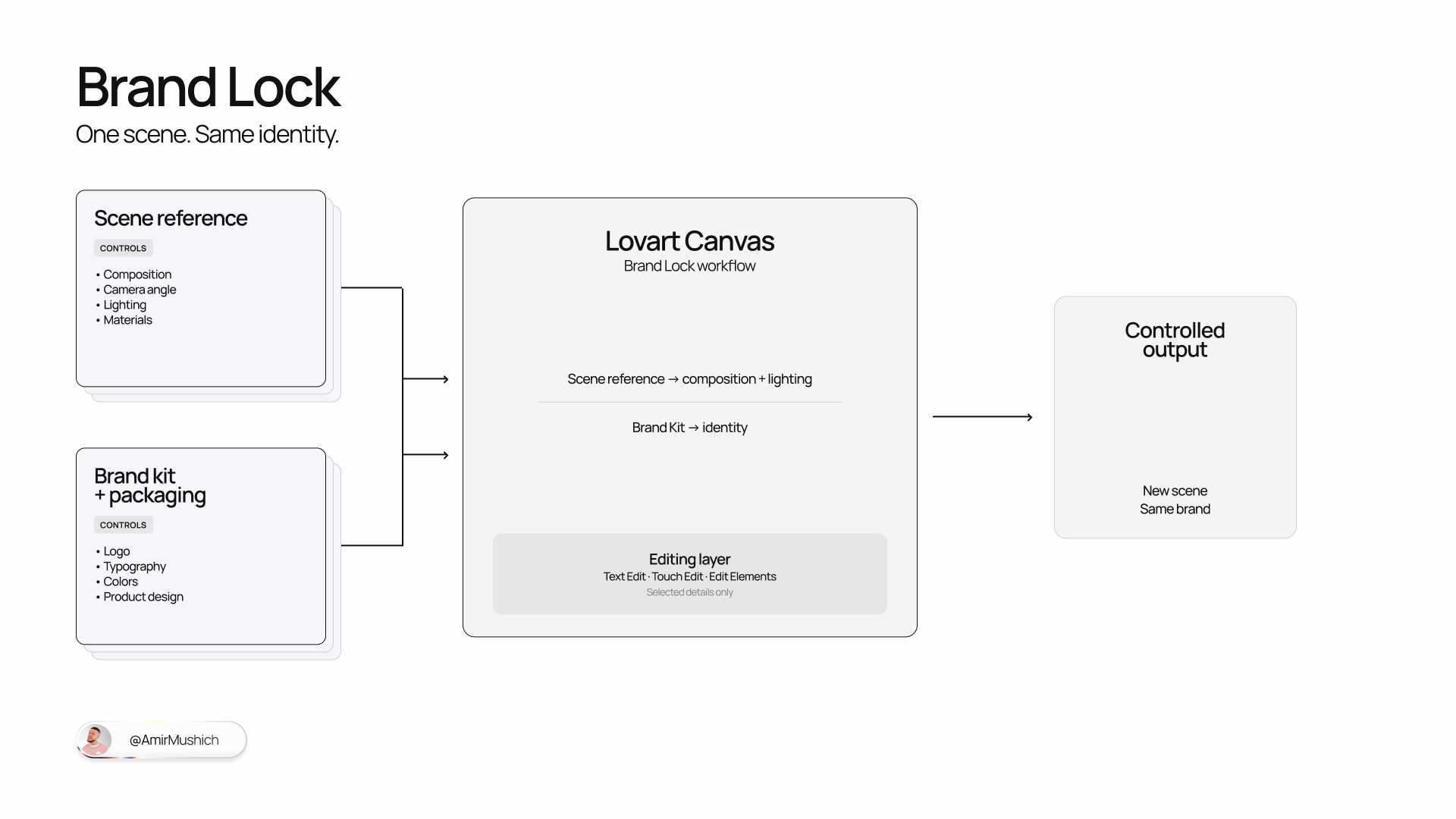
Brand Lock separates what each reference is allowed to control.
Scene Reference may inspire:
- composition family;
- shot type;
- camera distance;
- lighting;
- material category;
- depth;
- negative space;
- rhythm;
- mood.
Anchor Brand Kit controls:
- logo;
- typography;
- colors;
- hierarchy;
- graphic language;
- white-space behavior.
Packaging Reference controls:
- product shape;
- product design;
- label zones;
- SKU architecture.
The generated scene must be materially original.
The Skill prohibits:
- one-to-one recreation;
- near-duplicate scenes;
- exact characters or poses;
- exact object arrangement;
- copying the reference brand;
- simply rebranding someone else’s artwork.
Built-in commands
| Command | What it does |
|---|---|
STATUS | Returns the current project checkpoint. |
RESUME | Continues from the saved next action after checking required inputs. |
GO BACK | Reopens an approved stage and explains which later work may become invalid. |
AUDIT | Runs the relevant consistency audit without generating new assets. |
ART DIRECTOR REVIEW | Activates Creative Director Support Mode for diagnosis and guidance. |
REJECT DIRECTION | Isolates the rejected direction and restarts from the last approved stage. |
HELP ME WITH THIS | Explains the current question and offers clear options in everyday language. |
STOP | Stops generation and returns the current checkpoint. |
Core workflow
- Onboarding and project brief
- Reference deconstruction
- First Brand Kit
- Creative-direction review and refinement
- Brand Guidelines
- Key Visual system
- Brand Lock setup
- Consistency audit
- Campaign correction
- Campaign asset generation
- Packaging concepts
- Final system review
Optional workflows cover responsive formats, localization, motion from stills, and social and banner extensions.
Limitations
- Packaging renders are concepts, not final dielines, vector files, prepress files, manufacturing specifications, or production-ready 3D models.
- Generative models can distort text.
- Users must manually verify font usage and final copy.
- Use only legally and technically approved product claims.
- References must be used as inspiration, not for near-duplicate reproduction.
- Final production may still require designers, typographers, copywriters, 3D artists, motion designers, legal review, and print specialists.
Benchmark
Use BENCHMARK.md to score workflow compliance, reference independence, brand quality, Brand Lock performance, and correction quality on a reusable 35-point rubric.
Contributing
Reproducible workflow reports, missed-gate findings, Brand Lock failures, benchmark results, and accessibility improvements are welcome. Read CONTRIBUTING.md before opening an issue.
Version
Current release: v0.2.0-alpha (2026-08-11). See CHANGELOG.md.
Author
Created by Amir Mushich.
License
Licensed under Creative Commons Attribution 4.0 International (CC-BY-4.0). Attribution is required.
Independent project
Independent community project. Not an official Lovart product.
File tree
FAQ
brand-system-skill is a Claude Code plugin with 1 hand-picked skill, indexed on Flowy in the Design category. Install it with the command on its page. It includes brand-system-skill. Its skills do not fire on their own yet. Request auto-invocation to have Flowy route them as you prompt. Free and open source.
- What is brand-system-skill?
- Turn one visual reference into a connected brand system with Lovart Agent. An open-source, agent-guided creative-direction workflow for building an Anchor Brand Kit, guidelines, key visuals, original campaign assets, and packaging concepts—without losing
- How do I install brand-system-skill?
- Run these in Claude Code: npx -y skills add amirmushichge/brand-system-skill --agent claude-code. Then prompt normally.
- Does brand-system-skill auto-invoke its skills?
- Not yet. It is indexed on Flowy as a plain plugin. Request auto-invocation on its page and Flowy will route its skills for you as you prompt.
- Is brand-system-skill free?
- Yes. Flowy is free and open source, with nothing gated. You can read every skill in full before you install.
Is this plugin yours?
Claim it with GitHubSubmit a pluginPromote it